We look forward to showing you Velaris, but first we'd like to know a little bit about you.


Top 10 AI Customer Service Software Tools for 2026
Compare 10 of the best AI customer service software tools for 2026, from Zendesk and Intercom to Front, Freshdesk and Gorgias. We break down each platform by the type of support operation it suits best, along with its AI agent capabilities, customer context, limitations and pricing, to help you choose the right fit.
The Velaris Team
September 24, 2026
Customer Service software helps teams manage customer requests, coordinate responses, and automate repetitive support work.
The right platform depends on how your support operation works, whether that means structured ticketing, real-time chat, cross-team collaboration, ecommerce support, or AI agents that can resolve common issues automatically.
Support becomes harder when customer conversations are spread across different channels and the information needed to answer them lives somewhere else. Agents end up switching between systems or chasing other teams for context, while customers are forced to repeat themselves.
The best Customer Service software reduces that friction by bringing support work into one place and making it easier to route, resolve, and learn from customer requests.
In this guide, we compare 10 of the best Customer Service software tools for 2026, focusing on the type of support operation each one is best suited to rather than simply comparing feature lists.
Key takeaways
- Zendesk and Salesforce are strongest for complex enterprise service operations.
- Intercom is a strong fit for AI-first conversational support.
- Front stands out when customer service requires close cross-team collaboration.
- Zoho Desk and Freshdesk offer flexible help desk options for growing teams.
- Gorgias is purpose-built for ecommerce customer service.
- AI, customer context, and service model are now the biggest differentiators.
1. Zendesk
Overview
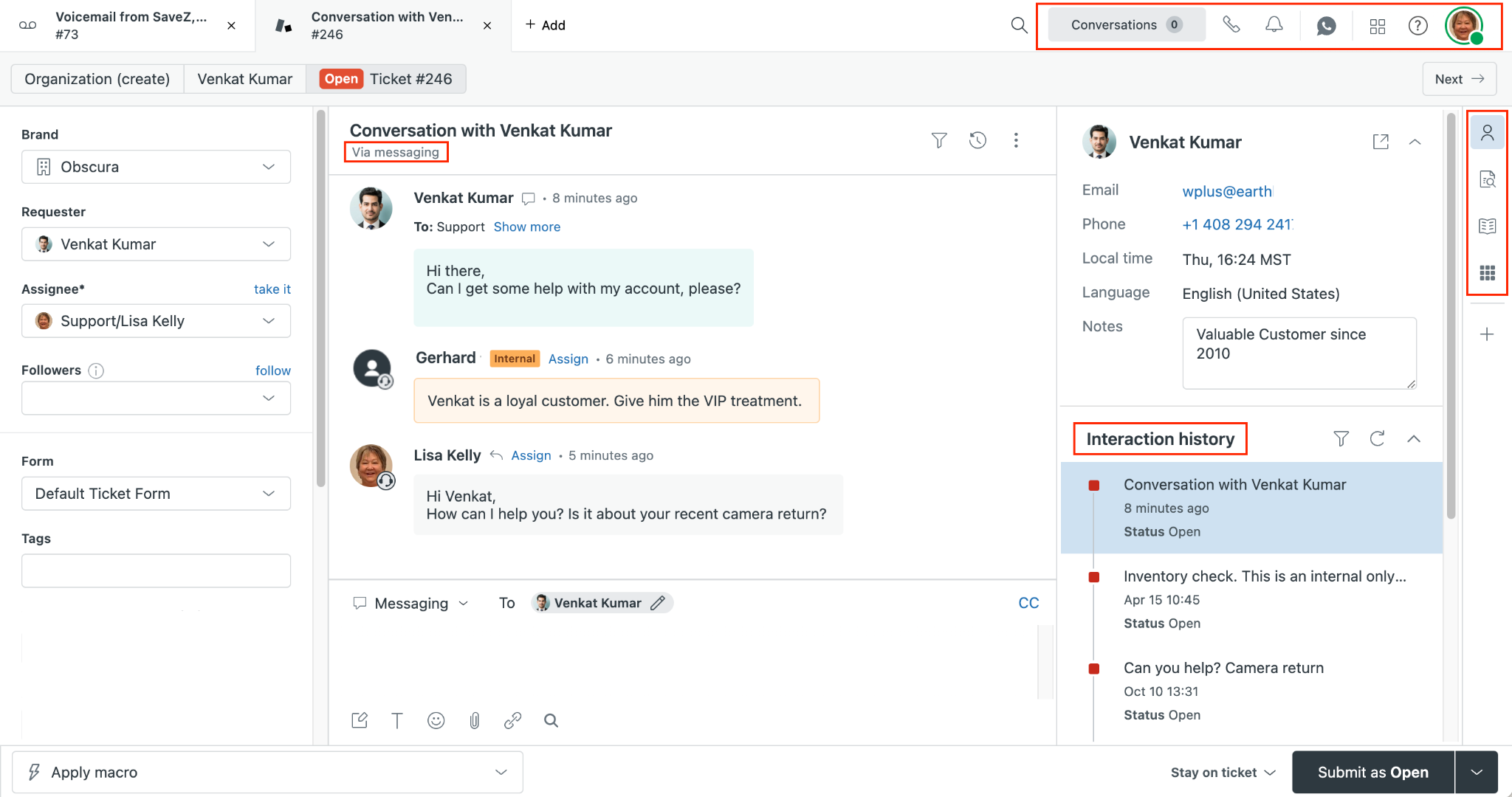
Zendesk is a customer service platform built around ticketing, omnichannel support, automation, and AI. It is one of the broadest options in this list, with tools for email, messaging, live chat, voice, self-service, and reporting.
For larger support teams, its main strength is depth. Zendesk can handle straightforward ticket queues as well as more complex routing and service operations across multiple channels.
Best for
Mid-market and enterprise support teams that need mature omnichannel customer service capabilities.
What it does well
- Ticketing: Zendesk provides a centralized system for managing customer requests across channels.
- Omnichannel routing: Requests from email, messaging, and voice can be assigned based on availability and capacity, with more advanced routing options on higher plans.
- Self-service: The Suite includes a knowledge base alongside messaging and AI-powered support tools.
- AI agents: Zendesk AI Agents are available across Suite and Support plans and can resolve customer requests without escalating them to a human.
- Automation and reporting: Teams can use triggers, workflows, analytics, and AI-driven insights to improve support operations.
Limitations and considerations
- Zendesk's breadth can make setup and administration more involved than with simpler help desk tools.
- Many of its more advanced routing and AI capabilities are most useful to larger support teams with established processes.
- AI Agent usage is billed based on automated resolutions, so total cost can increase as more support is handled by AI.
Pricing
Zendesk's Support Team plan starts at $19 per agent per month when billed annually. Suite Team starts at $55, while Suite Professional starts at $115 per agent per month.
AI Agents are included across Zendesk plans, with usage charged based on the number of customer requests successfully resolved without human escalation.
2. Intercom
Overview
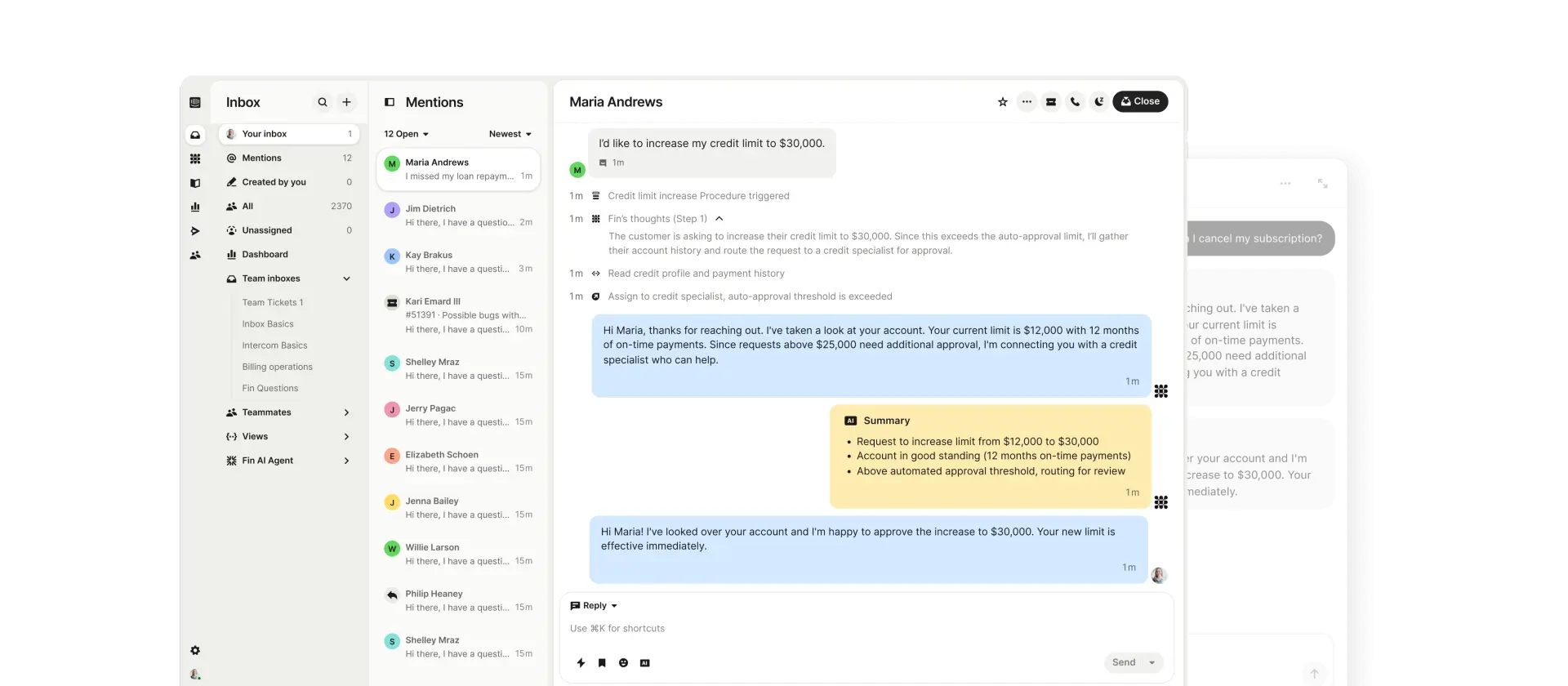
Intercom is a customer service platform built around digital conversations and AI. It combines live chat, support email, in-app messaging, ticketing, help centers, and workflow automation in one system.
Its biggest differentiator is Fin AI Agent, which can answer customer questions, take actions, and hand conversations over to human agents when needed.
Best for
SaaS and digital businesses that want AI to handle a meaningful share of frontline customer service.
What it does well
- Fin AI Agent: Fin can resolve support requests across chat and email, with voice support also available.
- Conversational support: Intercom brings live chat, support email, and in-app messaging into one customer service platform.
- Workflow automation: Higher-tier plans include a workflow builder for routing and automating customer conversations.
- Knowledge management: Help Center and Knowledge Hub tools give Fin and human agents a shared source of support content.
- AI Copilot: Human agents can use Copilot inside the inbox for assistance with customer conversations.
Limitations and considerations
- Intercom combines seat-based pricing with usage charges for Fin, so total costs can become less predictable as AI usage grows.
- Some capabilities, including Copilot and advanced proactive support, are priced as add-ons.
- Teams whose support work depends heavily on complex internal collaboration may prefer a platform built more explicitly around cross-team workflows.
Pricing
Intercom's Essential plan starts at $29 per seat per month when billed annually. Advanced starts at $85, while Expert starts at $132 per seat per month.
Fin AI Agent is available across all plans and starts at $0.99 per outcome. Additional usage charges also apply to channels such as SMS, WhatsApp, phone, and email campaigns.
3. Zoho Desk
Overview
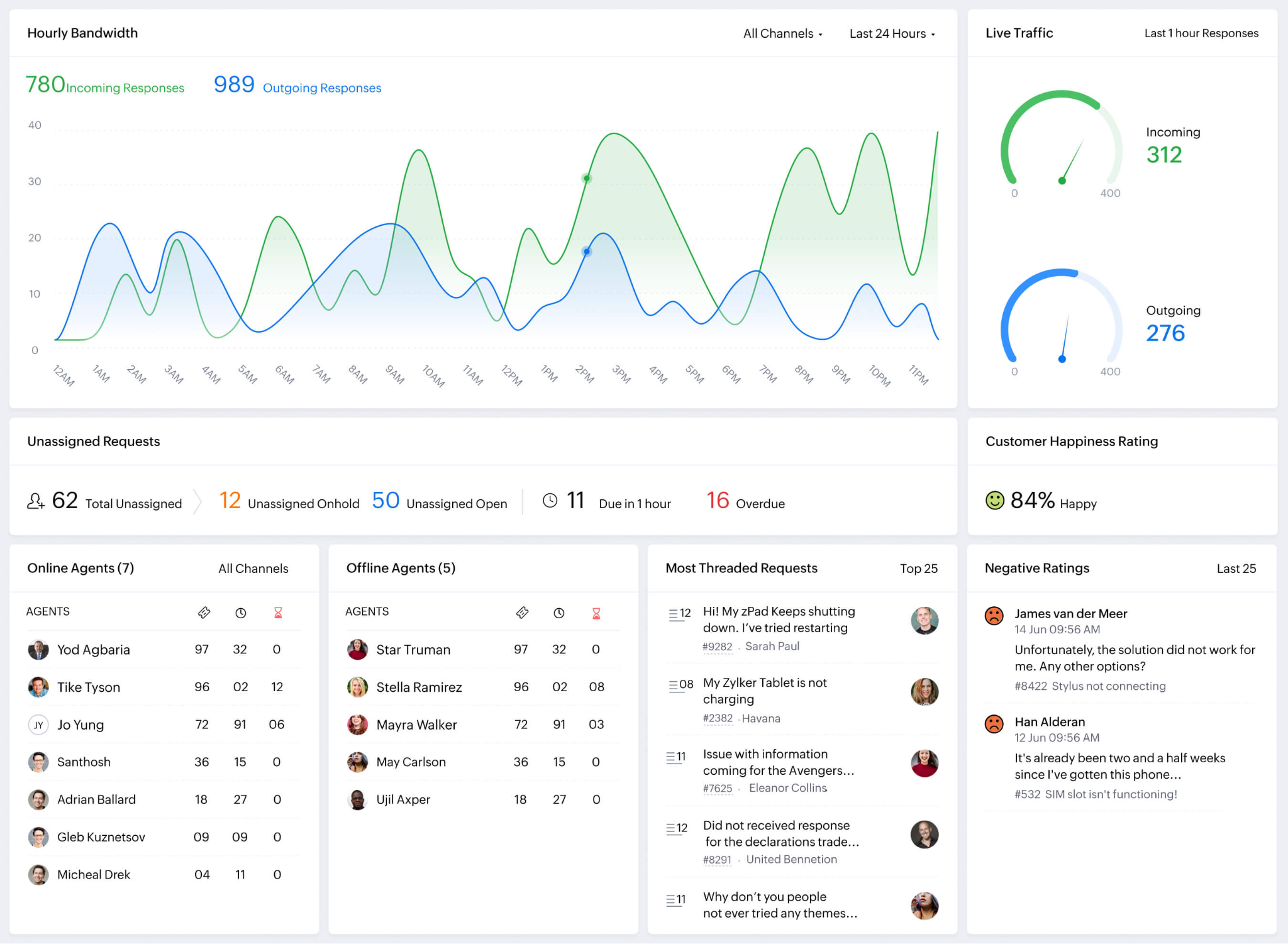
Zoho Desk is a customer service platform built around ticketing, automation, self-service, and omnichannel support. It offers a relatively broad feature set at a lower entry price than many enterprise help desks.
Teams can start with basic email support, then add messaging, telephony, advanced workflows, and AI as their service operation grows. (zoho.com)
Best for
Small and mid-sized businesses that want an affordable, customizable help desk with room to scale.
What it does well
- Omnichannel support: Zoho Desk supports email, social channels, web forms, messaging, and telephony across its paid plans. (zoho.com)
- Workflow automation: Teams can automate assignments, escalations, and ticket processes using workflows and Blueprints. (zoho.com)
- Self-service: Higher plans include a knowledge base, community forums, and embedded support widgets. (zoho.com)
- SLA management: Teams can create service level agreements with rules for different accounts or support contracts. (help.zoho.com)
- Zia AI: Zia can summarize tickets, assist with replies, analyze sentiment, and identify key topics in customer conversations. (help.zoho.com)
- Zia Agents: AI agents can handle routine ticket actions and respond to common customer queries automatically. (help.zoho.com)
Limitations and considerations
- Zoho Desk's customization options can require more setup than simpler shared inbox products.
- Companies already heavily invested in another CRM ecosystem may get less benefit from its connection to the wider Zoho suite.
- Very complex enterprise contact centers may need deeper workforce management or service infrastructure than Zoho Desk provides.
Pricing
Zoho Desk offers a free plan for up to three users. When billed annually in the US, Express starts at $7 per user per month, followed by Standard at $14, Professional at $23, and Enterprise at $40. (zoho.com)
Higher tiers add capabilities such as telephony, more advanced automation, Zia AI, skill-based routing, and multi-brand support.
4. Front
Overview
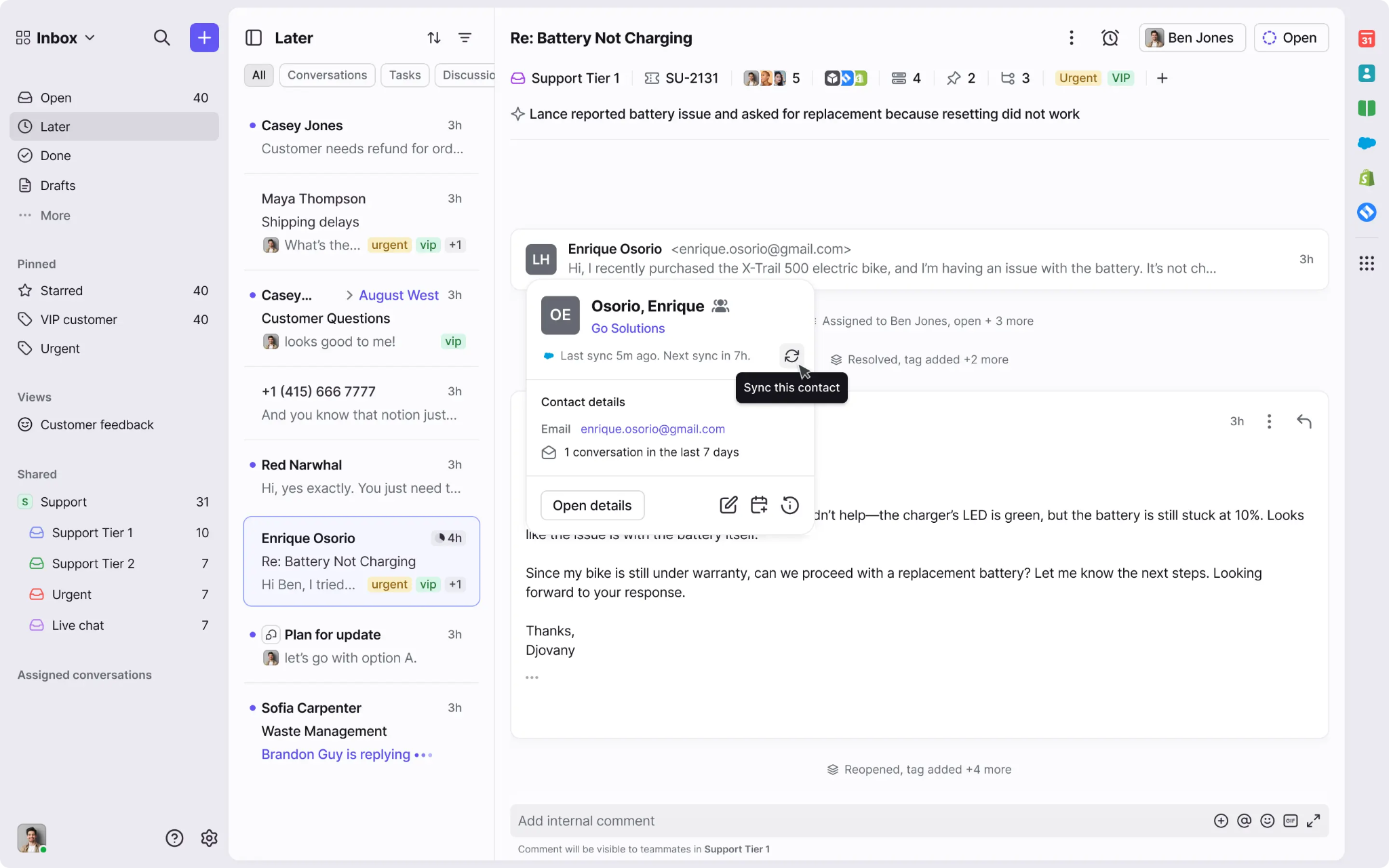
Front is an AI-powered customer operations platform built around shared inboxes, ticketing, automation, and cross-team collaboration. Its main strength is handling customer requests that require input from more than one team.
Instead of moving a conversation into Slack or another internal system, teams can collaborate directly inside Front using assignments, comments, approvals, and shared ownership.
Best for
B2B support teams that handle complex customer requests across multiple internal teams.
What it does well
- Collaborative inboxes: Shared inboxes keep customer conversations visible to the teams that need to work on them.
- Flexible ticketing: Front supports structured ticket statuses while keeping its more conversational inbox experience.
- Workflow automation: Teams can automate routing, prioritization, assignments, and escalations.
- AI assistance: Copilot can summarize conversations, research context, suggest next steps, and draft replies.
- AI automation: Autopilot can automate customer conversations, while Smart QA and Smart CSAT help teams analyze service quality.
Limitations and considerations
- Front's collaboration-first model may be more than teams with simple ticket queues need.
- Some of its most advanced AI capabilities are paid add-ons on Starter and Professional plans.
- Teams used to a highly structured traditional help desk may need time to adapt to Front's inbox-led approach.
Pricing
Front's Starter plan starts at $25 per seat per month when billed annually. Professional starts at $65, while Enterprise starts at $105 per seat per month.
Autopilot starts at $0.05 per conversation. Copilot and Smart QA cost $20 per seat per month as add-ons, while Smart CSAT costs $10 per seat per month. Copilot, Smart QA, and Smart CSAT are included with Enterprise.
5. Freshdesk
Overview
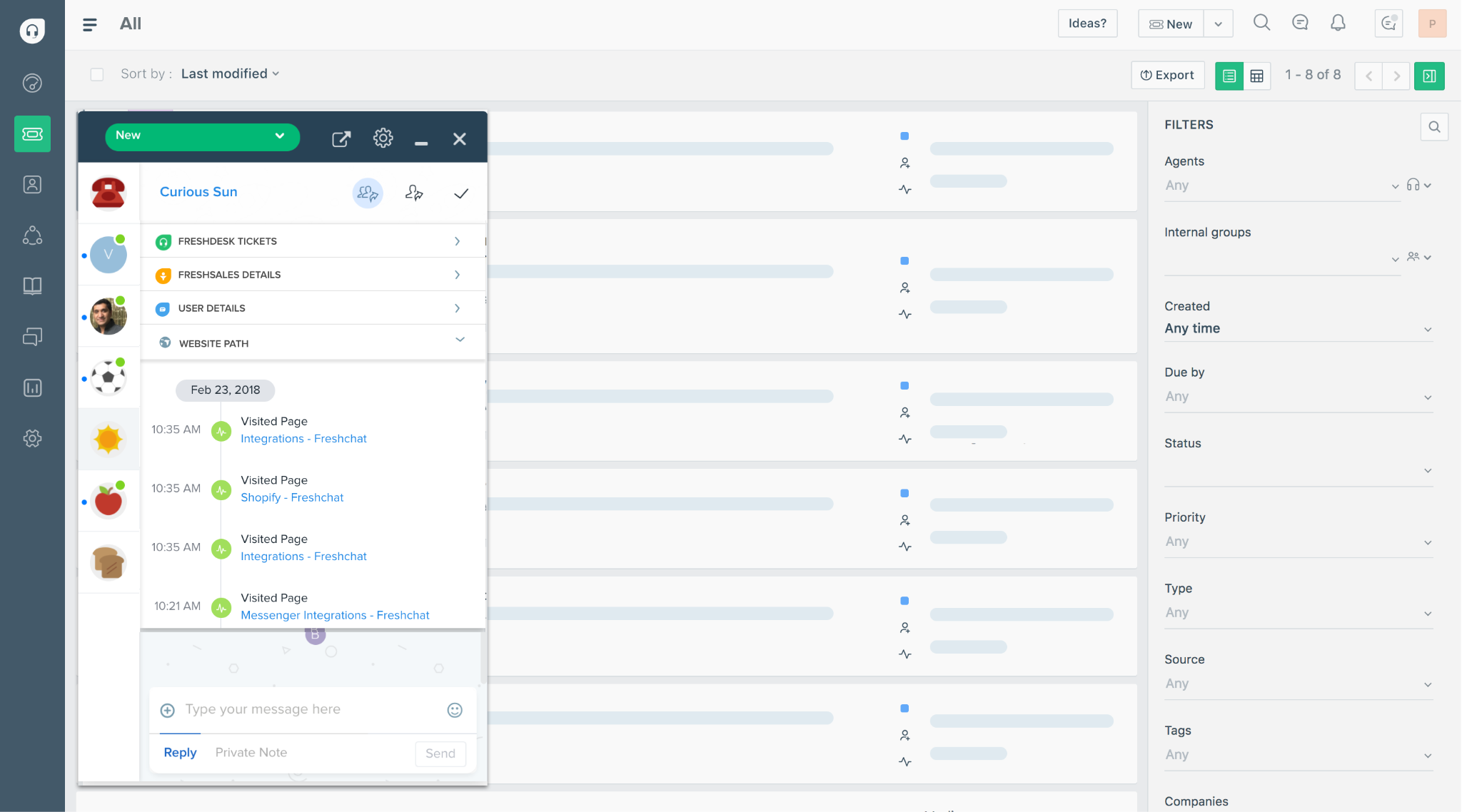
Freshdesk is a customer support platform from Freshworks built around ticketing, self-service, automation, and AI. It offers a relatively accessible entry point for growing support teams, with more advanced routing and analytics available as teams scale.
For teams that need support across more channels, Freshworks also offers Freshdesk Omni, which adds broader omnichannel capabilities.
Best for
Small and mid-sized support teams that want a feature-rich help desk with room to grow.
What it does well
- Ticketing and shared inbox: Teams can manage customer requests from a central workspace and collaborate on incoming tickets.
- Self-service: Freshdesk includes a customer portal and knowledge base to help customers resolve common questions themselves.
- Routing and SLA management: Higher plans add intelligent assignment and multiple SLA policies for more complex support operations.
- Freddy AI Agent: AI agents can resolve common requests automatically and escalate customers to human agents when needed.
- Freddy AI Copilot: Copilot can summarize conversations, draft responses, suggest solutions, and help agents resolve tickets faster.
- Reporting: Pre-built and custom dashboards help teams monitor support performance and identify bottlenecks.
Limitations and considerations
- Some of Freshdesk's stronger routing and reporting capabilities require Pro or Enterprise plans.
- Freddy AI Copilot is a paid add-on rather than being included as standard on eligible plans.
- Teams that need broader omnichannel service may need Freshdesk Omni rather than the standard Freshdesk help desk.
Pricing
Freshdesk starts at $19 per agent per month for Growth when billed annually. Pro costs $55, while Enterprise costs $89 per agent per month. The first 500 Freddy AI Agent sessions are included, with additional sessions costing $49 per 100 sessions.
Freddy AI Copilot costs an additional $29 per agent per month on Pro and Enterprise. For omnichannel support, Freshdesk Omni starts at $29 per agent per month when billed annually.
6. Salesforce Service Cloud
Overview
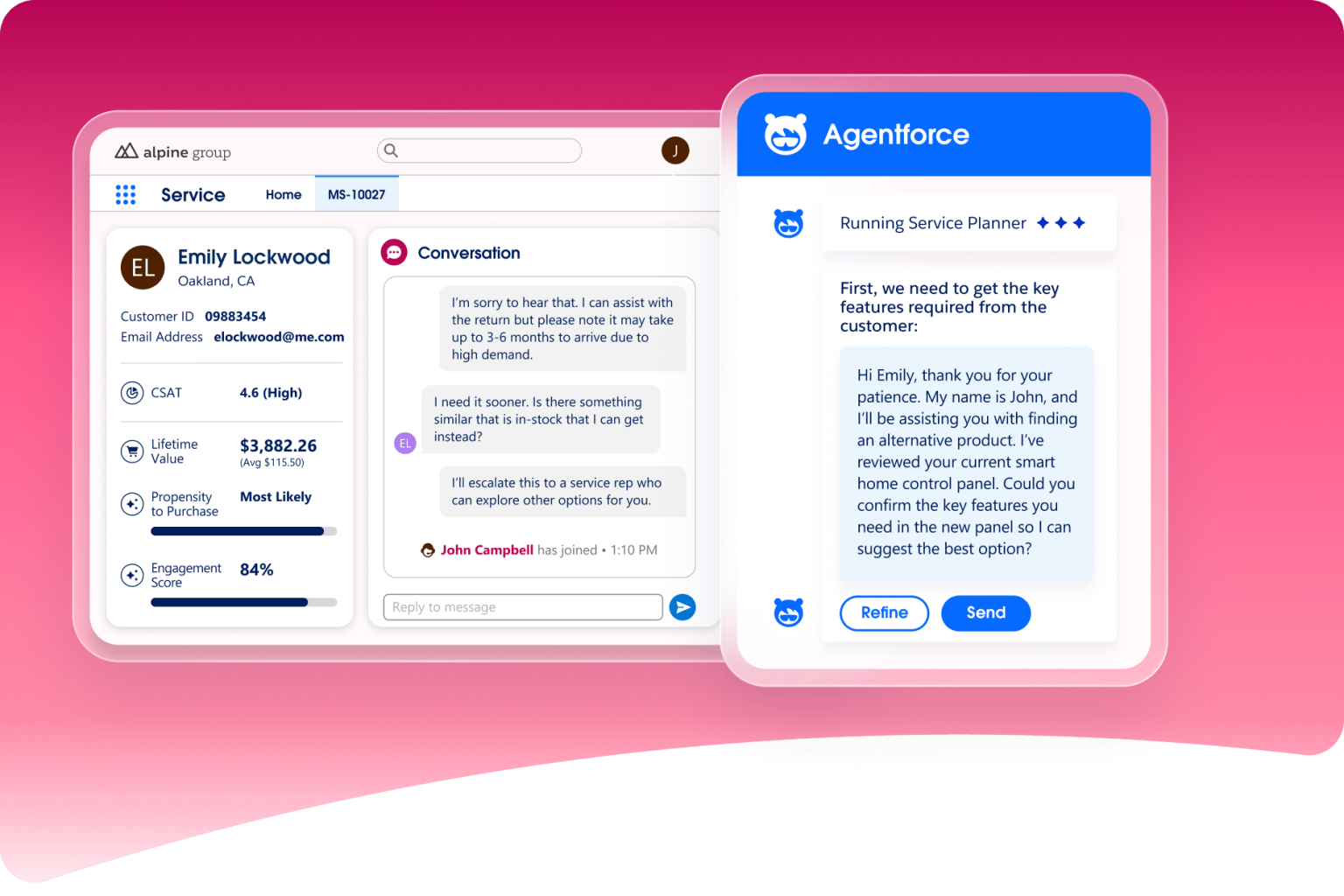
Salesforce Service Cloud is an enterprise customer service platform built around case management, CRM data, automation, and omnichannel support. Salesforce now refers to the product as Agentforce Service, although Service Cloud remains widely used as the category and product name.
Its biggest advantage is customer context. Support teams can work from the same Salesforce records used across sales and other customer-facing functions, giving agents access to account history alongside the current case.
Best for
Large organizations already using Salesforce that want customer service deeply connected to their CRM.
What it does well
- Case management: Salesforce provides highly customizable case records for tracking customer issues through resolution.
- Omnichannel routing: Work can be routed based on agent skills, availability, and workload.
- CRM context: Agents can see customer history and related Salesforce data from the same service workspace.
- Knowledge and self-service: Teams can build knowledge bases and help centers for both customers and support agents.
- Workflow automation: Salesforce Flow can automate routing, escalations, and other service processes.
- Agentforce: AI agents can handle routine requests, while AI assistance helps human agents resolve more complex cases.
Limitations and considerations
- Salesforce can require significant setup and ongoing administration, especially for complex service operations.
- Advanced contact center and AI capabilities may require additional products or higher-tier plans.
- Smaller teams with simple ticket queues may not need the level of customization the platform provides.
Pricing
Salesforce's Starter Suite starts at $25 per user per month, while Pro Suite starts at $100. Enterprise costs $175 per user per month, Unlimited costs $350, and Agentforce 1 Service costs $550, with the higher tiers billed annually.
Agentforce Contact Center is priced separately, starting at $125 per user per month on top of eligible Service editions.
7. Gorgias
Overview
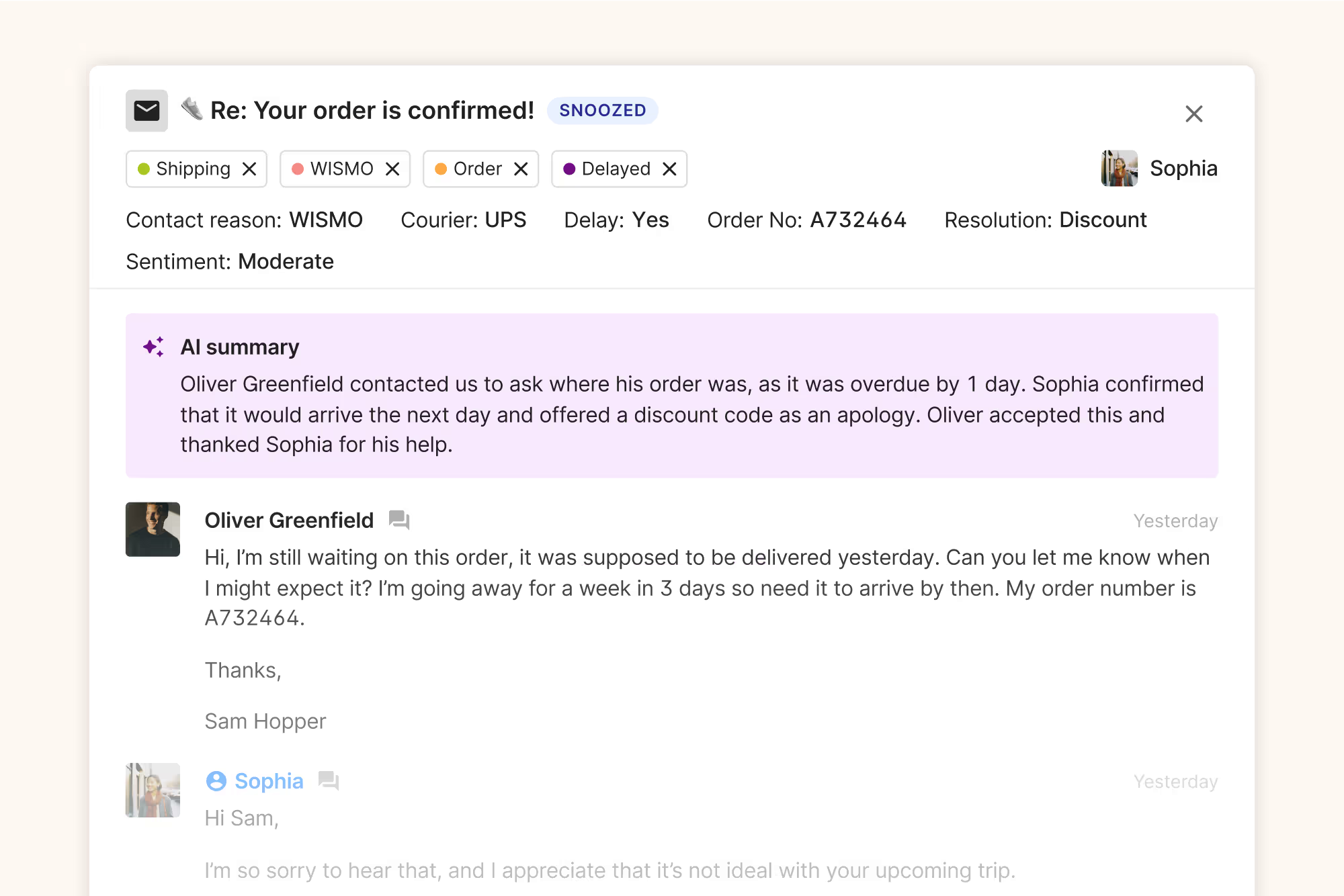
Gorgias is a customer service platform built specifically for ecommerce. It connects support conversations with store data so agents can see order details and take common actions without constantly switching between tools.
Its strongest fit is Shopify, where the platform can pull customer and order information directly into the help desk and power deeper automation.
Best for
Ecommerce brands, particularly Shopify stores, that want customer service closely connected to orders and shopping activity.
What it does well
- Shopify integration: Agents can view order history and shipping information directly inside support conversations.
- Order actions: Teams can handle tasks such as refunds, cancellations, and shipping changes without leaving Gorgias.
- Omnichannel support: Gorgias supports email, chat, social channels, WhatsApp, and other customer conversations.
- AI Agent: AI can resolve common support requests and take actions in connected systems before handing more complex conversations to a human.
- Shopping assistance: The same AI Agent can also answer pre-purchase questions and help shoppers find products.
Limitations and considerations
- Gorgias is heavily optimized for ecommerce, so many of its strongest features are less relevant to B2B SaaS or professional services teams.
- Shopify currently has the deepest automation support. Some AI Agent and order management capabilities are not available for other ecommerce platforms.
- Pricing is based on ticket and AI usage, so costs can rise as support volume grows.
Pricing
Gorgias uses ticket-based pricing rather than charging primarily per agent. Starter costs $10 per month for 50 tickets, while Basic starts at $60 for 300 tickets, Pro at $360 for 2,000, and Advanced at $900 for 5,000 tickets. Enterprise pricing is customized.
AI Agent is charged separately when it fully resolves a conversation. Most plans currently charge around $0.90 per resolved interaction with annual billing, while Starter begins at $1 per resolution.
8. Help Scout
Overview
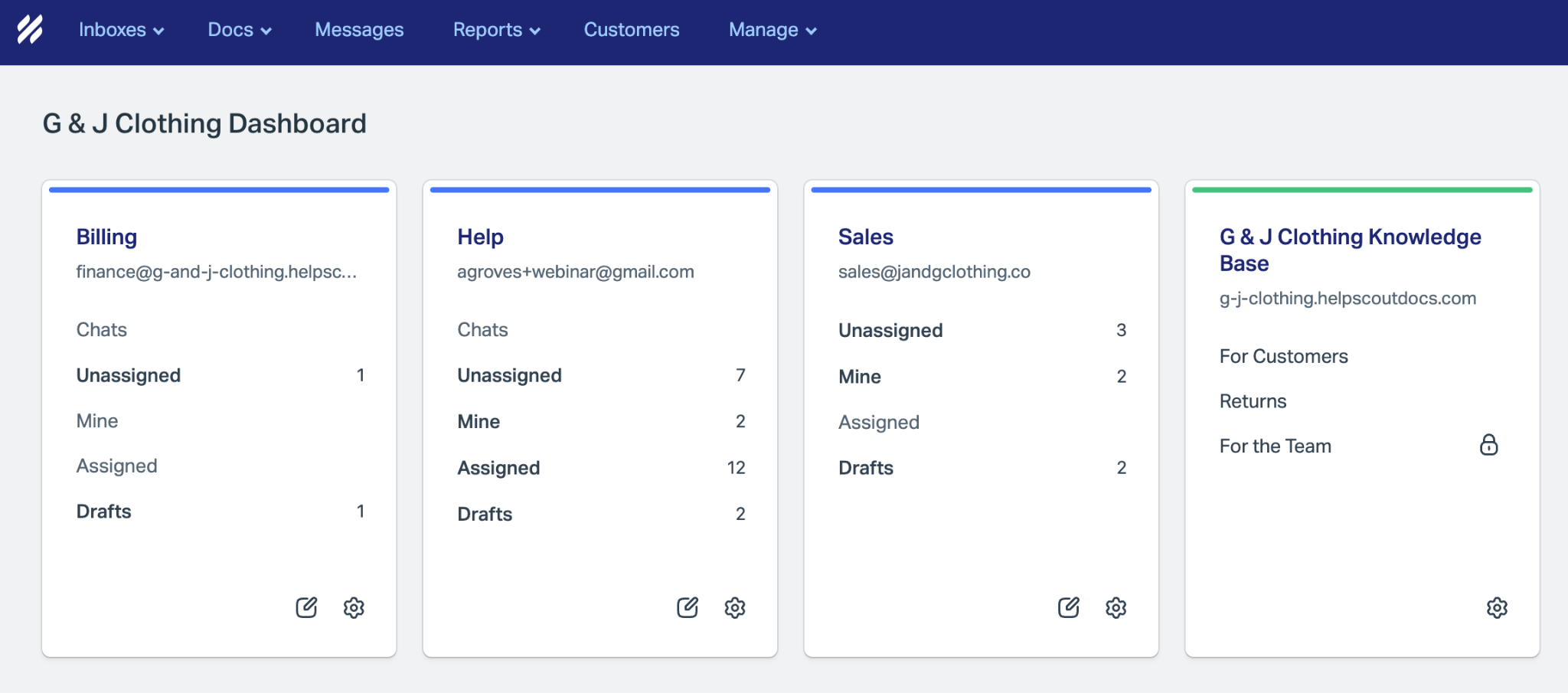
Help Scout is a customer support platform built around a shared inbox, knowledge base, live chat, and customer profiles. Its interface is designed to feel closer to regular email than a traditional ticketing system, which can make it easier for smaller teams to adopt.
It also includes AI tools for drafting replies and resolving common customer questions without adding a more complex service platform. (helpscout.com)
Best for
Small and mid-sized teams that want simple, human customer service without heavy administration.
What it does well
- Shared inbox: Teams can manage customer emails together while keeping ownership and conversation history clear. (helpscout.com)
- Beacon: Help Scout's embedded support widget combines live chat, help content, and contact options inside a website or product. (helpscout.com)
- Docs knowledge base: Teams can create self-service help centers, with at least one Docs site included on every plan. (docs.helpscout.com)
- Customer context: Profiles show customer data and previous conversations alongside the current request. (helpscout.com)
- AI assistance: AI Assist can edit or translate replies, while AI Drafts generates responses using past conversations and help content. (helpscout.com)
- AI Answers: Customers can get automated answers through Beacon using the team's existing knowledge sources, with human support available when needed. (docs.helpscout.com)
Limitations and considerations
- Help Scout is less suited to highly complex enterprise routing and contact-center operations.
- More sophisticated workflows and routing require its higher-tier plans. (helpscout.com)
- AI Answers uses resolution-based pricing, so AI costs increase as more customer requests are resolved automatically. (docs.helpscout.com)
Pricing
Help Scout offers a free plan for up to five users. Paid plans currently start at $25 per user per month for Standard, followed by $45 for Plus and $75 for Pro. (helpscout.com)
AI Answers costs an additional $0.75 per successful resolution after the free trial period. (docs.helpscout.com)
9. HubSpot Service Hub
Overview
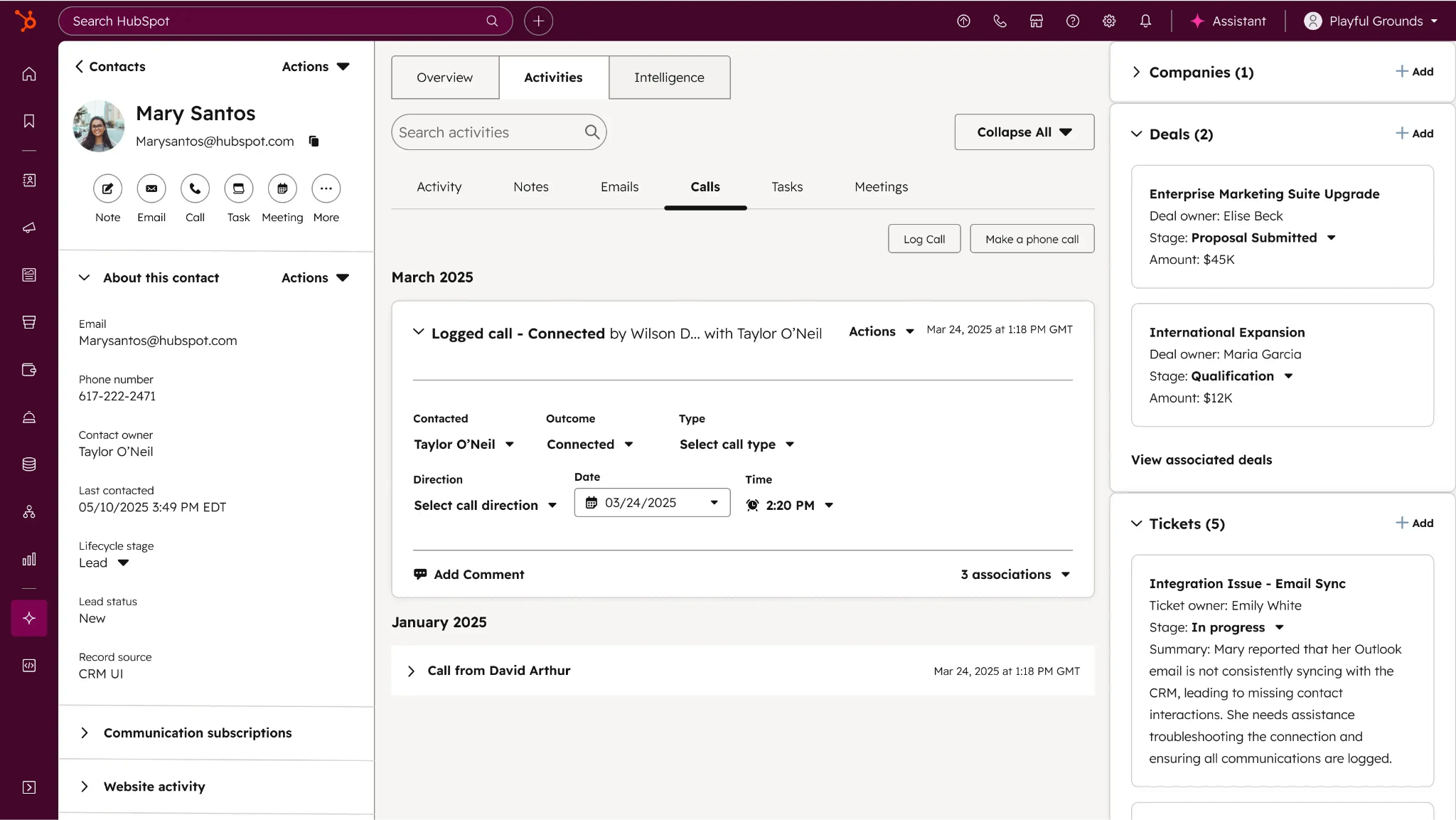
HubSpot Service Hub is a Customer Service platform that combines help desk functionality with HubSpot's CRM. Support teams can manage customer requests while working from the same records used by sales and marketing.
Its strongest fit is for companies already using HubSpot that want to keep service and customer data in one ecosystem.
Best for
Growing businesses that want Customer Service closely connected to HubSpot CRM.
What it does well
- Ticketing and help desk: Teams can manage customer requests from a shared service workspace.
- CRM context: Agents can access customer records and previous activity without moving between separate systems.
- Customer Agent: HubSpot's AI agent can resolve common inquiries and escalate more complex requests when needed.
- Knowledge base: Professional and Enterprise plans include self-service content for customers and AI.
- Customer Success workspace: Professional also adds tools for managing customer health and retention alongside support.
- Advanced service operations: Enterprise adds capabilities such as skill-based routing, conditional Service Level Agreements, and customer journey analytics.
Limitations and considerations
- Many of HubSpot's more advanced Customer Service features require Professional or Enterprise.
- Pricing rises significantly between Starter and Professional, and both Professional and Enterprise have mandatory onboarding fees.
- AI usage is managed through HubSpot Credits, so heavy use of Customer Agent can add to the overall cost.
Pricing
HubSpot offers free Customer Service tools for up to two users. When billed annually, Starter currently starts at $7 per seat per month, Professional at $90, and Enterprise at $150 per seat per month.
Professional includes 3,000 HubSpot Credits per month, while Enterprise includes 5,000. Customer Agent uses 50 credits per conversation resolved, with additional credits available for purchase.
10. Kustomer
Overview
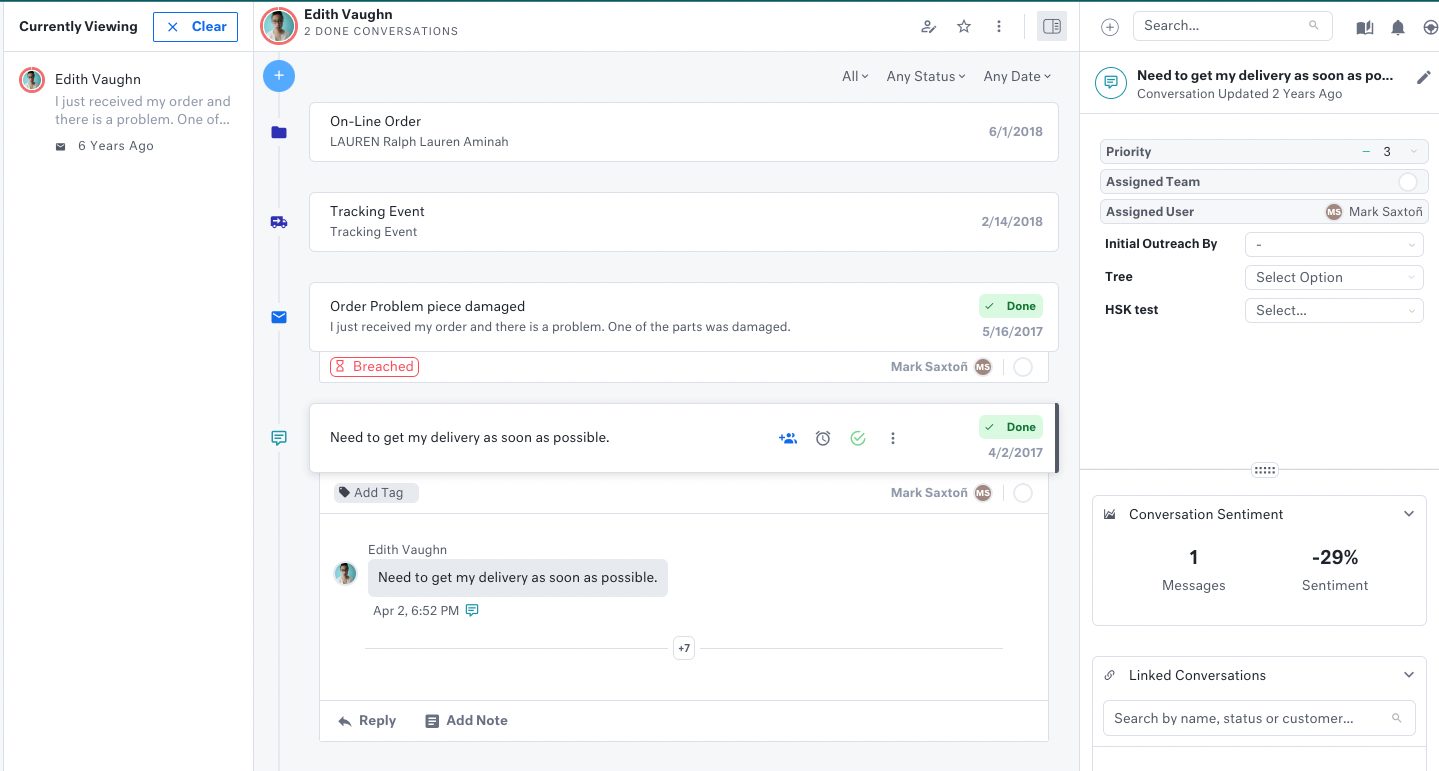
Kustomer is a customer service platform built around a persistent customer record rather than individual support tickets. Its Customer Timeline brings conversations and customer activity together, giving agents more context before they respond. (kustomer.com)
This approach makes it particularly useful for high-volume B2C teams where the same customer may contact support repeatedly across different channels.
Best for
High-volume B2C teams that want omnichannel customer service built around a complete customer history.
What it does well
- Customer Timeline: Agents can see previous conversations and customer activity in one chronological view. (help.kustomer.com)
- Omnichannel support: Kustomer brings email, chat, SMS, WhatsApp, and other channels into a shared workspace. (kustomer.com)
- Workflow automation: Teams can automate routing and repetitive service processes using configurable workflows. (kustomer.com)
- AI assistance: Kustomer AI can summarize conversations and help agents draft responses or find information more quickly.
- AI agents: AI Agents can respond to customers and take actions in connected systems, such as updating customer information. (help.kustomer.com)
- Customer insights: Sentiment and customer data can help teams understand the wider context behind each interaction.
Limitations and considerations
- Kustomer is more sophisticated than smaller teams with straightforward ticket queues are likely to need.
- Its customer-centric data model can require more setup than a lightweight help desk.
- Pricing is not publicly fixed, making it harder to estimate costs without speaking to the company.
Pricing
Kustomer uses custom pricing rather than publishing standard per-user plans. Pricing depends on the products and scale required. (kustomer.com)
Additional usage charges can apply to communication channels such as voice and WhatsApp, as well as some AI functionality.
Which Customer Service software is right for your team?
The right Customer Service software depends on how your support operation works.
Zendesk and Salesforce are strong for complex enterprise service. Intercom is a good fit for AI-first conversational support, while Front stands out when customer issues require close cross-team collaboration.
Zoho Desk and Freshdesk suit growing teams that want flexible help desk functionality. Gorgias is built for ecommerce, Help Scout prioritizes simplicity, HubSpot Service Hub works well inside the HubSpot ecosystem, and Kustomer is useful when customer history matters more than individual tickets.
For teams that want to go beyond reacting to support requests, Velaris takes a more proactive approach. As an AI-native Customer Success Platform with high ratings on G2, it brings support signals together with wider customer context so teams can identify emerging risks, understand what is happening across an account, and act before a customer needs to raise another ticket.
Try a demo to experience how Velaris is designed to help post-sales teams spot what needs attention before that happens.
Frequently Asked Questions
What is Customer Service software?
Customer Service software helps teams manage customer questions and issues from one place. It typically includes tools for ticketing, routing, self-service, automation, reporting, and customer communication.
More advanced platforms may also include AI agents that can answer questions or complete simple support tasks automatically.
What is the difference between Customer Service software and help desk software?
Help desk software is usually focused on ticket management and issue resolution.
Customer Service software is a broader category. It may include help desk functionality alongside live chat, knowledge bases, automation, customer context, and AI-powered support.
What is the difference between Customer Service software and a CRM?
A Customer Relationship Management (CRM) platform stores customer records and tracks commercial relationships across sales and marketing.
Customer Service software is focused on resolving customer questions and support requests. Some platforms, such as Salesforce Service Cloud and HubSpot Service Hub, combine both by connecting service workflows directly to CRM data.
What is the best Customer Service software for small businesses?
It depends on the type of support you provide.
Help Scout is a strong option for teams that want simple email-style support, while Zoho Desk and Freshdesk offer more structured help desk functionality at relatively accessible price points.
What is the best Customer Service software for B2B companies?
B2B teams should look closely at how well a platform supports collaboration and customer context.
Front is particularly useful when support requests require input from several internal teams. Zendesk and Salesforce may be better suited to larger B2B organizations with more complex service operations.
Can AI Customer Service software resolve tickets without human agents?
Yes. Many modern platforms now offer AI agents that can answer common questions and resolve routine requests without involving a human agent.
The most capable systems can also take actions in connected tools. More complex or sensitive issues can then be escalated to a human when needed.
What should you look for in Customer Service software?
Start with the way your team actually handles support. Consider the channels customers use, how requests are routed, and how much context agents need to resolve them.
You should also compare automation, self-service, reporting, AI capabilities, integrations, and pricing. The best platform is the one that fits your service model without adding unnecessary complexity.

The Velaris Team
A (our) team with years of experience in Customer Success have come together to redefine CS with Velaris. One platform, limitless Success.




Velaris is an AI-native Customer Success Platform built for mid-market and enterprise B2B SaaS teams. From customer health scoring and churn prediction to onboarding automation, renewals, and expansion workflows, Velaris helps recurring revenue teams understand account health, reduce churn, and scale customer success with greater visibility and control.