We look forward to showing you Velaris, but first we'd like to know a little bit about you.


10 Best Account Management Software Tools for 2026
Choosing Account Management software in 2026? This guide breaks down 10 top tools, covering CRMs, Customer Success platforms, and strategic account planning solutions, so you can find the right fit for your team and portfolio.
The Velaris Team
September 14, 2026
Account Management software helps teams keep customer information in one place, coordinate activity across accounts, identify risks and opportunities, and manage relationships throughout the customer lifecycle.
The problem is that account management rarely happens in one system. Customer information is usually spread across CRM records, spreadsheets, emails, meeting notes, support tickets, product data, and the individual knowledge of Account Managers.
That makes it harder to get a complete view of an account and decide where to focus attention.
Account Management software is designed to bring more of that context together and give teams a clearer way to manage their portfolio.
In this guide, we compare some of the best Account Management software available in 2026, looking at what each tool does well, where it falls short, and which types of teams it is best suited for.
Key takeaways
- The best tool depends on whether you need CRM, post-sales intelligence, or strategic account planning.
- Customer Success Platforms are strongest for retention, renewals, and account health.
- CRMs are better for managing contacts, pipeline, and sales activity.
- Strategic account tools are built for complex relationships and high-value accounts.
- AI can help surface risks, opportunities, and next steps across large portfolios.
- Pricing and implementation vary significantly between lightweight and enterprise tools.
1. Gainsight
Overview
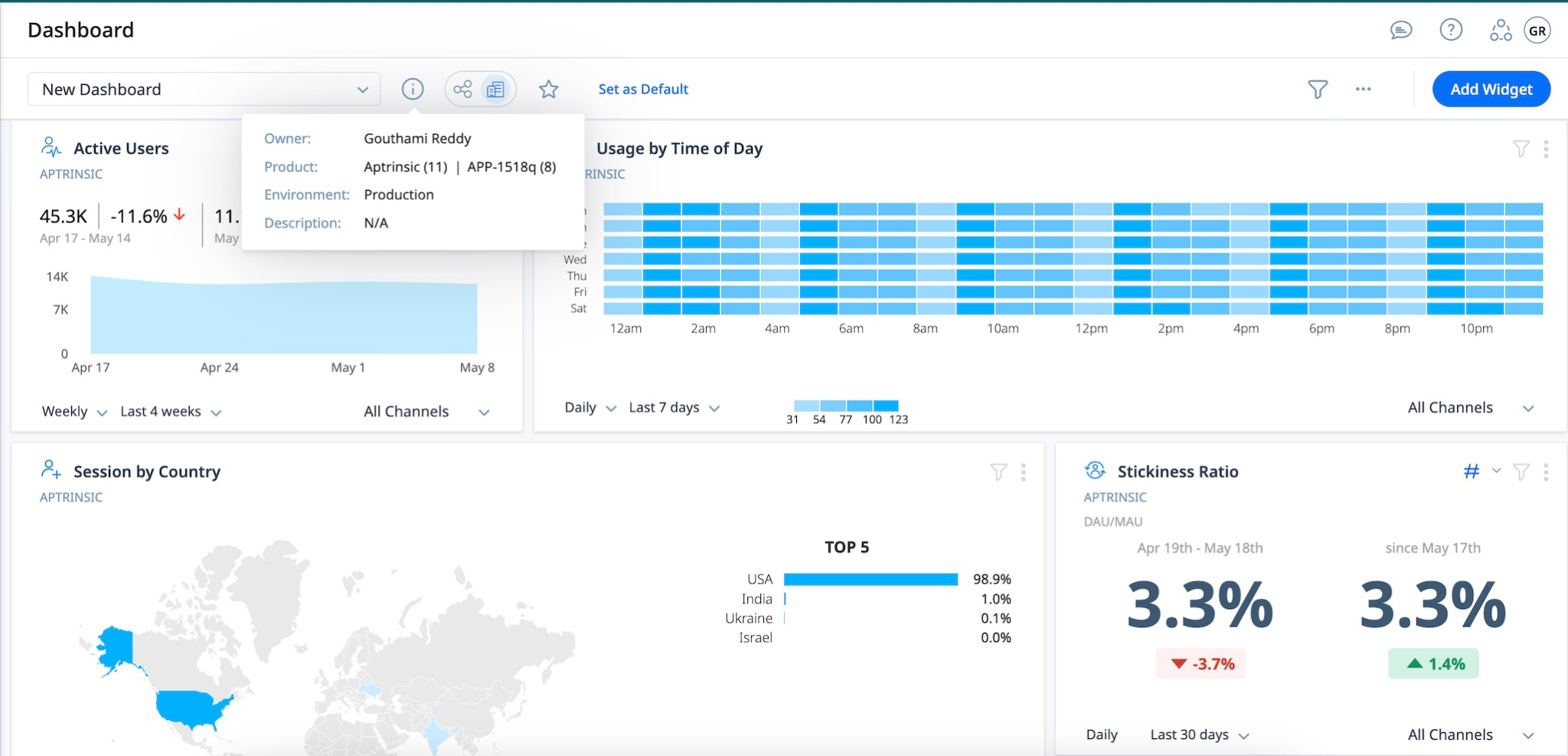
Gainsight is an enterprise Customer Success Platform built to help teams improve retention and grow existing accounts. It combines customer health, journey orchestration, renewal management, and AI-driven insights in one platform.
For Account Management teams, its strength lies in helping them understand which customers need attention and then turning those signals into structured actions.
Best for
Large organizations with mature Customer Success or Account Management operations that need to manage complex customer portfolios at scale.
What it does well
- Customer health: Multi-dimensional health scores help teams identify risk at both the account and relationship level.
- Journey orchestration: Automated journeys can trigger outreach based on customer behavior and lifecycle signals.
- Retention and expansion: Gainsight surfaces churn risks and buying signals to help teams prioritize where to act.
- Digital engagement: Teams can combine human-led Account Management with automated customer journeys for lower-touch segments.
- AI and automation: Gainsight uses AI to analyze customer signals and recommend actions. Its broader platform also includes pre-built AI agents for Customer Success workflows.
Limitations and considerations
- Gainsight offers extensive functionality, but that can make setup and administration more involved. G2 reviewers frequently mention a learning curve around configuration and customization.
- Smaller teams with relatively simple Account Management processes may not need the breadth of functionality that Gainsight provides.
Pricing
Gainsight does not publish fixed prices. Its Customer Success product is available in Essentials and Enterprise tiers, with pricing provided on request. Both include core features such as health scorecards, Success Plans, dashboards, and AI-powered automation.
2. Planhat
Overview
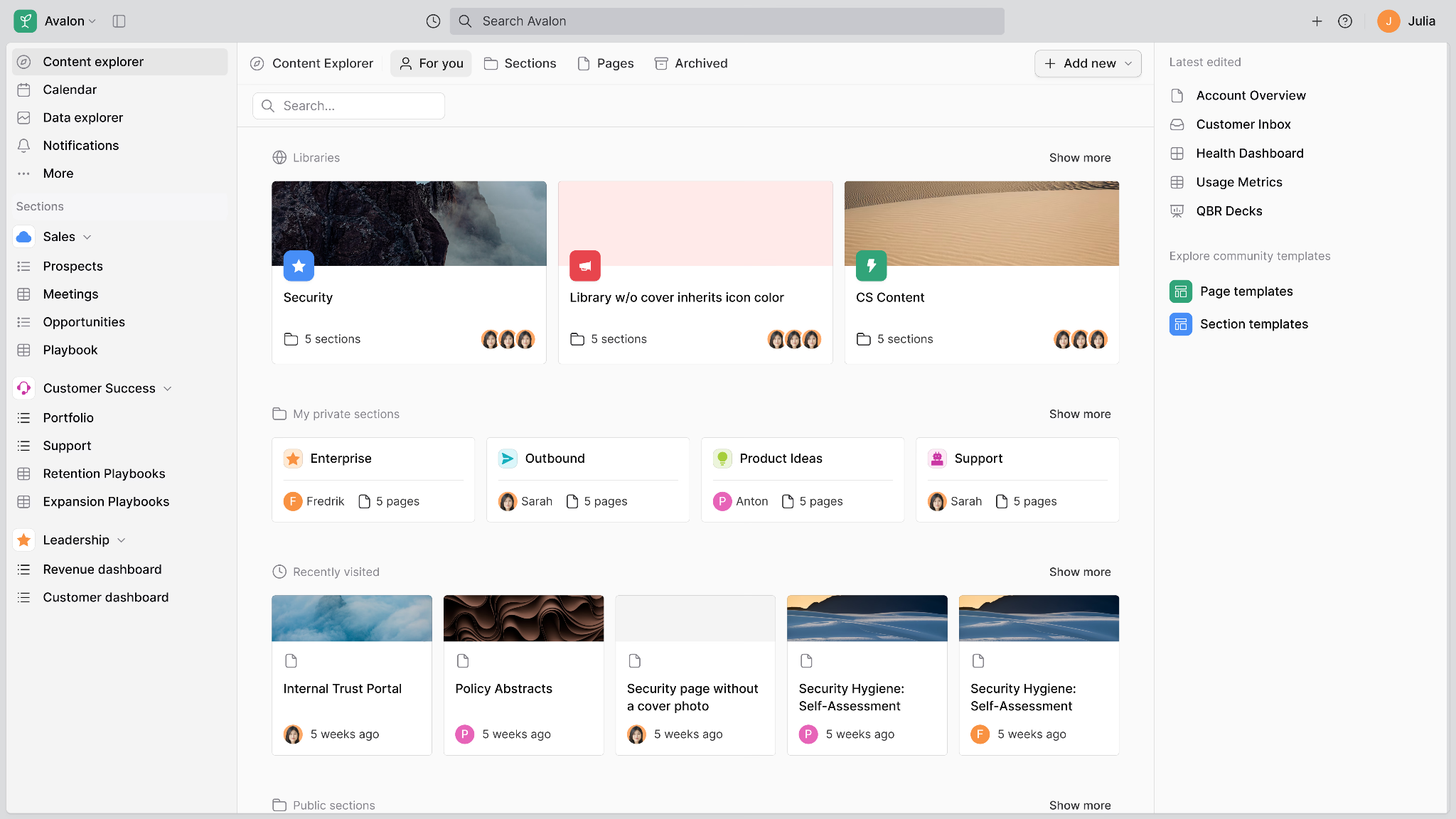
Planhat is a highly configurable customer platform that combines Customer Success, CRM, Professional Services Automation, and AI functionality in one system. This breadth makes it particularly useful for companies that want different customer-facing teams working from the same data and workflows.
For Account Management teams, that means customer health and revenue data can sit alongside pipeline activity, service delivery, and ongoing customer engagement.
Best for
Mid-market and enterprise teams that want a flexible platform for managing customers across multiple commercial functions.
What it does well
- Customer portfolio management: Brings customer data and activity together to give teams a clearer view of each account.
- Customer health: Supports customizable health scoring using data, human input, and AI.
- Revenue management: Handles recurring revenue across both new business and post-sales activity, including renewals and upgrades.
- Flexible automation: Teams can build workflows around their own processes rather than relying only on predefined playbooks.
- Broad AI capabilities: Planhat includes AI for automation, conversation analysis, content generation, and customer insights.
Limitations and considerations
- Planhat's breadth can be a strength, but teams looking for a narrowly focused Account Management tool may find they do not need all of its CRM, Customer Success, and professional services functionality.
- Its high level of customization can also mean more setup is needed to shape the platform around specific processes.
Pricing
Planhat does not publish fixed prices on its website. Pricing is provided on request and can vary based on the applications, user types, and scope required. Advanced AI, professional services, email marketing, and customer portal capabilities are also available as add-ons.
3. Velaris
Overview
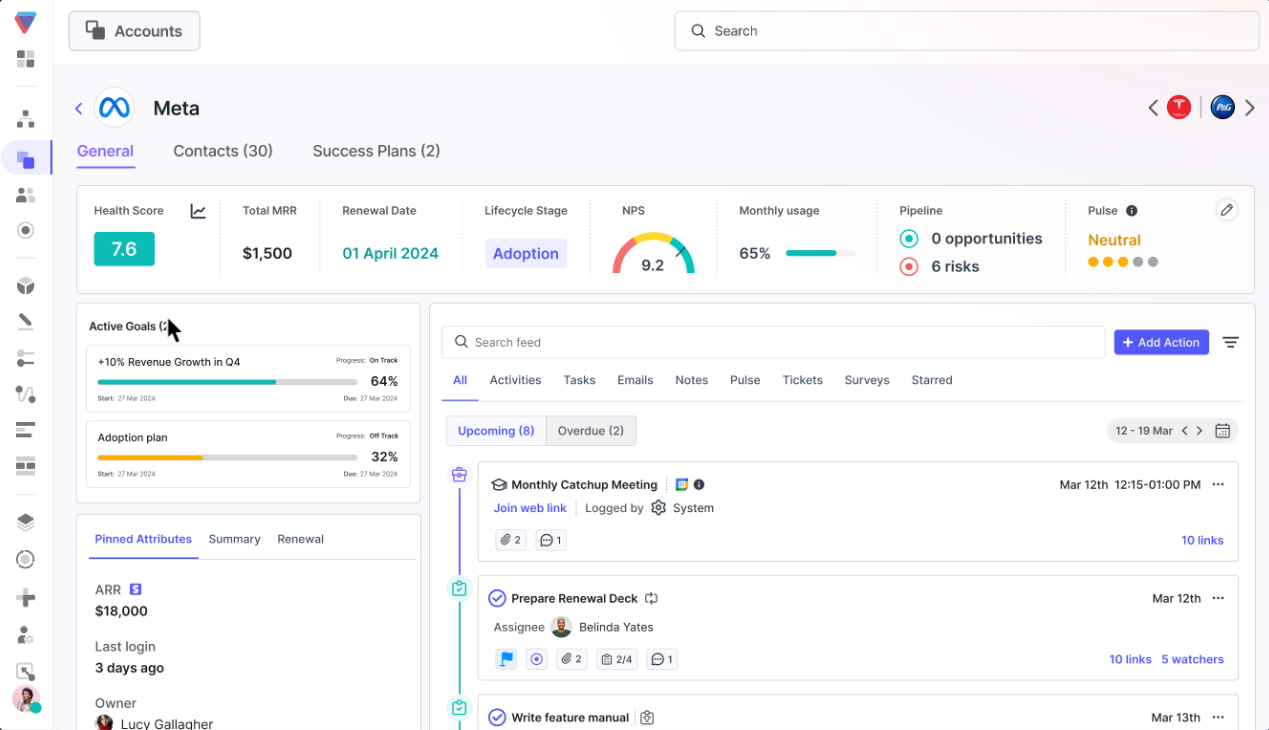
Velaris is an AI-native Customer Success Platform, that is well-received on G2. It is designed specifically for Customer Success and post-sales teams. It brings customer data into a unified account view, then uses AI to help teams understand what is happening and decide where to focus their attention.
Unlike traditional CRMs, which primarily store account and sales activity, Velaris is built around managing and growing customers after the sale. It currently has a 4.5/5 rating on G2 across 126 reviews.
Best for
Mid-market and enterprise B2B companies that want to use AI to manage customer health, retention, and expansion across large account portfolios.
What it does well
- Unified account context: Velaris connects CRM data with product usage and customer communications to create a continuously updated view of each account.
- Customer health and risk: Teams can configure health scores, while AI agents monitor accounts for emerging risks and expansion signals.
- Portfolio-level AI: Copilot can analyze an entire customer portfolio, answer questions about accounts, and create account plans or reports from existing customer context.
- AI agents: Agents can monitor accounts in the background and surface issues that need attention. They can also complete actions such as creating tasks or sending follow-ups.
- Post-sales execution: Velaris supports Success Plans, playbooks, automation, renewals, and expansion workflows alongside its AI capabilities.
Limitations and considerations
- Velaris is designed primarily for post-sales teams, so companies looking for a traditional sales CRM will still need a platform such as Salesforce or HubSpot.
- It is aimed at mid-market and enterprise organizations. Very small teams with simple Account Management processes may not need the depth of functionality it provides.
Pricing
Velaris does not publish a fixed price. Plans are tailored to each organization’s requirements, with the core license including five users and unlimited viewers. Additional post-sales products and features are available as add-ons.
4. Pipedrive
Overview
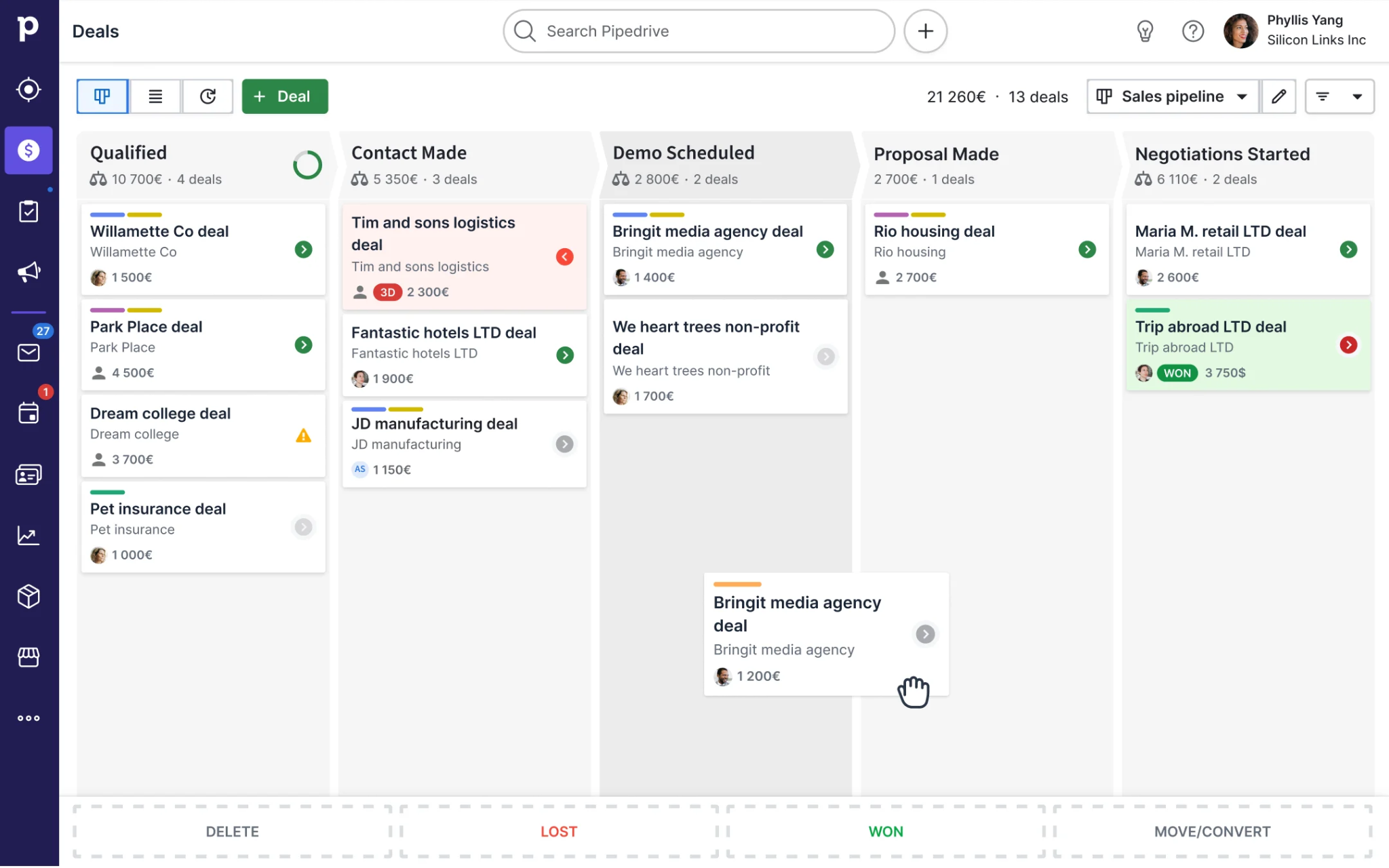
Pipedrive is a sales-focused Customer Relationship Management (CRM) platform built around pipelines, contacts, activities, and deals. It also positions itself as an Account Management tool for small and mid-sized businesses that want to keep customer information organized and stay on top of follow-ups.
Its main strength is simplicity. Teams can use it to manage existing accounts and expansion opportunities without adopting a more complex enterprise platform.
Best for
Small and mid-sized teams that want a straightforward CRM for managing customer relationships and commercial opportunities.
What it does well
- Account organization: Keeps contacts, deals, activities, and communication history in one place.
- Pipeline management: Teams can create separate pipelines for new business, existing customers, or expansion opportunities.
- Automation: Growth plans and above include workflows and automated follow-up sequences.
- Activity tracking: Pipedrive highlights overdue tasks and upcoming opportunities so Account Managers can see where action is needed.
- Integrations: The platform connects with more than 500 applications.
Limitations and considerations
- Pipedrive is primarily built for sales, so teams needing customer health scoring or product adoption insights may find it limited.
- Strategic account planning and complex stakeholder mapping are not core strengths.
- More advanced post-sales project management may require Pipedrive Projects, which is an add-on for Lite and Growth customers.
Pricing
Pipedrive has four plans. When billed annually, Lite starts at $14 per seat per month, followed by Growth at $39, Premium at $59, and Ultimate at $79. Optional add-ons are available for capabilities such as lead generation, projects, and email campaigns.
5. monday.com
Overview
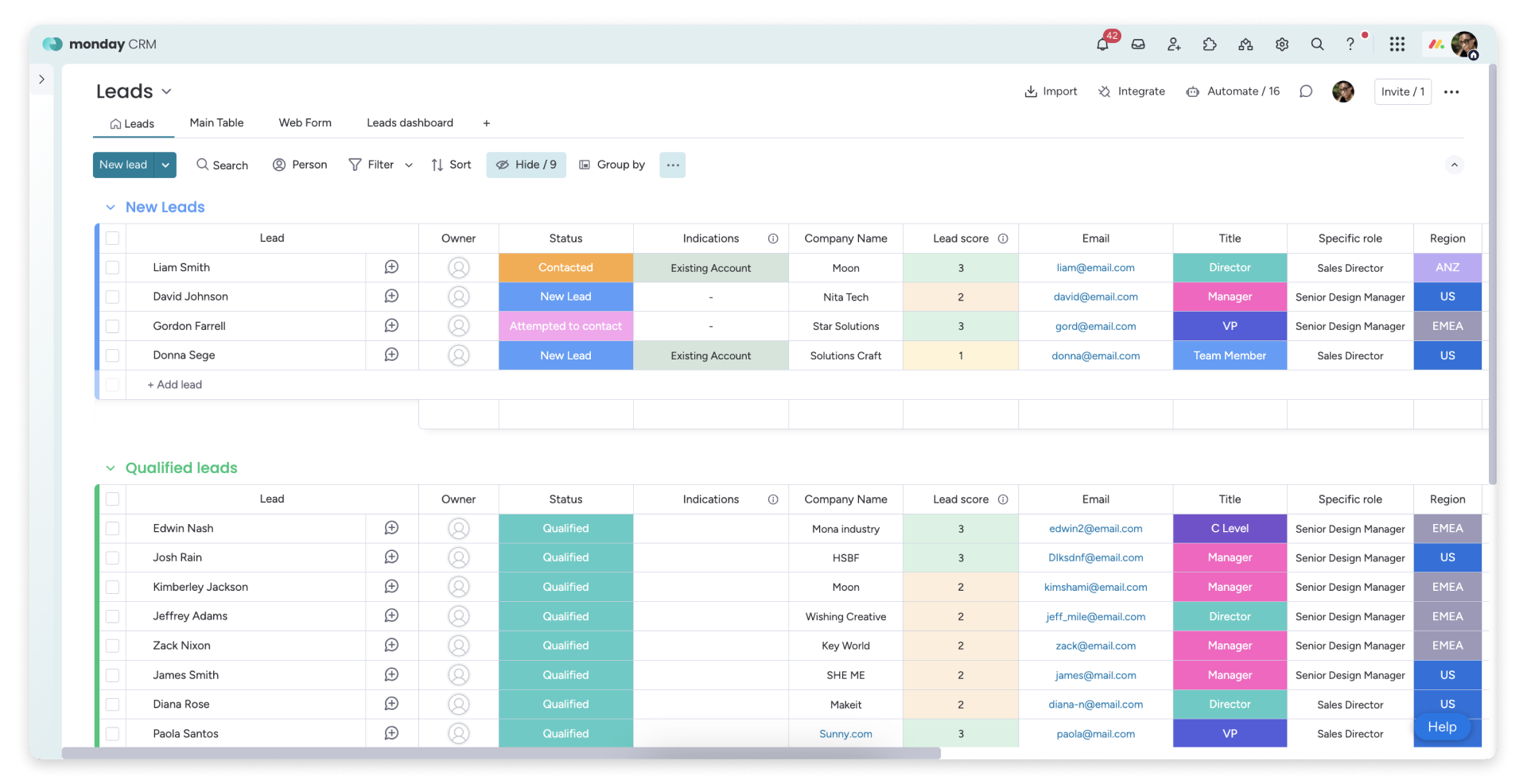
monday.com is best known as a flexible work management platform, but monday CRM adds dedicated tools for managing customer relationships. Teams can track accounts, renewals, and expansion opportunities while building workflows around the way they already work.
Its main advantage is flexibility. Instead of forcing teams into a fixed Account Management process, monday CRM can be customized around different customer segments or internal workflows.
Best for
Small and mid-sized teams that want flexible Account Management workflows alongside broader project and cross-functional work.
What it does well
- Customizable workflows: Teams can adapt boards and processes around their own Account Management model.
- Account visibility: Customer activity and open opportunities can be viewed from one account record.
- Renewal and expansion tracking: Teams can monitor upcoming renewals and flag accounts that may need attention.
- Automation: monday CRM can automate follow-ups and other repetitive processes.
- AI assistance: AI can summarize account activity, prepare teams for meetings, and help maintain CRM records.
Limitations and considerations
- Its flexibility can require more upfront configuration than tools with predefined Account Management workflows.
- Advanced strategic account planning features, such as relationship mapping and whitespace analysis, are not its main focus.
- Teams that rely heavily on customer health or product adoption data may need additional tools or custom workflows.
Pricing
monday CRM starts at $12 per seat per month for Basic when billed annually. Standard starts at $17, while Pro starts at $28 per seat per month. Enterprise pricing is available on request.
AI capabilities vary by plan and usage, with some features using monday.com’s AI credit system.
6. Salesforce Sales Cloud
Overview
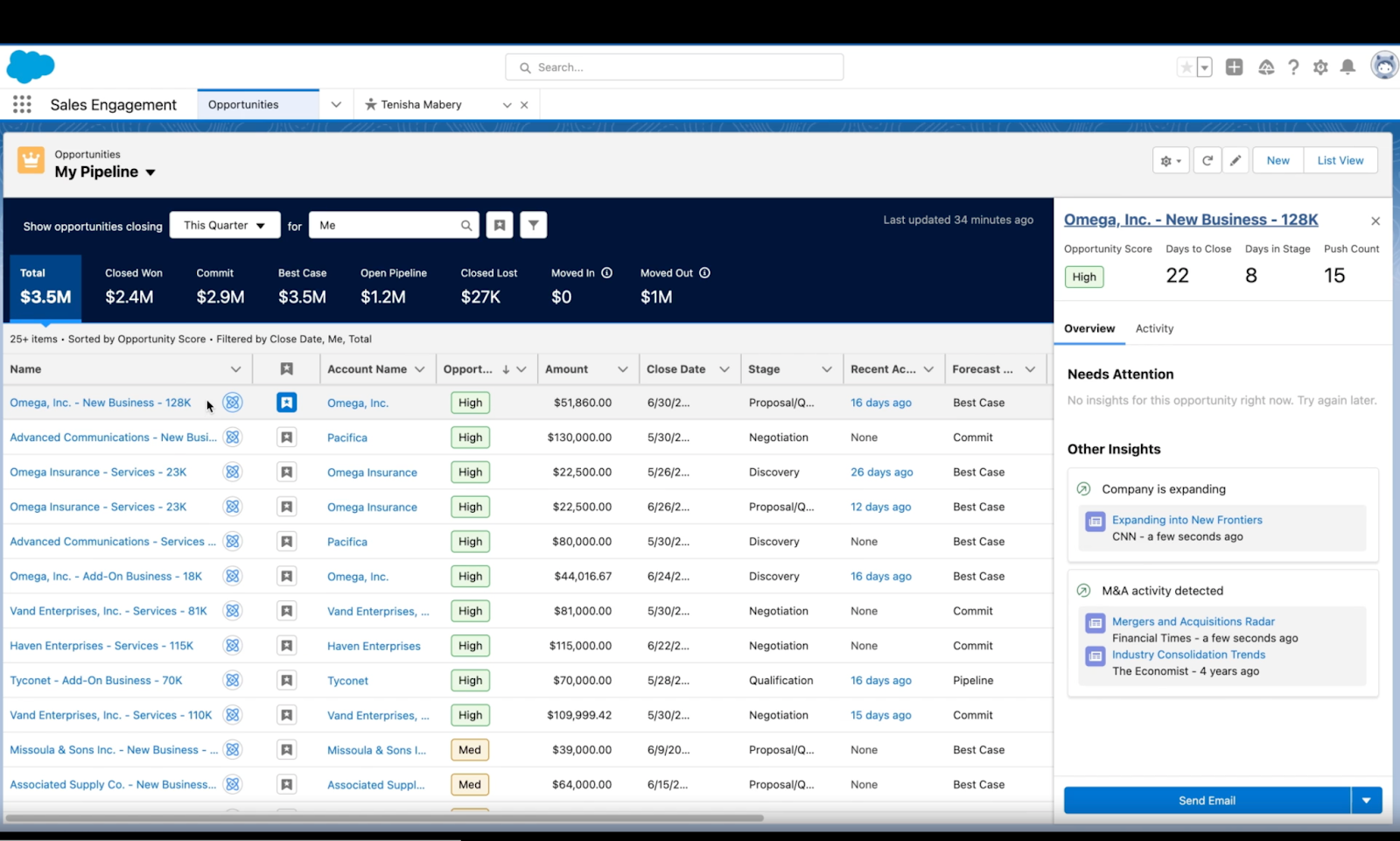
Salesforce Sales Cloud is a Customer Relationship Management (CRM) platform built for managing customer records, sales activity, and revenue opportunities. It is particularly strong for enterprises that want Account Management closely tied to the rest of their sales infrastructure.
Salesforce also includes Sales Account Plans, which give teams a dedicated workspace to assess key accounts and define long-term objectives. Account Managers can document customer needs and track progress against measurable goals.
Best for
Large organizations that already use Salesforce and want Account Management integrated with their wider sales and revenue operations.
What it does well
- Account visibility: Keeps account records and customer activity connected to the wider CRM.
- Revenue management: Links Account Management directly with opportunities, pipeline, and forecasting.
- Strategic account planning: Sales Account Plans help teams assess important accounts and track long-term objectives.
- Customization: Salesforce can support highly tailored Account Management processes through its workflow and automation tools.
- Extensibility: Teams can add specialist tools when they need functionality beyond Salesforce’s native capabilities.
For example, Prolifiq CRUSH runs directly inside Salesforce and adds deeper strategic account planning. It supports relationship mapping, whitespace analysis, account scoring, and Master Account Plans.
Limitations and considerations
- Salesforce can require significant configuration and ongoing administration, especially when Account Management processes become complex.
- Teams that need advanced relationship mapping or whitespace analysis may still need an extension such as Prolifiq CRUSH.
- Customer health and product adoption are not the main focus of Sales Cloud, so post-sales teams may need additional software.
Pricing
Salesforce Sales Cloud pricing currently ranges from $25 per user per month for Starter Suite to $550 per user per month for Agentforce 1 Sales, when billed annually. Enterprise costs $175 per user per month, while Unlimited costs $350.
Sales Account Plans are available with Enterprise, Performance, and Unlimited editions with Sales, as well as Agentforce 1 Sales Edition.
Prolifiq CRUSH is priced separately on a quote basis according to team size and scope.
7. HubSpot
Overview
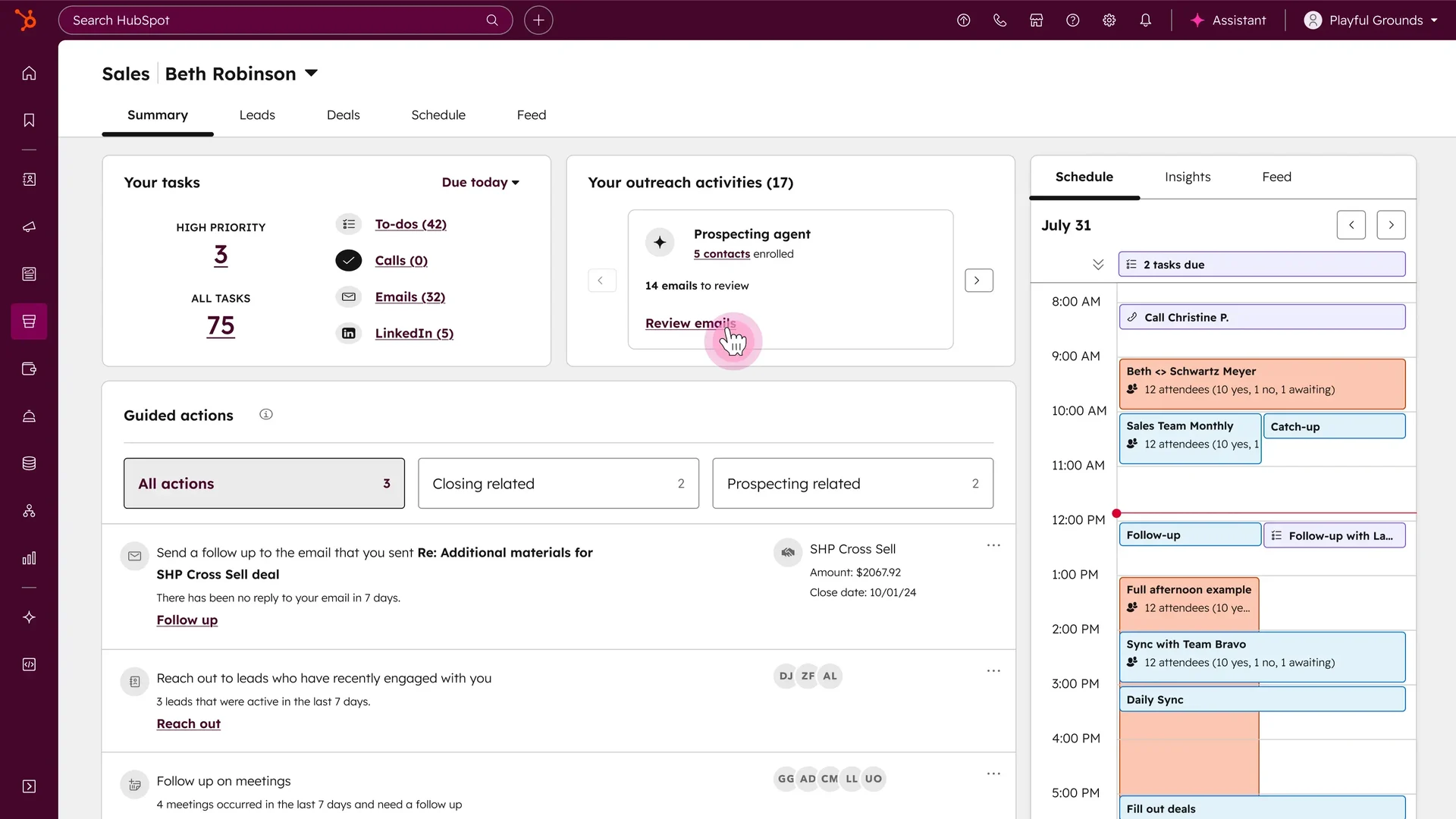
HubSpot is a Customer Relationship Management (CRM) platform that gives teams a central place to manage companies, contacts, deals, and customer activity. Its account management capabilities are built around the CRM record, making it a strong fit for teams that want a straightforward way to manage existing relationships alongside sales activity.
Compared with a dedicated Customer Success Platform, HubSpot is more focused on maintaining clean customer records and commercial workflows than on post-sales intelligence.
Best for
Growing companies that want simple, CRM-based Account Management without the complexity of a large enterprise platform.
What it does well
- Company and contact management: Keeps customer records and associated activity in one place.
- Deal management: Lets teams track renewals or expansion opportunities through configurable pipelines.
- Activity tracking: Emails, meetings, notes, and other interactions can be tied back to CRM records.
- Workflow automation: Higher-tier plans support workflows for tasks, notifications, and record management.
- Reporting: Dashboards and custom reports help teams monitor account activity and commercial performance.
Limitations and considerations
- HubSpot is built around CRM and sales workflows, so customer health and product adoption are not its core focus.
- Teams with complex strategic accounts may need more advanced account planning or relationship mapping capabilities.
- More sophisticated automation and reporting require higher-tier subscriptions.
Pricing
HubSpot offers a free CRM for up to two users. Its Starter Customer Platform currently starts at $7 per seat per month on promotional annual pricing, while more advanced Professional and Enterprise packages increase substantially in cost.
8. DemandFarm
Overview
DemandFarm is a Key Account Management platform built for teams managing complex strategic accounts. It focuses on helping Account Managers understand relationships, plan account growth, and identify expansion opportunities across large customers. (demandfarm.com)
Its approach is more specialized than a traditional CRM. Instead of mainly storing account activity, DemandFarm provides dedicated tools for strategic planning and relationship intelligence.
Best for
Enterprise teams managing a relatively small number of high-value strategic accounts with complex stakeholder relationships.
What it does well
- Strategic account planning: Teams can build growth plans and track objectives across key accounts. (demandfarm.com)
- Relationship mapping: Visual maps help Account Managers identify champions and understand influence within an account. (demandfarm.com)
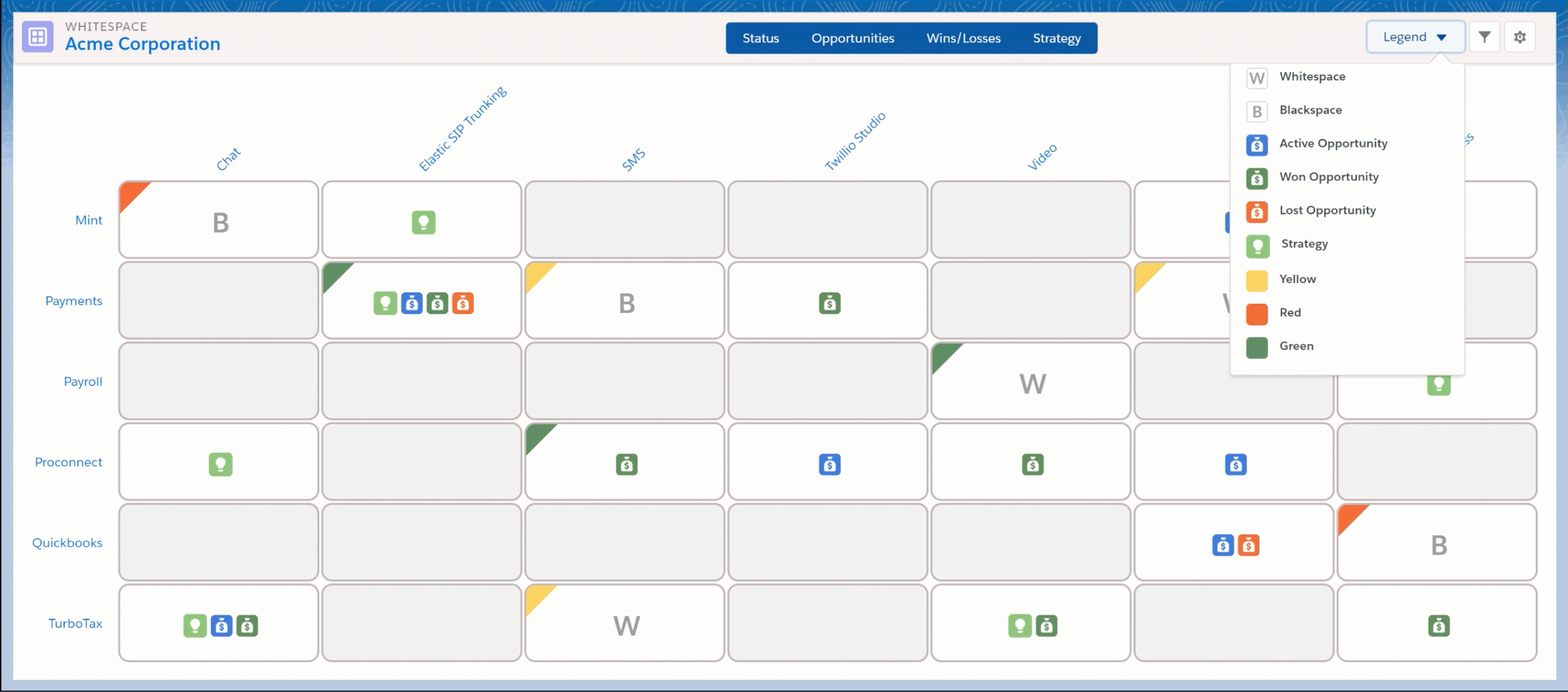
- Whitespace analysis: Account heatmaps help teams uncover potential cross-sell and upsell opportunities.
- Opportunity planning: Dedicated planning tools help teams understand stakeholders and risks around important deals. (demandfarm.com)
- AI account insights: DemandFarm uses AI to research accounts, analyze risks, and recommend next steps for Account Managers. (demandfarm.com)
Limitations and considerations
- DemandFarm is designed specifically for strategic account growth, so it may be more specialized than teams with simpler Account Management requirements need.
- Its focus is primarily commercial account planning rather than broader post-sales areas such as product adoption or Customer Success workflows.
- Teams will typically use DemandFarm alongside an existing CRM rather than as a replacement for one.
Pricing
DemandFarm does not publish fixed prices. It offers packages for small businesses, mid-sized companies, and enterprises, with pricing provided on request.
Higher-tier packages add capabilities such as AI-powered risk analysis, automated account research, and more advanced relationship intelligence. (demandfarm.com)
9. Kapta
Overview
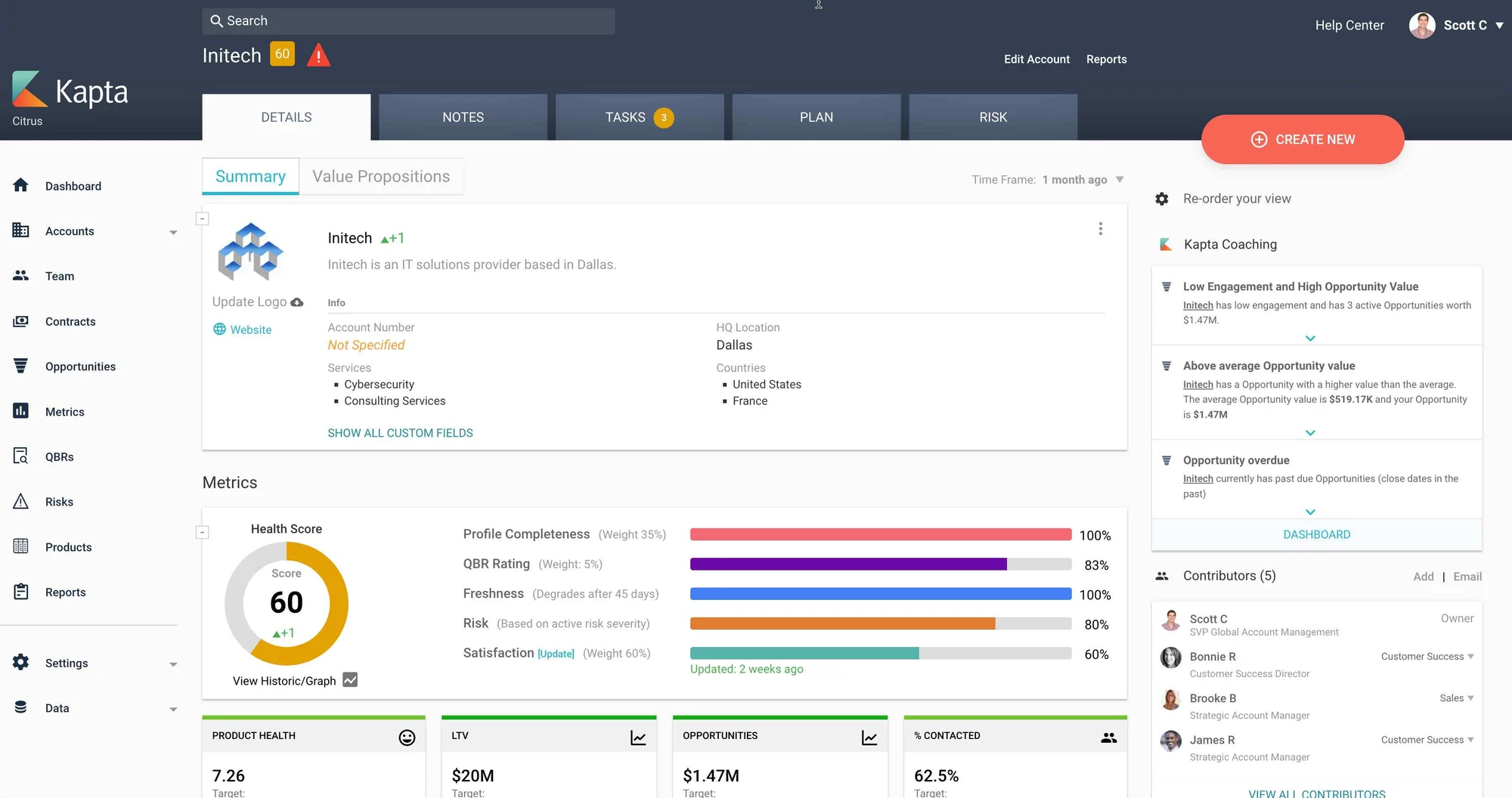
Kapta is a purpose-built Account Management platform for teams responsible for retaining and growing large B2B accounts. It focuses on the work that happens after the sale, with tools for account planning, relationship management, renewals, and expansion.
Compared with DemandFarm, Kapta places more emphasis on turning account strategy into ongoing execution across the wider account team.
Best for
Large B2B organizations that need a structured way to manage strategic accounts and coordinate cross-functional account teams.
What it does well
- Account planning: Teams can build plans around customer goals, milestones, and measurable outcomes.
- Relationship mapping: Org charts capture formal reporting lines as well as champions, blockers, and other influential stakeholders.
- Quarterly Business Reviews: Kapta supports planning and tracking Quarterly Business Reviews (QBRs) using current account data.
- Whitespace analysis: Visual maps show product penetration and help identify potential upsell or cross-sell opportunities.
- Renewal management: Teams can track contracts, renewal dates, and expansion opportunities alongside the wider account plan.
Limitations and considerations
- Kapta is designed for strategic accounts, so it may be more functionality than teams managing simpler customer relationships need.
- Its focus is on account strategy and execution rather than product adoption or usage-led Customer Success workflows.
- It is typically used alongside an existing CRM rather than replacing the wider sales technology stack.
Pricing
Kapta does not publish standard pricing on its website. Pricing is available on request and will depend on the size of the team and the scope of the implementation.
10. Zoho CRM
Overview
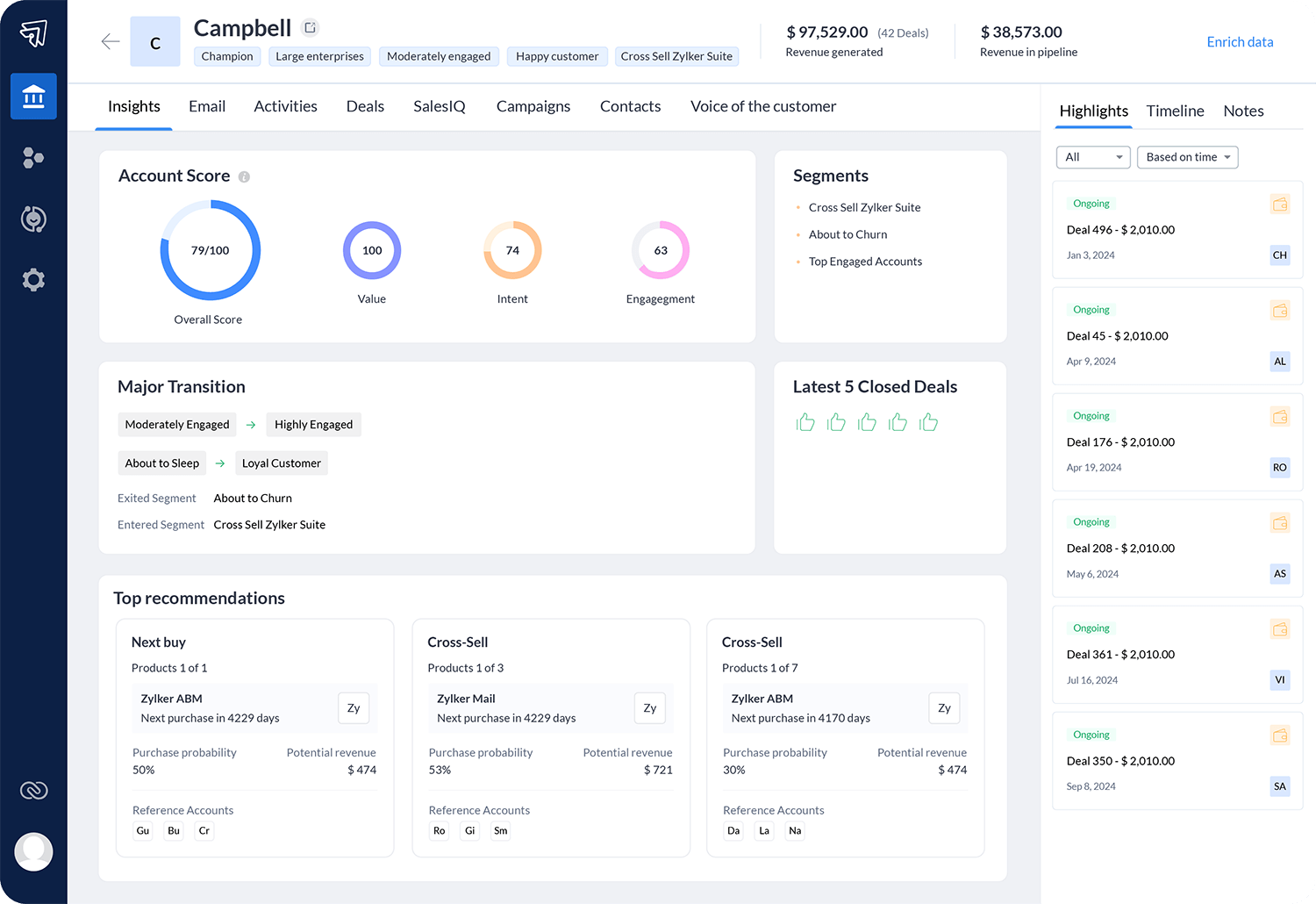
Zoho CRM is a customizable Customer Relationship Management (CRM) platform aimed at businesses that want a relatively affordable way to manage accounts and sales activity. It covers core CRM functions such as contacts, deals, workflows, reporting, and customer communication.
Its biggest advantage is flexibility at a lower price point. Teams can start with standard CRM workflows, then add custom modules and processes as their Account Management needs become more complex.
Best for
Small and mid-sized businesses that want customizable Account Management without the cost of a large enterprise CRM.
What it does well
- Account and contact management: Keeps customer records, contacts, deals, and activity in one system.
- Workflow automation: Teams can automate follow-ups and repetitive processes as they move up through Zoho’s plans.
- Customization: Custom fields, modules, layouts, and low-code tools let teams adapt the CRM to their processes.
- Reporting: Zoho includes standard reports and supports customized reporting across related CRM data.
- Broader ecosystem: Zoho CRM connects with other Zoho products for support, analytics, marketing, and other business functions.
Limitations and considerations
- Zoho CRM is primarily sales-focused, so customer health and product adoption are not central to the platform.
- Its flexibility can introduce additional setup as teams create more customized Account Management processes.
- Larger organizations may need higher-tier plans to access the level of automation and customization they require.
Pricing
Zoho CRM offers a free plan for up to three users. When billed annually in the US, paid plans currently start at $14 per user per month for Standard, followed by $23 for Professional, $40 for Enterprise, and $52 for Ultimate.
Conclusion
The right Account Management software depends on what your team is actually trying to manage.
If your main priority is keeping customer records organized and connecting Account Management to sales activity, a CRM such as Salesforce or HubSpot may be enough. If you manage a smaller number of complex strategic accounts, tools such as DemandFarm or Kapta offer deeper account planning and relationship mapping.
For teams focused on the ongoing post-sales relationship, platforms such as Velaris are a better fit.
Velaris, which is highly rated on G2, is particularly suited to teams that want AI to help manage this work at scale. It brings customer context together, monitors accounts for risk and opportunity, and helps Account Managers decide where to focus across their portfolio.
If you want to see how Velaris can help your team manage and grow customer accounts, book a demo.
Frequently Asked Questions

The Velaris Team
A (our) team with years of experience in Customer Success have come together to redefine CS with Velaris. One platform, limitless Success.




Velaris is an AI-native Customer Success Platform built for mid-market and enterprise B2B SaaS teams. From customer health scoring and churn prediction to onboarding automation, renewals, and expansion workflows, Velaris helps recurring revenue teams understand account health, reduce churn, and scale customer success with greater visibility and control.