We look forward to showing you Velaris, but first we'd like to know a little bit about you.


Top 10 Customer Success Software Tools
Learn about Customer Success tools and how they can streamline your CS efforts for better results.
James Leggett
May 22, 2026
The primary goal of customer success software is to drive growth by reducing churn and increasing retention.
They mainly do this by focusing on the following functions:
- Onboarding automation
- Customer health scoring
- Churn prediction
- Analytics and reporting
- Lifecycle management
In this article we will compare some of the top customer success tools in the market based on those functions as well as few more critical things like integrations, team workspaces and AI capabilities. If you’re a CS leader evaluating CS platforms, then this is for you.
Key takeaways:
- For enterprises with large CS teams, complex use cases and edge scenarios, Gainsight is the clear leader. Totango also caters to enterprise customers but doesn’t have the same capabilities of Gainsight.
- Planhat, ChurnZero, Vitally, Velaris focuses more on mid market companies but do have the features and scalability to cater to enterprise clients as well as SMBs.
- Custify and HubSpot customer success focuses more on startups and SMBs with a focus toward a low-touch CS operation.
- Customer health scoring, churn prediction and automations are the biggest differentiators. All the listed tools support them in some form but the best tools distinguish themselves in some areas.
- Integration with other systems is quickly becoming a critical factor when choosing CS platforms with sales, customer support and customer success needing to work across tools to function as one team.
- Strong AI capabilities are a requirement for most modern CS leaders with AI native tools like Velaris performing extremely well in this category.
A study published by Polaris Market Research reveals that the global customer success management market is expected to grow from USD 2.88 billion in 2026 to USD 14.10 billion by 2034. The market is expected to exhibit a CAGR of 21.94% during 2026–2034.
Customer Success Tools Comparison Table
To make the evaluation process easier, here’s a side-by-side look at some of the leading Customer Success tools. The table highlights what each platform offers and the type of team it’s best suited for, so you can quickly identify which solutions align with your company’s size, goals, and resources.
Gainsight
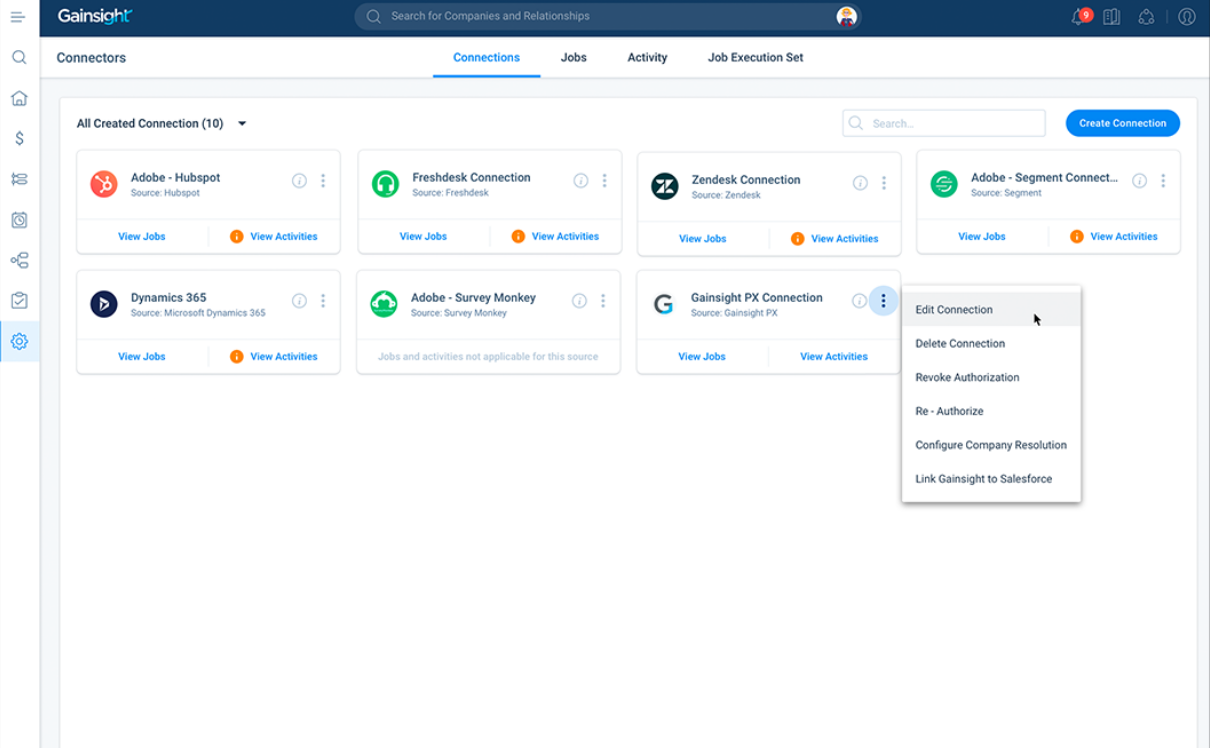
Gainsight is established as a leading customer success platform that helps businesses manage customer relationships and improve engagement through a focus on customer health scoring, automated outreach, and journey mapping.
Best for:
Large complex organizations that need extensive and highly configurable features to cater to varied customer scenarios.
Key features:
- Cockpit - A dashboard like interface for CS teams and account managers to view and manage customer activities in one place. It relies on system alerts called Risk CTAs to monitor customer activity.
- Risk CTAs - Highly configurable system alerts. Extremely useful for complex organizations that have a variety of clients with unique needs.
- Adoption explorer - A usage analysis framework that allows CS teams to monitor customer usage data at company and user level.
- Journey Orchestrator - Gainsight's automated lifecycle communication tool lets teams trigger personalized email and in-app campaigns based on customer behavior, health changes, or lifecycle stage.
- Success Plans - A collaborative planning workspace where CSMs and customers can align on goals, milestones, and action items within the platform.
Pricing:
Gainsight pricing varies significantly depending on team size, feature requirements, and contract length.
Based on market data, most buyers pay somewhere in the range of $30,000 to $50,000 per year, though larger or more complex deployments can reach $100,000-$500,000 annually.
Gainsight doesn't publish list pricing publicly, so the number you're quoted will depend heavily on your negotiation and timing
Velaris
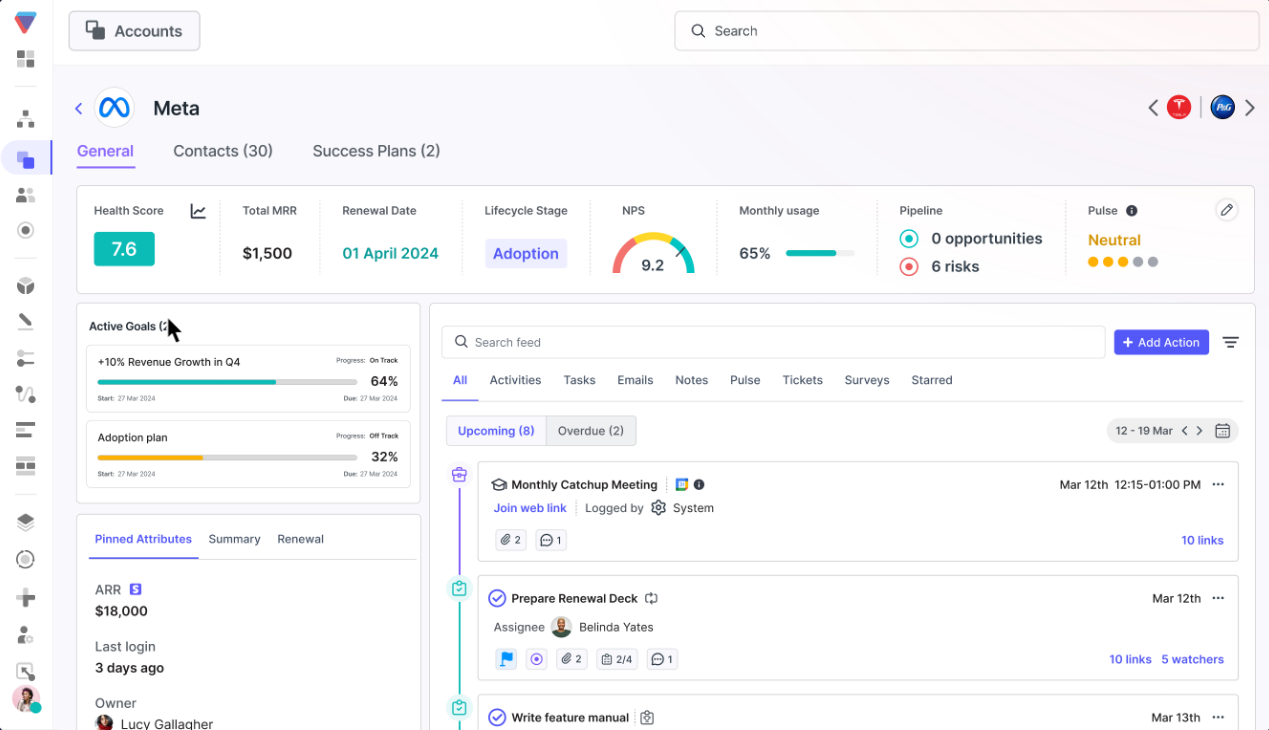
Velaris is an AI Customer Success software tool designed to consolidate customer data, automate busywork and gather customer intelligence on autopilot. Mid-market and enterprise teams use Velaris to scale their CS operations with better visibility, deeper analytics and agentic AI workflows. According to G2 reviews, Velaris also offers a strong set of integrations across 70+ tools, hands-on implementation and a premium onboarding experience.
Best for:
Mid-market and enterprise SaaS teams that want a quick-to-implement, AI-native CS platform without the administrative overhead that typically comes with enterprise tools.
Key features:
- AI Account Intelligence - Velaris automatically draws on historical activity from across your connected tools to generate detailed account summaries. This gives CSMs a quick, structured overview of where each account stands.
- Automation Builder - a drag-and-drop interface for building automated workflows, including cross-tool triggers and LLM-powered steps, designed to reduce the technical barrier for CS teams who want automation without needing engineering support.
- Customizable Health Score - AI-generated sentiment scores, NPS, and product usage data combine in a single health score formula that teams can configure to reflect their own definitions of risk and growth.
- AI Agents - Velaris's AI Agents handle routine CS tasks, from flagging at-risk accounts to triggering follow-ups, as a layer of proactive coverage across your entire customer portfolio.
- Trending Topics - An AI analytics tool that scans support tickets and customer messages to surface recurring themes and issues across your customer base. Topics are organized into granular sub-topics, each with volume tracking over time.
Pricing:
Velaris operates on custom pricing, so what you pay will depend on your team size, account volume, and the specific features you need.
It's positioned at the mid-market and enterprise tier, so pricing is unlikely to suit teams looking for a bare-bones or low-cost starting point. The best way to get an accurate number is to go through a demo, where the team can scope requirements and build a quote around your setup.
Totango
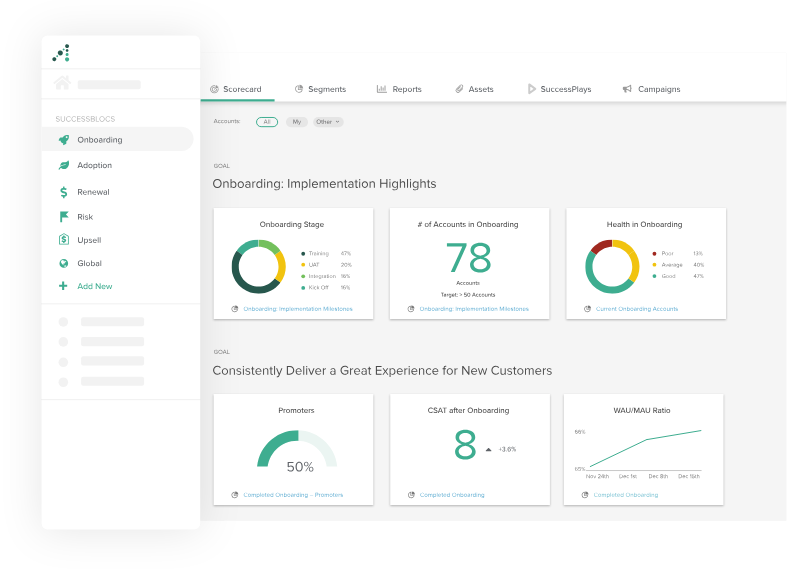
Totango offers real-time businesses real-time data about their customers, and segments and automates processes in order to personalize experiences and streamline customer success management.
Best for:
Mid-market and enterprise teams that want to standardize CS execution across a large customer base through segmented, automated playbooks.
Key features:
- SuccessPlays - SuccessPlays allow teams to define best-practice workflows that trigger automatically based on customer behavior or segment, reducing reliance on manual CSM judgment.
- Customer Segments - A real-time segmentation engine that groups customers based on health, usage, lifecycle stage, and other attributes. Segments feed directly into SuccessPlays.
- Spark - Totango's entry-level product tier, designed to give smaller or newer CS teams a lightweight starting point before graduating to the full platform.
- Unison - Totango's AI intelligence layer that sits across the platform and aggregates customer signals into a unified view. It's designed to help CS leaders spot portfolio-wide trends rather than just individual account issues.
- Touchpoints - A logging system for tracking every customer interaction in one place against the account record.
Pricing:
Totango pricing depends on your team's requirements and the tier you're on.
Their entry-level Spark product is designed to give smaller teams a more accessible starting point, while full-platform contracts typically sit in the range of $28,000–$66,000 per year based on publicly available data.
Totango has historically offered meaningful discounts (around 30% on average, per third-party procurement data), so it's worth negotiating before signing.
ChurnZero
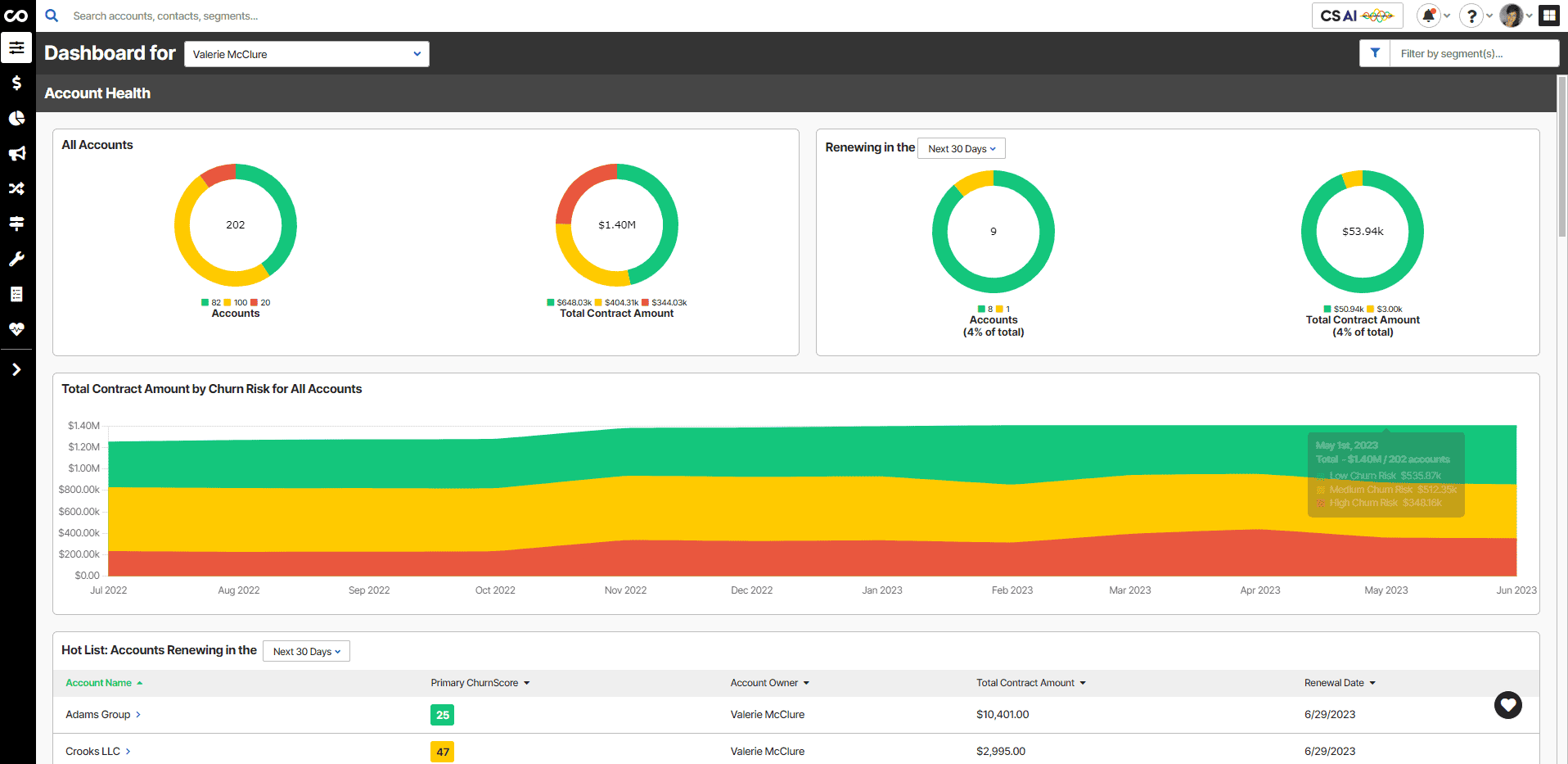
ChurnZero is a customer success platform that provides tools for monitoring customer health, automating playbooks, and facilitating in-app messaging to reduce churn and enhance customer communication.
Best for:
SaaS teams that want a structured, data-driven approach to churn prevention, with strong lifecycle visibility and built-in benchmarking.
Key features:
- ChurnScore - ChurnZero's proprietary metric for quantifying churn risk per account draws from product usage, engagement, and historical behavior to surface a single predictive score CSMs can act on.
- Journeys - A customer journey mapping tool that lets teams visualize and track customers across lifecycle stages. It gives CS leaders a structural view of where customers are progressing or stalling.
- BenchmarkNow - An industry benchmarking tool built into the platform that lets teams compare their CS metrics against peers.
- Command Center - A CSM-facing dashboard that aggregates daily priorities, task queues, and at-risk alerts into a single view. It's built to reduce the amount of time CSMs spend figuring out what to work on each morning.
- Success Center - An in-app resource hub that CS teams can embed directly inside their product, giving customers self-serve access to guides, announcements, and support content.
Pricing:
ChurnZero pricing is made up of an annual base rate plus a per-user charge, with separate rates for full users and executive (read-only) users.
Typical contracts land between $32,000 and $42,000 per year for mid-sized teams, though the range can run from around $18,000 up to $105,000 depending on team size and configuration.
As with most CS platforms, final pricing will depend on your specific requirements, and there may be room to negotiate, particularly around fiscal year-end.
ClientSuccess
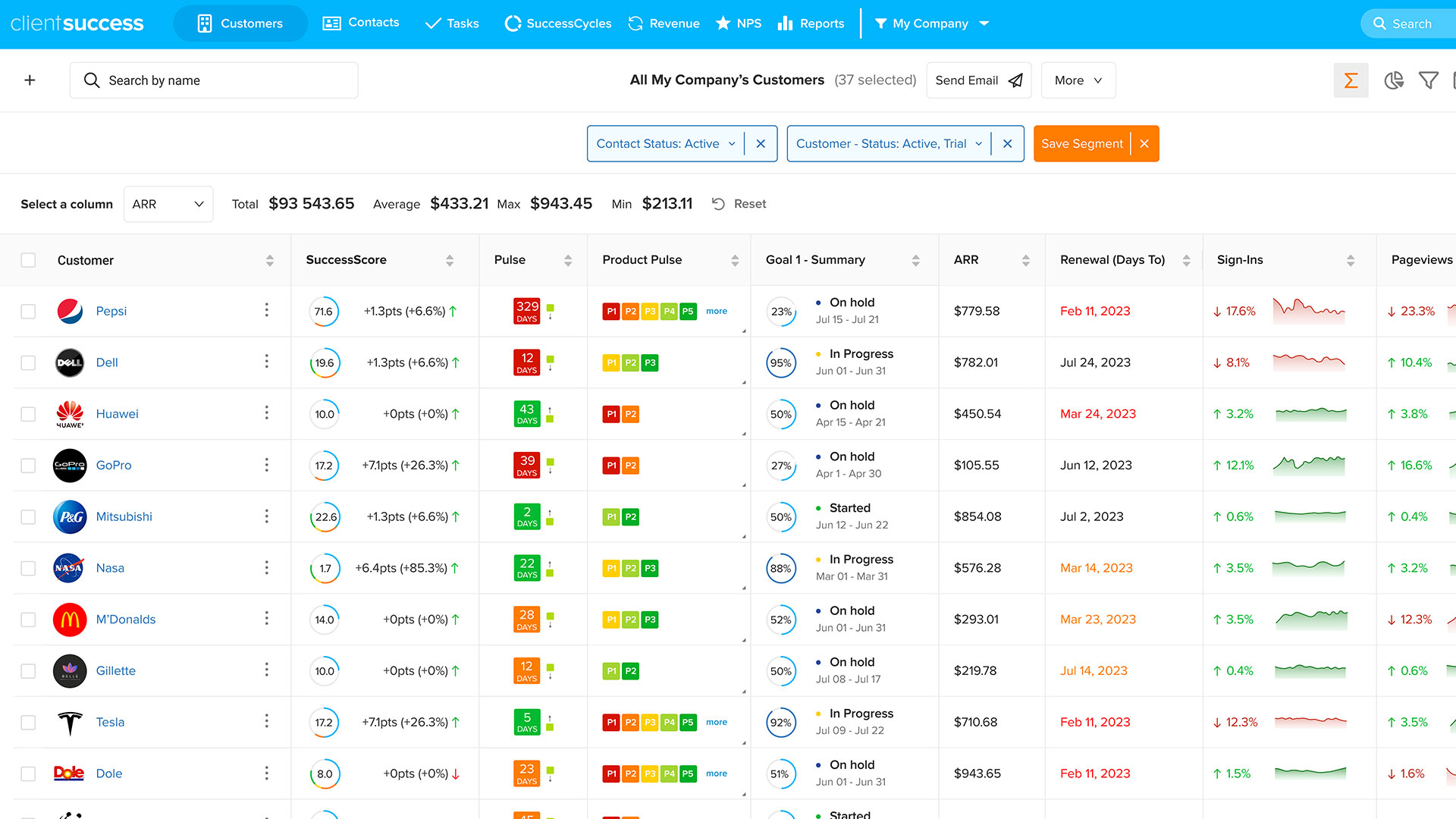
ClientSuccess assists teams in monitoring customer satisfaction, managing tasks, and streamlining the renewal process using pulse scoring and efficient task management.
Best for:
Small to mid-sized teams that need a straightforward, low-maintenance platform for tracking satisfaction, managing renewals, and keeping CS tasks organized.
Key features:
- Pulse Score - A six-point customer satisfaction scale that gives CSMs a quick read on account sentiment and can be customized to one’s own definition of satisfaction.
- SuccessCycles - ClientSuccess's framework for managing customer lifecycle stages that provides a structured view of where each account sits and what actions are due at each phase.
- Renewal Hub - A dedicated space for tracking contract dates, renewal triggers, and pipeline risk. Automated reminders reduce the chance of renewals slipping through the cracks on smaller teams.
- SmartCS - ClientSuccess's AI layer, which surfaces recommendations and account insights based on customer activity and history. It's positioned as a lightweight intelligence add-on rather than a standalone AI product.
- Playbooks - Structured, repeatable workflows that CSMs can trigger at key lifecycle moments like onboarding or renewal. They're simpler than enterprise playbook systems but well-suited to the smaller teams ClientSuccess targets.
Pricing:
ClientSuccess is one of the more accessible options on this list from a pricing standpoint, with contracts generally starting around $10,000 per year. Exact costs will vary based on team size and the features you need, and may be affected by other variables at the time of purchase.
It's worth noting that the simpler pricing structure reflects a simpler feature set. ClientSuccess is built for smaller teams that don't need enterprise-grade configurability.
Planhat
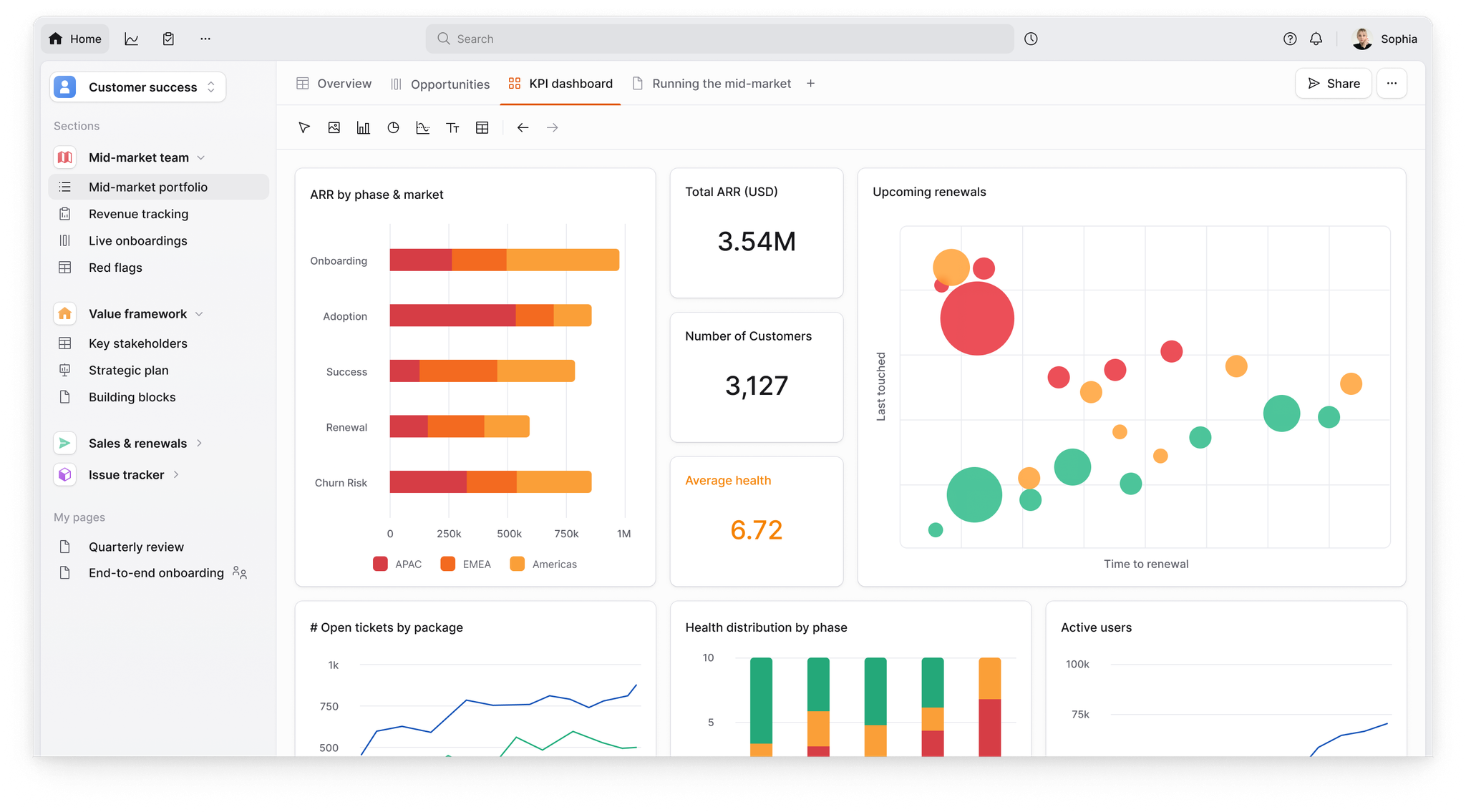
Planhat is a versatile Customer Success software that offers customizable dashboards, Customer Success planning, and health scoring to tailor success plans and visualize customer data effectively.
Best for:
Mid-market teams that want structured product adoption tracking paired with flexible, data-rich reporting, particularly those with a strong RevOps function.
Key features:
- Success Units - Planhat's term for single-factor product adoption scoring fields. Each unit automatically tracks how well a customer is meeting a specific adoption benchmark, making it easy to spot gaps without building complex formulas.
- Revenue Hub - A dedicated module for tracking ARR, expansions, and renewals within the platform. It gives CS and RevOps teams a shared view of financial health alongside customer health data.
- Cohort and Face-Off Views - Planhat supports up to 200 widgets per dashboard and includes less common chart types like cohort analysis and comparison ("face-off") charts.
- Portals - Customer-facing workspaces that let CS teams share plans, tasks, and updates directly with their customers.
- Conversations - A communication tracking module that logs emails and messages against account records.
Pricing:
Planhat prices on a license-plus-usage model: an annual license fee combined with a per-account charge for accounts beyond the included threshold (3,500 accounts in base, with additional accounts at €0.3 each, based on available data).
Unlimited users are included, which makes it more predictable for teams that expect their CSM headcount to grow.
Planhat typically requires a multi-year contract, so factor that into your budget planning.
Custify
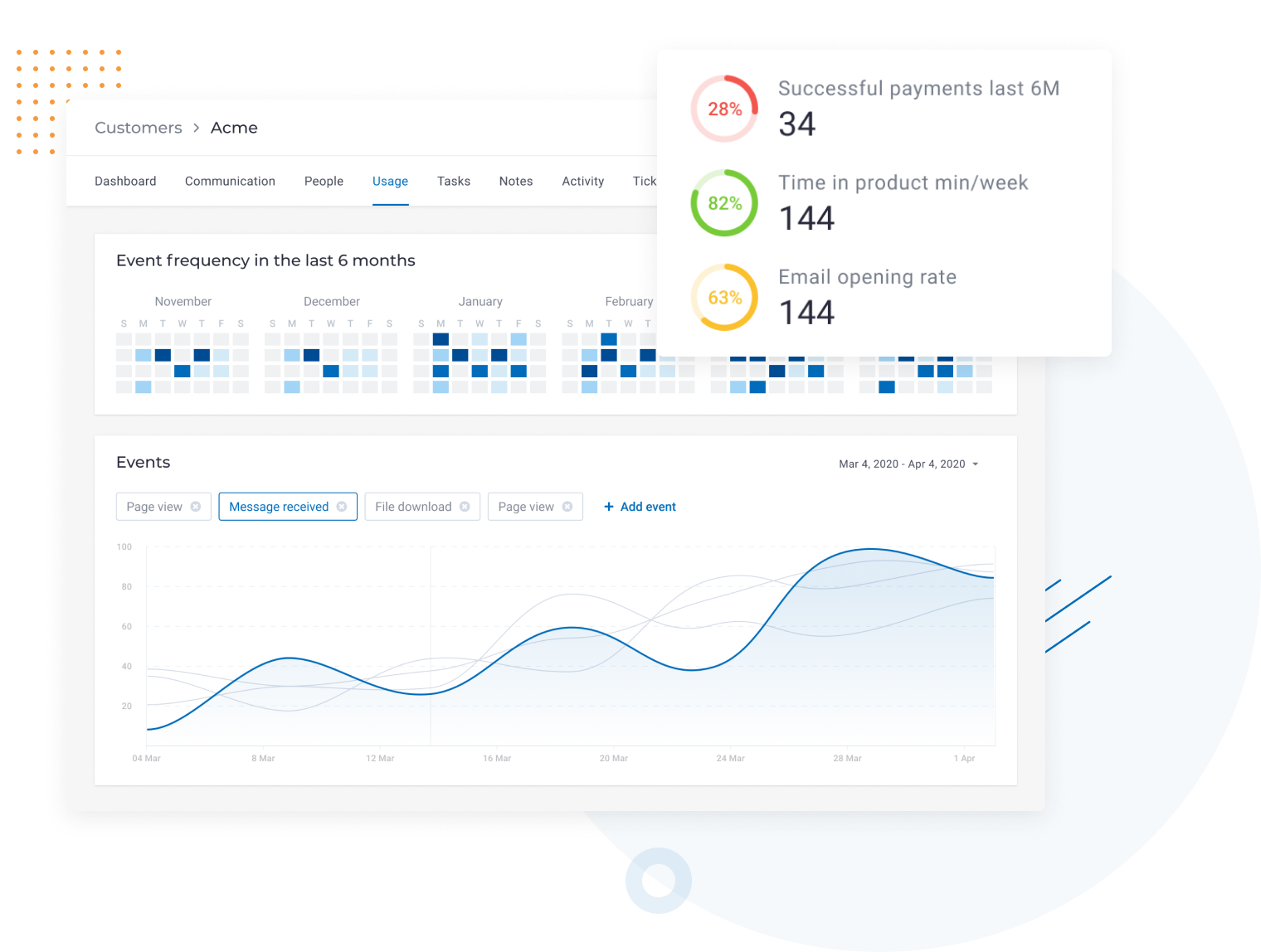
Custify puts onboarding, reducing churn, and maximizing customer lifetime value front and center.
Best for:
SMB SaaS teams that need a lightweight, easy-to-deploy CS tool focused on onboarding quality and early churn prevention.
Key features:
- Signals - Custify's automated health indicators that monitor accounts for churn risk and expansion potential. Unlike a standard health score, Signals are event-driven and fire when something meaningful shifts in the account.
- Onboarding Tracker - A segment-level onboarding view that shows exactly where customers are in their setup journey.
- Visual Playbook Builder - A drag-and-drop interface for building repeatable CS workflows. It's designed to be quick to set up.
- 360 Customer View - A consolidated account profile that pulls together product usage, support tickets, health signals, and interaction history into a single screen.
- Leaderboard - A team performance feature that tracks and ranks CSM activity metrics.
Pricing:
Custify is positioned as a lightweight, cost-effective option, with pricing generally falling between $5,000 and $20,000 per year depending on team size and requirements.
It is one of the more SMB-friendly options on this list. Exact pricing may be affected by the features you need and the number of accounts you're managing, so it's worth getting a direct quote to confirm what applies to your setup.
Userpilot
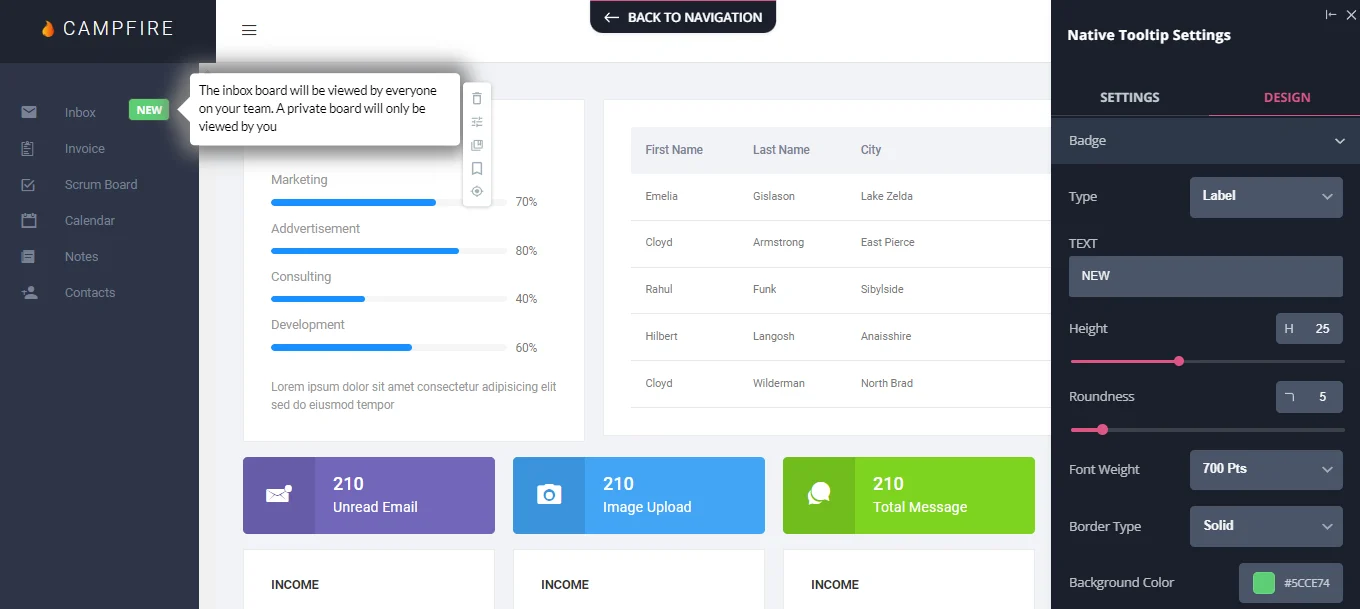
Userpilot is a product growth and activation platform that helps customer success teams drive user adoption and retention. By combining product analytics with in-app engagement tools, Userpilot enables teams to understand user behavior and deliver contextual guidance that improves customer health.
Best for:
Mid-market SaaS and PLG companies looking to automate onboarding and drive feature adoption without engineering help.
Key features:
- Product Analytics - Track user journeys, feature usage, and conversion funnels to identify friction points.
- In-App Engagement - Create personalized flows, checklists, and tooltips to guide users to their "Aha!" moment.
- User Segmentation - Target specific user groups based on behavior, attributes, or lifecycle stage for tailored communication.
- NPS and Feedback - Measure customer sentiment with microsurveys and NPS to proactively address churn risks.
- Resource Center - Offer self-service support via an in-app hub, reducing support tickets and improving time-to-value.
Pricing:
Userpilot's Starter plan begins at $249 per month (billed annually). They also offer Growth and Enterprise plans with custom pricing based on monthly trackable users and advanced feature requirements.
Vitally
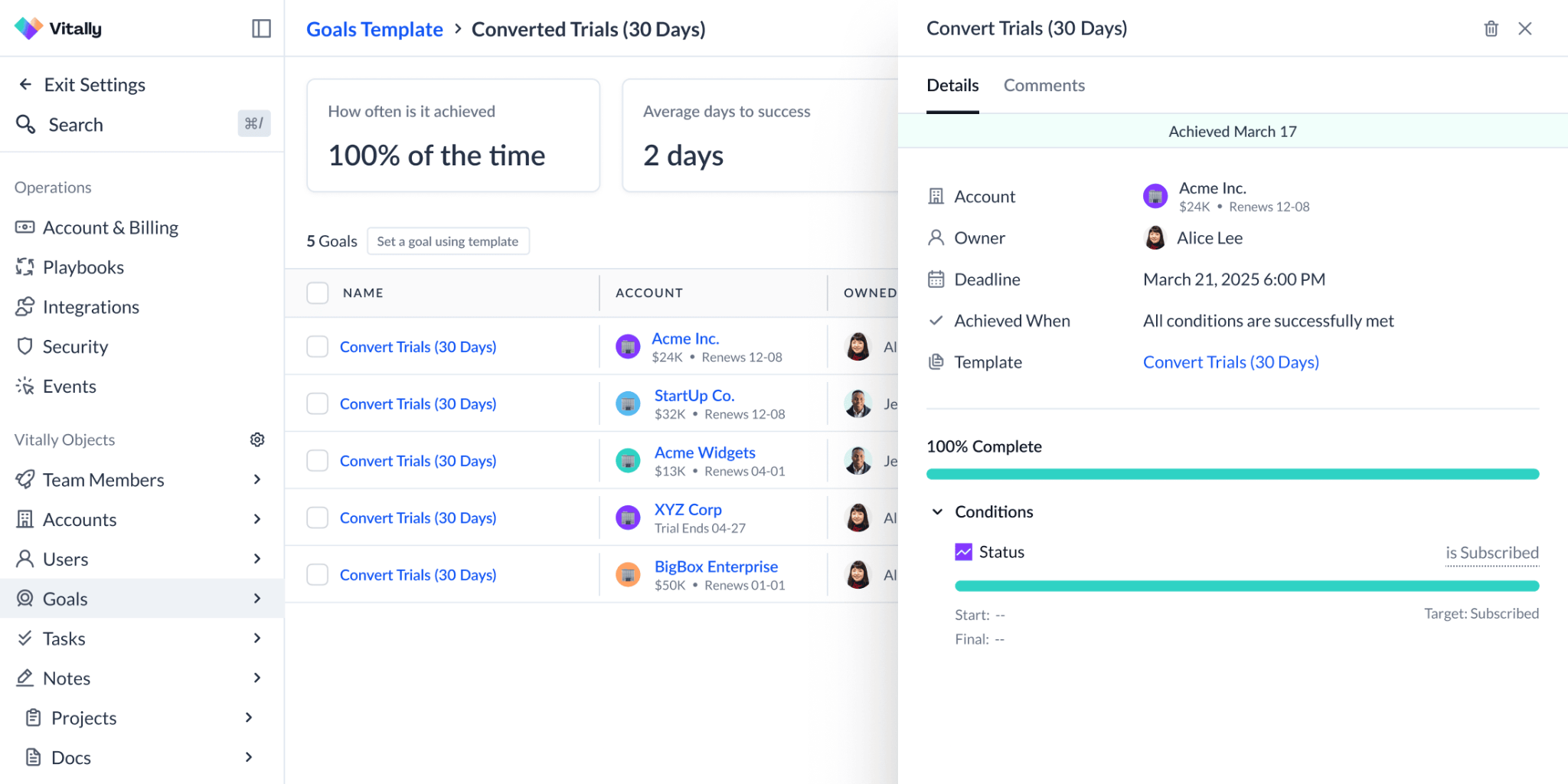
Vitally is recognised as a modern CS platform that hosts a flexible and customizable system.
Best for:
Mid-market teams that want a flexible, customizable CS platform where data modeling and collaboration are first-class features rather than afterthoughts.
Key features:
- Custom Objects - Teams can create custom data structures like revenue contracts, escalations, or product instances, and connect them directly to customer records. This makes it quite adaptable for teams with complex account structures.
- Hubs - Shared team workspaces within Vitally where CSMs can collaborate on account strategy, document progress, and track project-level work alongside customer data.
- Docs - A built-in notes and documentation layer that sits directly alongside customer records. CSMs can log QBR prep, call notes, and action items without leaving the platform.
- Goals - A success planning feature where CSMs can define and track measurable customer outcomes directly within the platform. It ties account health to concrete targets rather than leaving success criteria in a separate doc or spreadsheet.
- Blueprints - Vitally's project template system for standardizing complex, multi-step processes like onboarding or QBRs.
Pricing:
Vitally offers tiered pricing based on plan type, tracked accounts, and seat count.
A Tech-Touch plan covering around 5,000 customers with a small number of full seats may start at approximately $30,000 per year before add-ons, though year-one costs including onboarding and extras have been quoted in the $42,000–$55,000 range after discounts.
Pricing will depend on your team's requirements, and Vitally has shown willingness to discount, particularly on onboarding fees and software costs when deals are timed around promotional periods.
HubSpot Customer Success
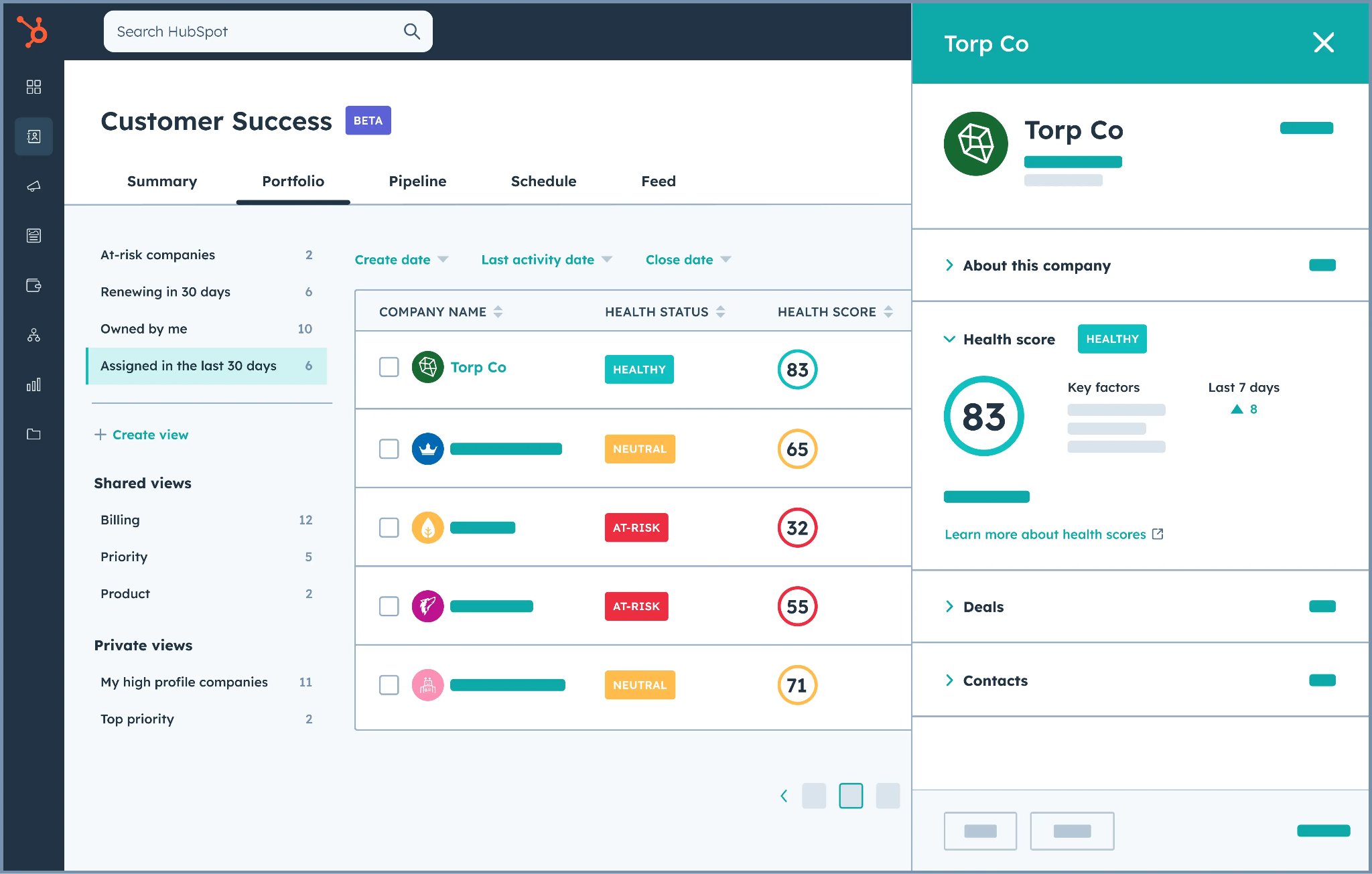
HubSpot is most well-known for its CRM capabilities, being a staple in many tech stacks. But customer success teams might also find some uses for, especially through its Service Hub. It’s focused on boosting retention and keeping customer relationship data organized and useful.
Best for:
SMB teams already invested in the HubSpot ecosystem that need basic CS capabilities without adding another platform to their stack.
Key features:
- Customer Success Workspace - A dedicated space within HubSpot built for CS workflows, separate from the standard CRM views. It surfaces pinned reports, customer health data, and activity in a single, CS-focused interface.
- Health Score - HubSpot's native health scoring tool, which draws from CRM and service data already in the platform. For teams already running HubSpot, it avoids the need to build scoring logic from scratch in a separate tool.
- Shared Inbox and Ticketing - HubSpot's Service Hub gives CS teams a centralized view of open and resolved customer issues. The native connection to the CRM means ticket history, contact records, and deal data all live in the same place.
- Breeze AI - HubSpot's broader AI assistant, which surfaces in the CS workspace through features like ticket summarization, suggested responses, and customer insight generation.
- Sequences - An automated outreach tool that lets CS teams enroll customers in timed, multi-step email workflows.
Pricing:
HubSpot's CS workspace sits within its Service Hub, which is priced on a per-seat model. Published rates run from £85/month per seat (Professional) to £135/month per seat (Enterprise), though pricing may differ by region and may be affected by your existing HubSpot contract.
If your team is already paying for HubSpot's CRM or Marketing Hub, adding CS capabilities is likely more cost-effective than the standalone seat price suggests.
Bundling across hubs often comes with negotiated discounts. Teams not already in the HubSpot ecosystem should factor in the full stack cost before comparing it to purpose-built CS platforms.
Now that we’ve been over the whole list, let’s look at some criteria to consider when selecting a Customer Success software tool for your SaaS business.
How to Pick A Customer Success Tools That Aligns with Your Needs
With so many tools available you have to carefully consider your needs before you pick a tool. A CS tool is a considerable investment with hours of training required to fully utilize it.
The first step is to write down your requirements. Not only the current requirements but the future requirements that align with your business needs. This way you know exactly what to look for when you join a demo and are unlikely to get distracted by the fancy features of CS platforms.
Below are a few general things to consider when picking a CS platform.
- Scalability: You're looking for a CS platform most likely because your business is growing. Your CS platform should be able to grow with your business. A tool that works well at 50 accounts should still feel reasonably manageable at 500, even if your workflows, data, and user base grow over time.
- Integrations: Integrations can make or break your experience with customer success software. Teams usually have a bunch of systems they use, so you need a CS platform that connects seamlessly with them. CRM, support desk, product analytics, and communication platforms are some of the tools you might want to prioritize having integrations for.
- Ease of use: UI being clunky and a pain to use on a day-to-day basis is one of the most common complaints software tools have to deal with. Make sure that your team is happy with how the interface works during demos, and that it’s easy to pick up for new CSMs.
- Customization: Every platform mentioned here has its own identity, but the mark of a really good software is that it's flexible in adapting to a specific user. Check if health scores, workflows, playbooks, dashboards, and customer fields can be customized to fit your needs.
- Vendor support: Since these tools need quite a bit of work from the vendor’s side to get running, make sure the vendor’s team that handles the implementation is helpful and responsive. Bonus points if they provide effective ongoing support during later stages as well.
- Subscription and renewal management: Subscriptions and renewals are essentially synonymous with SaaS business. Make it a priority for the tool you pick to have excellent tracking of contract dates, renewal risks, and expansion opportunities.
- Usage tracking: Without consistent usage data, you would have to rely on manual logging to know how your customers are using your product. Save your CS team (and your product team) a lot of hassle by picking a tool that accurately monitors adoption, and identifies valuable features and upsell chances.
- Proactive engagement: You never want to wait to act until your customer is already on the brink of churning, so look for features like alerts, health score changes, and lifecycle-based triggers that help CSMs reach out proactively.
Ideally, you want a Customer Success software that meets your basic needs, and then goes beyond to support your long-term business and strategic goals.
Evaluation Criteria We Used for CS Tools
We evaluated these tools mainly for mid market and above CS teams looking for automation and scalability. So if you’re looking for a low touch barebones tool then this comparison is probably not for you. Each tool is different with its own strengths and weaknesses. So we focused on the core capabilities expected from a CS tool.
The tools were evaluated based on the following criteria:
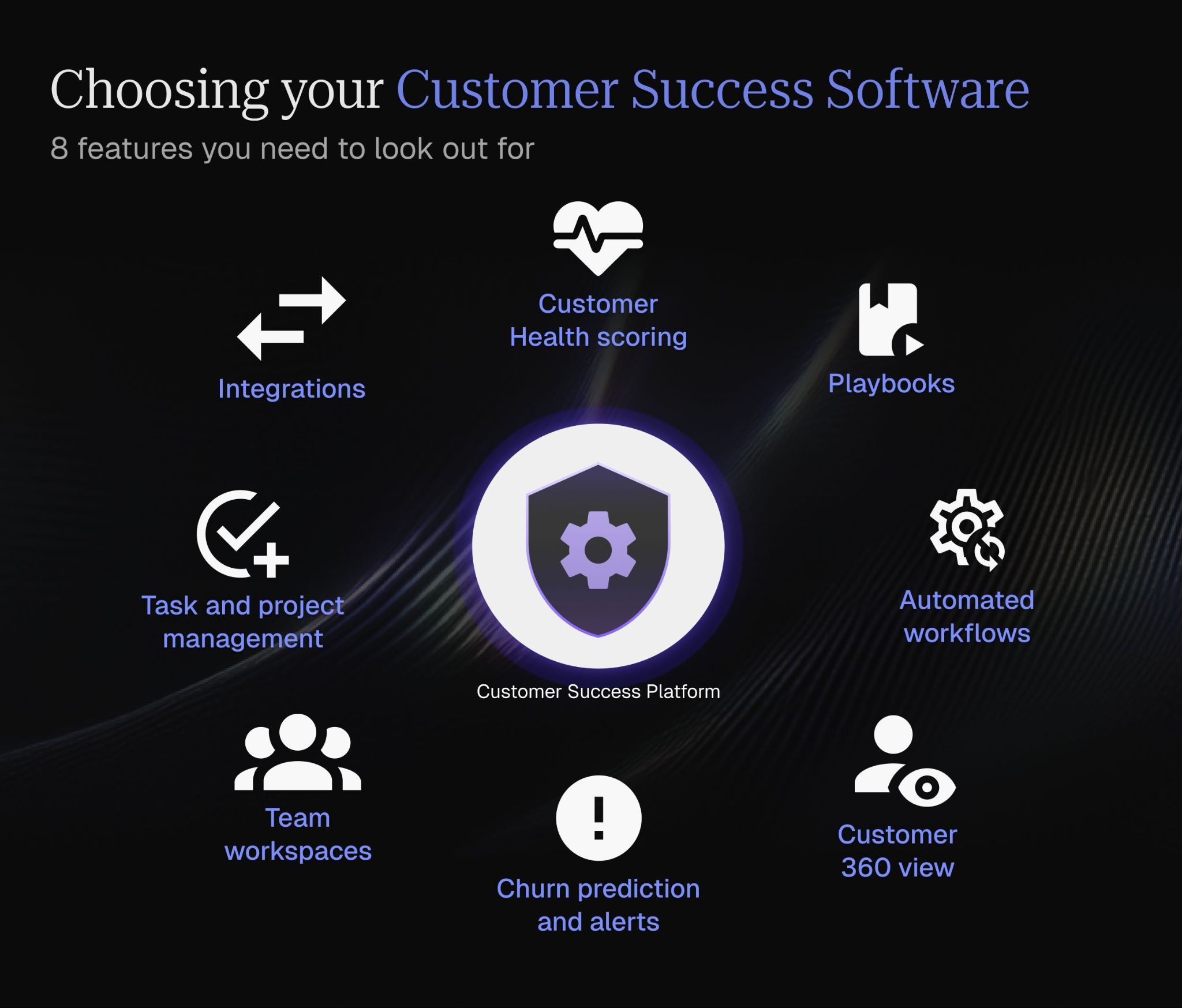
Onboarding Automation and Workflows
Onboarding new customers is one of the most critical tasks assigned to a CSM. Onboarding management with milestones, templates and playbooks for various customer segments, ability to assign and track onboarding tasks, automations to track features usages, onboarding task completion tracking are some of the things evaluated for this step.
Customer health scoring
We assessed how effectively each tool combines product usage, engagement, and sentiment data into a single, actionable health score. Strong health scoring is what enables CSMs to prioritise accounts, spot risk early, and focus attention where it matters.
Playbooks
We looked at whether platforms support structured, repeatable playbooks for common scenarios such as onboarding, low adoption, or renewals. Tools scored higher if playbooks helped standardise execution while still allowing flexibility based on account context.
Automated workflows
The ease with which teams could set off actions such as initiating tasks, generating alerts, or updating the customer relationship management system manually was used to measure the success of automation.
Customer 360 view
We considered how well each tool gathers customer data, interactions, and history into a single view. Platforms that reduce the need to switch between systems and provide full account context scored more highly.
Churn prediction and alerts
Tools were gauged based on their ability to identify at-risk accounts using historical and behavioural signals. Real-time or proactive alerts that enable early intervention were weighted heavily in our evaluation.
Team workspaces
We evaluated whether platforms provide shared spaces for Customer Success teams to collaborate, document account strategies, and track progress. Effective collaboration features can eliminate silos and improve accountability across teams.
Task and project management
We reviewed each solution’s ability to facilitate structured execution using tasks, accountability, deadlines, and dependencies. This is particularly crucial when dealing with complex projects, such as onboarding, renewals, and expansion projects.
Integrations
Finally, we assessed how well each platform integrates with existing systems such as CRMs, product analytics, and support tools. Proper integration allows ensure Customer Success teams can operate from a single source of truth without duplicating work.
Conclusion
There’s no universal answer for which customer success software is the best for every team. You have to assess your specific needs, and which tool accommodates them the closest.
The important thing is that you DO have a customer success platform, because it’s basically become non-negotiable for SaaS businesses. They provide undeniable value for mitigating the usual pain points CSMs go through, like fragmented data and lack of actual vision of customer health.
If you want a safe and solid option, Velaris, which is highly rated on G2, stands out as a comprehensive choice. It offers robust features that cater to the unique challenges of CSMs, while innovating with AI to provide new and visionary features. To experience its capabilities firsthand, book a demo today.
Frequently Asked Questions
What is Customer Success software?
Customer success software is a tool made for SaaS teams to manage post-sales customer relationships. It enables this through a host of different features, and commonly offers customer health tracking, workflow automation, account data centralisation, and streamlining of proactive engagement.
Who should use Customer Success software?
Customer success software is typically used by Customer Success Managers, CS leaders, RevOps teams, and SaaS founders. Generally, anyone who is responsible for retention, renewals, and customer growth, especially when managing multiple accounts or complex customer data, can benefit from a CS platform.
How do I choose the right Customer Success software tool?
It depends on team size, data maturity, and customer success motion. SMB teams tend to prefer ease of use and fast setup, given limited resources to devote to CS. In contrast, mid-market and enterprise teams would look for deeper automation, health scoring, integrations, and reporting capabilities.
What features matter most when evaluating Customer Success software?
It depends on your use case. But key features that you can’t go wrong with include customer health scoring, automated workflows, a unified Customer 360 view, churn prediction, and integrations with your tech stack.

James Leggett
Customer Success Manager at Velaris




Velaris is an AI-native Customer Success Platform built for mid-market and enterprise B2B SaaS teams. From customer health scoring and churn prediction to onboarding automation, renewals, and expansion workflows, Velaris helps recurring revenue teams understand account health, reduce churn, and scale customer success with greater visibility and control.