We look forward to showing you Velaris, but first we'd like to know a little bit about you.


Building An AI-powered Customer Success Tech Stack in 2026: A Guide for CS Teams
Learn essential elements of customer success tech stacks, trends, and Velaris' solution.
The Velaris Team
February 3, 2026
A Customer Success tech stack is the set of tools CS teams use to manage customer data, monitor account health, automate workflows, and communicate with customers throughout the lifecycle.
When this stack is missing or poorly designed, teams end up juggling disconnected tools, manually updating spreadsheets, and reacting to problems only after customers are already frustrated.
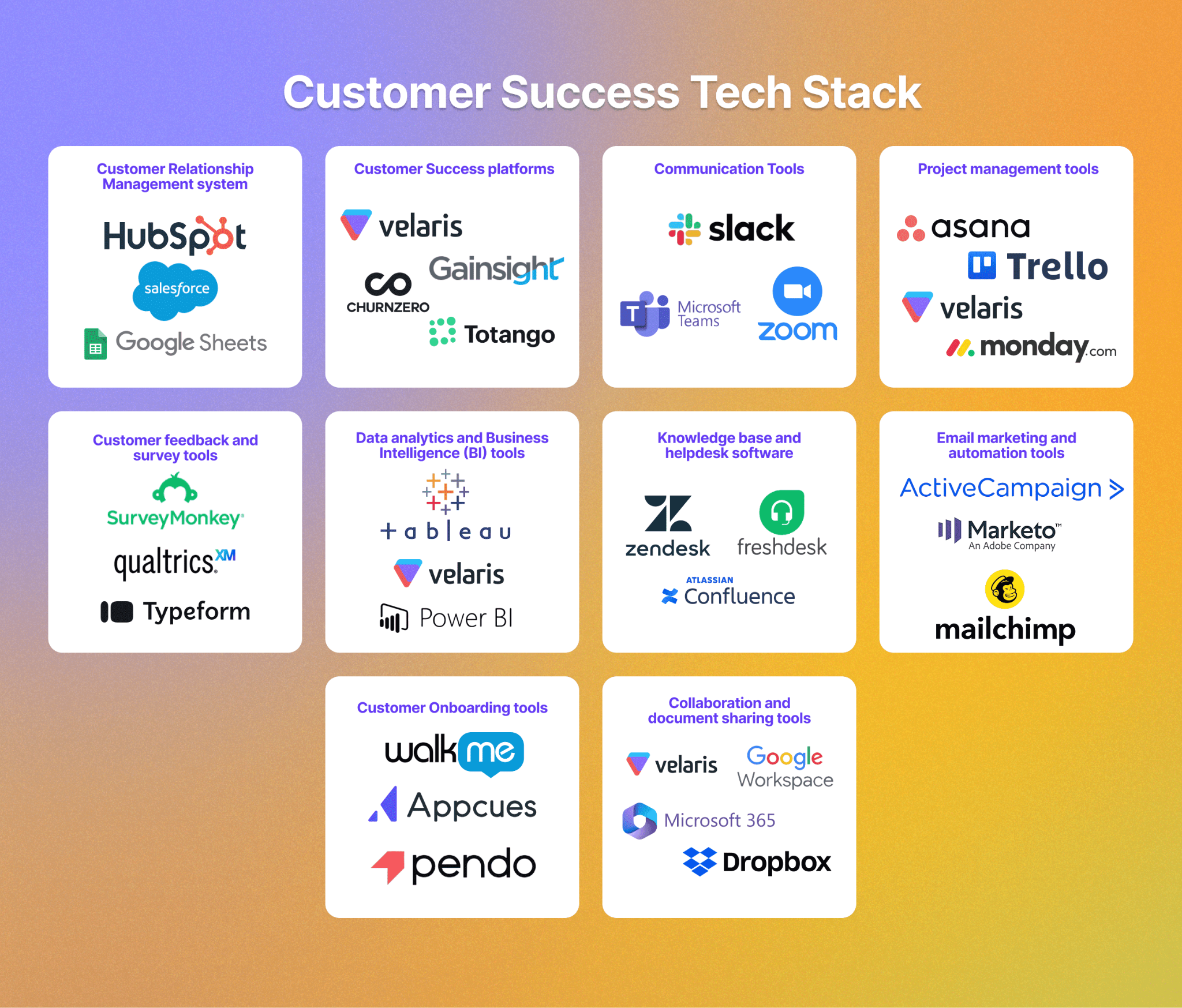
In this article, we will explore what a well-built tech stack looks like. We’ll also recommend the best tools in each category that will help you enhance your team's efficiency, and drive higher customer satisfaction and retention.
Key takeaways
- A Customer Success tech stack is essential for managing customer data, monitoring account health, automating workflows, and scaling proactive engagement as your customer base grows.
- The strongest stacks combine core categories like CRM, customer success platforms, communication tools, analytics, onboarding software, and collaboration tools.
- Platforms like Velaris can serve multiple functions by combining customer data, automation, project management, analytics, collaboration, and built-in AI in one workspace.
- Tool choice should be driven by workflow fit and customer lifecycle needs, in addition to feature lists. The right stack reduces manual work, improves visibility, and helps teams act before churn risk appears.
- AI-powered customer success platforms are increasingly valuable because they transform raw customer data into insights, risks, and next steps without heavy manual analysis.
- General Purpose AI tools
General-purpose AI tools can help customer success teams summarize information, draft emails, analyze documents, research accounts, prepare for meetings, and work through ad hoc questions. They are flexible and relatively inexpensive, which makes them useful for individual productivity.
However, they are not purpose-built customer success platforms. While all three can connect to external tools and company data, teams generally need to configure those connections and provide the right context for each workflow. They are strongest as general assistants rather than systems that continuously monitor customer health, renewals, adoption, risks, and opportunities out of the box.
Below we take a look at some of the most widely used options.
ChatGPT
ChatGPT is one of the broadest general-purpose AI tools available. Customer success teams can use it for tasks such as summarizing customer information, drafting communications, researching companies, analyzing spreadsheets and documents, preparing QBRs, and working through more complex questions.
Its main advantage is the breadth of what it can do. ChatGPT supports files, data analysis, deep research, projects, scheduled tasks, custom GPTs, and connections to external business applications.
This makes it particularly useful for teams that want one AI assistant for a wide variety of work rather than a tool designed around a single workflow.
The trade-off is that customer context still needs to be made available to ChatGPT through files, connected applications, company knowledge, or other integrations. For CS teams, this means the quality of the output can depend heavily on how much relevant account information ChatGPT has access to.
Pricing: ChatGPT has a free version. For organizations, ChatGPT Business currently costs $20 per user per month when billed annually or $25 per user per month when billed monthly, with Enterprise pricing available through sales.
Claude
Claude is particularly strong for working with large amounts of text, documents, analysis, writing, and more complex reasoning tasks.
For customer success teams, this makes it useful for reviewing call transcripts, contracts, customer notes, survey responses, account plans, and other information before producing summaries or recommendations.
Claude also supports projects, web research, file creation, connectors, and integrations with tools such as Slack, Google Workspace, and Microsoft 365.
Team plans add shared administration, enterprise search, SSO, and central billing, making it possible to use Claude beyond purely individual workflows.
Like other general-purpose AI tools, however, Claude is not inherently aware of the structure of a customer account. Teams need to provide or connect the product usage, commercial data, conversations, support history, health information, and other signals required for a particular CS task.
Pricing: Claude offers a free plan. Claude Pro costs $20 per month, or roughly $17 per month when paid annually. For businesses, Claude Team Standard costs $20 per user per month annually or $25 monthly, while higher-usage Premium seats cost $100 annually or $125 monthly. Enterprise pricing combines a seat fee with usage-based charges.
Google Gemini
Gemini is a strong option for organizations already heavily invested in Google Workspace. Its biggest advantage is its integration with tools such as Gmail, Docs, Drive, Meet, and other Google applications, allowing users to bring AI into workflows they already use every day.
For customer success teams, Gemini can help summarize emails and documents, prepare meeting notes, draft customer communications, analyze information, and research topics without requiring users to move as frequently between applications.
Compared with ChatGPT and Claude, Gemini is particularly attractive when most customer-facing work already happens inside Google Workspace.
Its limitation is similar to the other general-purpose tools: having access to emails and documents does not automatically create a complete customer success view combining conversations with product adoption, health, renewal position, support activity, goals, and other account signals.
Pricing: Gemini is included in current Google Workspace business plans. Business Starter costs $7 per user per month on an annual commitment and includes Gemini in Gmail and the Gemini app, while Business Standard costs $14 per user per month and expands Gemini across Gmail, Docs, Meet, and other Workspace applications.
Business Plus costs $22 per user per month. Google also offers an individual Google AI Pro plan for $19.99 per month.
- Customer Relationship Management (CRM) System
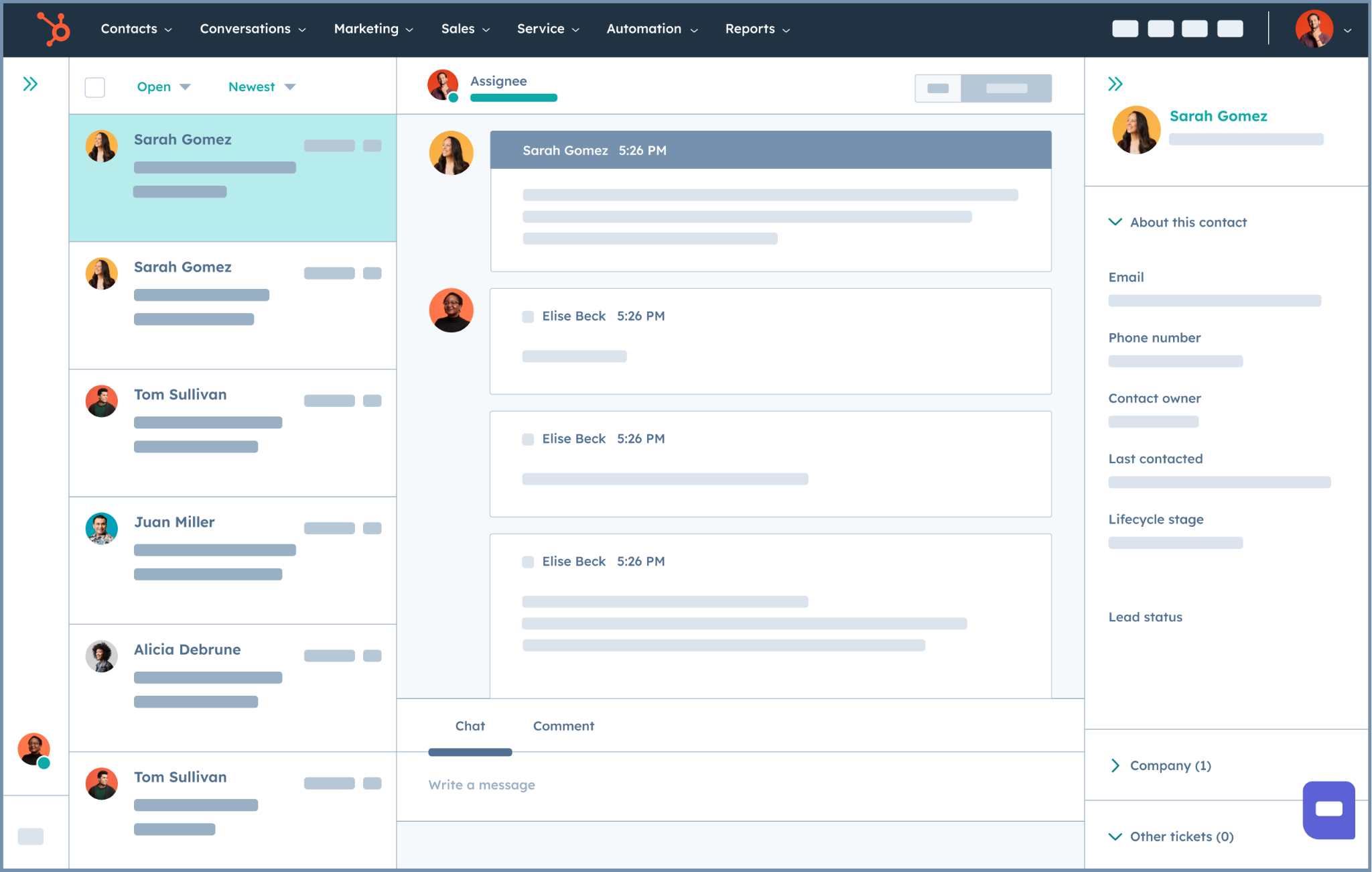
CRMs store and manage customer data, track interactions, and streamline the sales process. They give customer success teams a central place to view account history, manage contacts, monitor the customer journey, and spot upsell or risk signals early.
Below we take a look at how some common CRM options compare in practice.
Salesforce
Salesforce is the most powerful and flexible CRM option for large and complex organizations. It excels at handling detailed customer records, multi-team workflows, custom objects, and advanced reporting.
Compared to other tools, Salesforce offers the deepest functionality and scalability, but it also comes with higher costs, longer setup times, and more administrative overhead. It’s best suited for mid-market and enterprise teams with complex sales and customer success operations.
Pricing: Salesforce offers a free entry-level plan, while paid Sales Cloud plans start at $25 per user per month for Starter. Pro costs $100 per user per month, Enterprise $175, and Unlimited $350.
Larger teams should also factor in the cost of implementation, administration, and additional products or add-ons, which can make the overall cost significantly higher than the base subscription.
HubSpot
HubSpot is a strong all-round CRM that balances usability with solid functionality. It performs well for tracking customer interactions, managing pipelines, and maintaining clean contact and company records.
Compared to Salesforce, HubSpot is easier to implement and maintain but less customizable at scale. Compared to spreadsheets, it’s vastly more reliable and automation-friendly. It’s a popular choice for startups and growing SaaS teams that want structure without heavy complexity.
Pricing: HubSpot has a free CRM, making it one of the more accessible options for small teams.
Sales Hub Starter currently starts at $7 per seat per month when billed annually, with more advanced Professional and Enterprise plans becoming considerably more expensive as teams add functionality and users.
This makes HubSpot relatively inexpensive to adopt, although costs can grow quickly when multiple paid Hubs and higher-tier features are required.
Spreadsheets (Google Sheets or Excel)
Spreadsheets can function as a basic CRM in the early stages by storing customer names, emails, deal stages, and notes. Their main advantages are simplicity, zero or low cost, and flexibility.
Most teams already know how to use them, they require no setup, and they can be quickly adapted to different workflows. For very small teams or early-stage startups, this makes spreadsheets a fast and accessible starting point.
However, compared to dedicated CRM tools, spreadsheets perform poorly for automation, real-time collaboration, activity tracking, and data integrity. They work as a temporary solution, but quickly become a bottleneck for customer success teams.
Pricing: Spreadsheets are usually the cheapest option. Google Sheets is available free for individual users, while Google Workspace business plans start at $7 per user per month on an annual plan.
Excel is also available through Microsoft 365, with Business Basic starting at $7 per user per month for the web and mobile apps and Business Standard at $14 per user per month for the full desktop suite.
For teams already paying for Google Workspace or Microsoft 365, there is often no meaningful additional software cost to using spreadsheets as a basic CRM.
- Customer success platforms (CSPs)
Customer Success platforms help teams monitor account health, manage lifecycle stages, track engagement, and take proactive action to reduce churn and grow accounts.
Velaris
Velaris, which is highly rated on G2, performs strongly across core CS use cases (health scoring, lifecycle tracking, automation, and 360° account views) and stands out for its built-in AI layer.
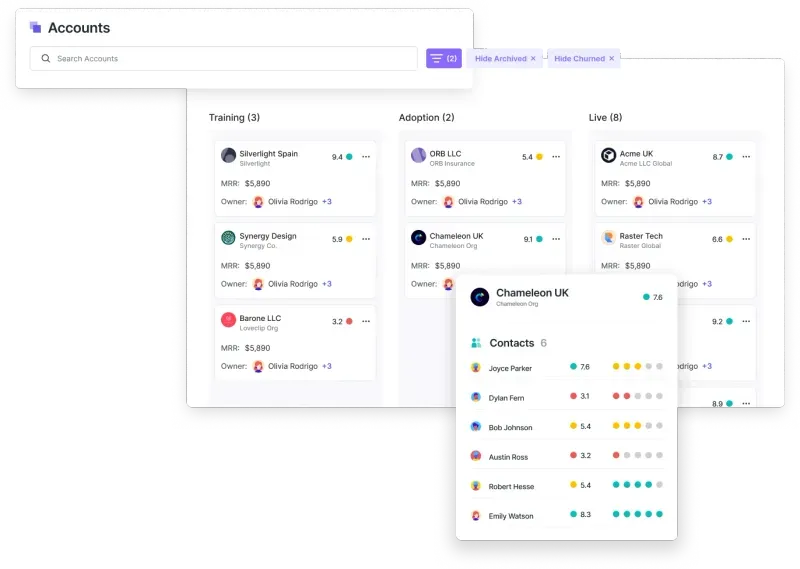
Its AI features automatically turn unstructured data such as calls, emails, tickets, and notes into structured insights:
- Headlines summarizes account-level activity and recurring themes so CSMs can understand the full customer context at a glance.
- CallSense analyzes call transcripts to generate summaries, action items, follow-up drafts, risk signals, and sentiment scores.
- Trending Topics groups customer conversations into recurring themes (e.g., integration issues, product feedback) to surface trends across accounts.
- Velaris Bridge uses AI to monitor, summarize, and enrich data flowing between Velaris and external systems like CRMs, ticketing tools, and data warehouses.
Compared to traditional CS platforms, Velaris reduces manual prep and analysis by automatically generating account context, risks, and next steps, which makes proactive customer management easier to scale.
Pricing: Velaris uses custom pricing based on each organization’s requirements rather than publishing a fixed subscription price. Its core license includes five users and unlimited viewers, with additional products and add-ons available depending on the team’s needs.
This makes it primarily suited to mid-market and enterprise teams looking for a broader customer success platform rather than a low-cost point solution.
Gainsight
Gainsight performs well for enterprise teams that need advanced health scoring, playbooks, and renewal forecasting.
It is powerful but often requires significant configuration and ongoing admin support. Gainsight is less AI-driven out of the box and relies more on manual rule-building and dashboard setup to surface insights.
Pricing: Gainsight does not publicly list fixed prices for its Customer Success product. It offers Essentials and Enterprise packages, with pricing available by request.
Essentials includes 10 full users and Enterprise includes 20, while both provide unlimited viewer licenses. As an enterprise-focused platform, the overall cost can also depend on the scale of the customer base and the functionality required.
Totango
Totango is strong in customer segmentation, lifecycle tracking, and rule-based automation. It works well for teams that want structured success programs and clear journey orchestration.
However, insight generation is mostly dependent on predefined metrics and workflows. It is commonly used by SaaS companies that prioritize consistency and process standardization across accounts.
Pricing: Totango does not use traditional per-seat pricing. Instead, its pricing model is tied to Contract Value Under Management (CVUM), meaning costs are based on the value of the customer revenue being managed through the platform rather than the number of users.
Exact prices are not publicly listed, so teams need to contact Totango for a quote based on their customer portfolio.
ChurnZero
ChurnZero focuses heavily on engagement tracking, in-app messaging, and churn prevention workflows. It is effective for monitoring usage signals and triggering outreach at scale.
Teams might use ChurnZero for its ease of use and strong engagement tooling, particularly for high-touch or fast-moving customer environments.
Pricing: ChurnZero does not currently publish standard pricing on its website, so prospective customers need to contact the company for a tailored quote.
This makes it harder to estimate costs upfront compared with platforms that offer transparent per-user plans, particularly because the final price can depend on the size and requirements of the customer success operation.
- Communication tools
Communication tools support real-time messaging, video calls, and collaboration between customer success teams and their customers. They play a key role in coordinating internally, resolving issues quickly, and maintaining clear, consistent communication externally.
Slack
Slack is one of the most widely used tools for internal team communication. It performs especially well for fast, asynchronous collaboration between CSMs, support, sales, and product teams.
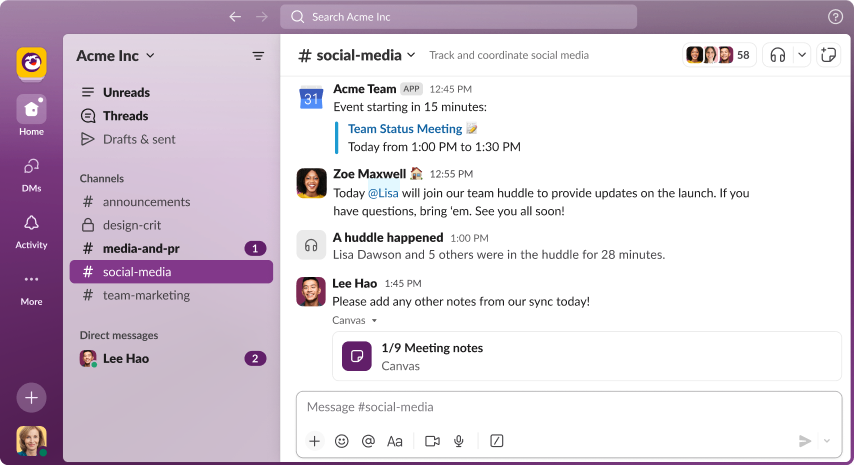
For customer success, Slack is useful for:
- Sharing account updates and risk alerts internally
- Coordinating handoffs between teams
- Creating dedicated channels for key customers or segments
However, Slack is primarily designed for internal use. While it can support limited external collaboration via shared channels, most customer communication still needs to happen in email or dedicated customer-facing tools.
Pricing: Slack offers a free plan for small teams, while its Pro plan costs $7.25 per active user per month when billed annually. Business+ costs $15 per active user per month annually, while Enterprise+ uses custom pricing.
This makes Slack relatively inexpensive to adopt, but costs can become significant for larger customer success teams where most employees require paid access.
Microsoft Teams
Microsoft Teams is a strong alternative for organizations already using Microsoft 365. It combines chat, video meetings, file sharing, and calendar integration in a single workspace.
For CS teams, Teams works well for:
- Internal collaboration and meetings
- Cross-functional account reviews
- Video calls with customers
Its tight integration with Outlook and SharePoint makes it convenient for document-heavy workflows, though it can feel heavier and less flexible than Slack for quick, informal communication.
Pricing: Microsoft Teams Essentials costs $4 per user per month when billed annually. Teams is also included with Microsoft 365 Business plans, with Business Basic starting at $7 per user per month annually.
For companies already using Microsoft 365, this can make Teams a particularly cost-effective option because messaging and meetings are bundled alongside email, storage, and other productivity tools.
Zoom
Zoom excels at one thing: reliable, high-quality video meetings. It’s often the preferred tool for:
- Customer onboarding sessions
- QBRs and executive check-ins
- Training and enablement calls
While Zoom is essential for live conversations, it doesn’t replace day-to-day messaging or collaboration tools. Most CS teams use it alongside Slack or Teams rather than as a standalone communication platform.
Pricing: Zoom offers a free Basic plan, while Zoom Workplace Pro starts at $14.16 per user per month. Workplace Business costs $18.33 per user per month when billed annually and increases meeting capacity and collaboration features.
For customer success teams, only employees who regularly host meetings may need paid licenses, while customers and other meeting participants can join without purchasing their own Zoom license.
- Project management tools
Project management tools help customer success teams organise tasks, track progress, and manage deadlines. They are especially important for onboarding coordination, implementation projects, renewals, and long-running customer initiatives where multiple stakeholders and milestones are involved.
Velaris
Velaris approaches project management from a customer success perspective rather than a generic task-tracking one.
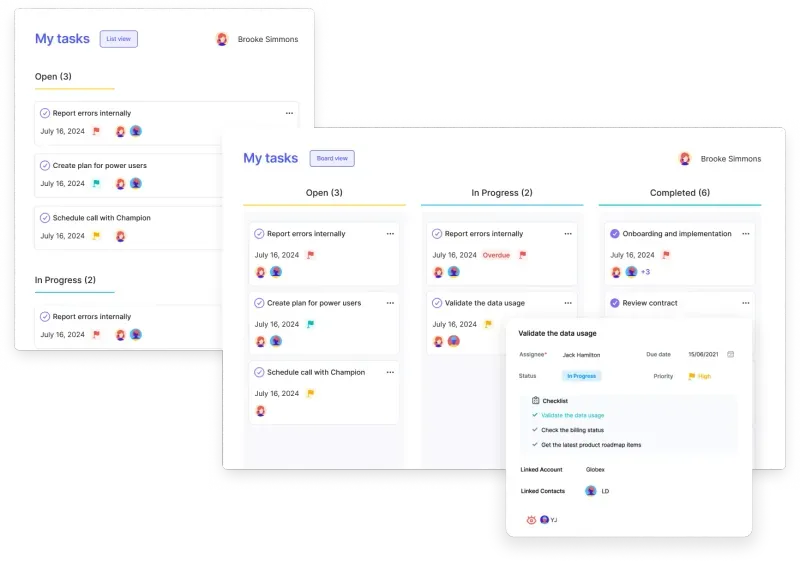
It includes:
- Task to-do lists tied directly to accounts and contacts
- Ownership, due dates, and collaboration inside customer records
- Time tracking for customer-related projects
- AI-generated tasks based on analysis of customer emails, calls, and activity
The key advantage is context. Tasks live alongside customer health scores, usage data, conversations, and success plans, so CSMs don’t need to switch tools to understand why a task matters.
For teams that want project management tightly integrated with customer data and workflows, this reduces tool sprawl and manual coordination.
Pricing: Velaris uses custom pricing based on each organization’s requirements rather than publishing a fixed subscription price.
Its core license includes five users and unlimited viewers, with customer success functionality such as task management, success plans, health scores, automations, reporting, and AI capabilities included, while additional add-ons are available depending on the team’s needs.
Asana
Asana is a powerful general-purpose project management tool that excels at:
- Complex task dependencies
- Workflow automation
- Cross-team project visibility
For CS teams, Asana works well for onboarding checklists, implementation projects, and internal coordination. However, it operates outside the customer system of record, so CSMs often need to switch between Asana and their CS platform or CRM to get full context.
Pricing: Asana offers a free Personal plan for individuals and small teams. Its Starter plan costs $10.99 per user per month when billed annually, while Advanced costs $24.99 per user per month. Enterprise plans use custom pricing.
Asana is relatively affordable for smaller CS teams, although costs can rise as more users require access to advanced workflow, portfolio, and reporting features.
Trello
Trello offers a simpler, visual, card-based approach to task management.
It’s useful for:
- Lightweight onboarding boards
- Simple workflow tracking
- Small teams that want minimal setup
While easy to adopt, Trello lacks deeper reporting, automation, and customer context, which can become limiting as CS operations scale.
Pricing: Trello has a free plan for up to 10 collaborators per Workspace. Standard costs $5 per user per month when billed annually.
Premium costs $10 per user per month and adds features such as additional views, unlimited automation runs, and stronger administration controls.
Its low starting price makes it one of the more accessible project management options for small CS teams.
Monday.com
Monday.com sits between Asana and Trello in complexity and flexibility.
It provides:
- Customisable workflows
- Visual dashboards
- Automation rules
- Timeline and workload views
It can be adapted for customer success use cases, but like Asana, it remains a standalone project tool. Customer context, health data, and communication history typically live elsewhere.
Pricing: Monday.com offers a free plan for up to two users, while paid Work Management plans start at $9 per user per month when billed annually. Standard starts at $12 per user per month and Pro at $19, with Enterprise pricing available by quote.
Plans start from a minimum of three seats, so smaller teams should take the minimum seat requirement into account when comparing overall costs.
- Customer feedback and survey tools
Customer feedback tools help CS teams understand how customers feel about the product, what’s working, and where friction exists. Surveys and questionnaires are commonly used to collect satisfaction data, product insights, and improvement ideas that guide retention and expansion strategies.
SurveyMonkey
SurveyMonkey is one of the most widely used tools for creating and distributing surveys.
It’s strong for:
- Quick survey setup
- Standard templates (NPS, CSAT, CES)
- Basic reporting and exports
For customer success teams, SurveyMonkey works well as a lightweight option for collecting feedback at scale. However, survey results typically live outside your CS platform, which means insights often need to be manually connected back to accounts, health scores, or renewal planning.
Pricing: SurveyMonkey offers a free Basic plan, while its Team Advantage plan starts at $30 per user per month when billed annually, with a minimum of three users.
Higher-tier Team Premier and Enterprise plans add more advanced analysis, branding, administration, and security features, with Enterprise pricing available by quote.
Qualtrics
Qualtrics is an enterprise-grade experience management platform designed for deep analysis and large-scale programs.
It excels at:
- Advanced survey logic and segmentation
- Statistical analysis
- Enterprise reporting and dashboards
- Multi-channel feedback collection
For mature CS organizations, Qualtrics offers powerful insight generation. The tradeoff is complexity and cost. It often requires dedicated setup and integration work to feed results into customer success workflows.
Pricing: Qualtrics does not publish fixed subscription prices. Instead, organizations request a custom quote based on the products they need and their planned usage.
This reflects its enterprise focus and makes it harder to estimate costs upfront compared with self-service survey tools such as SurveyMonkey or Typeform.
Typeform
Typeform focuses on creating conversational, user-friendly surveys.
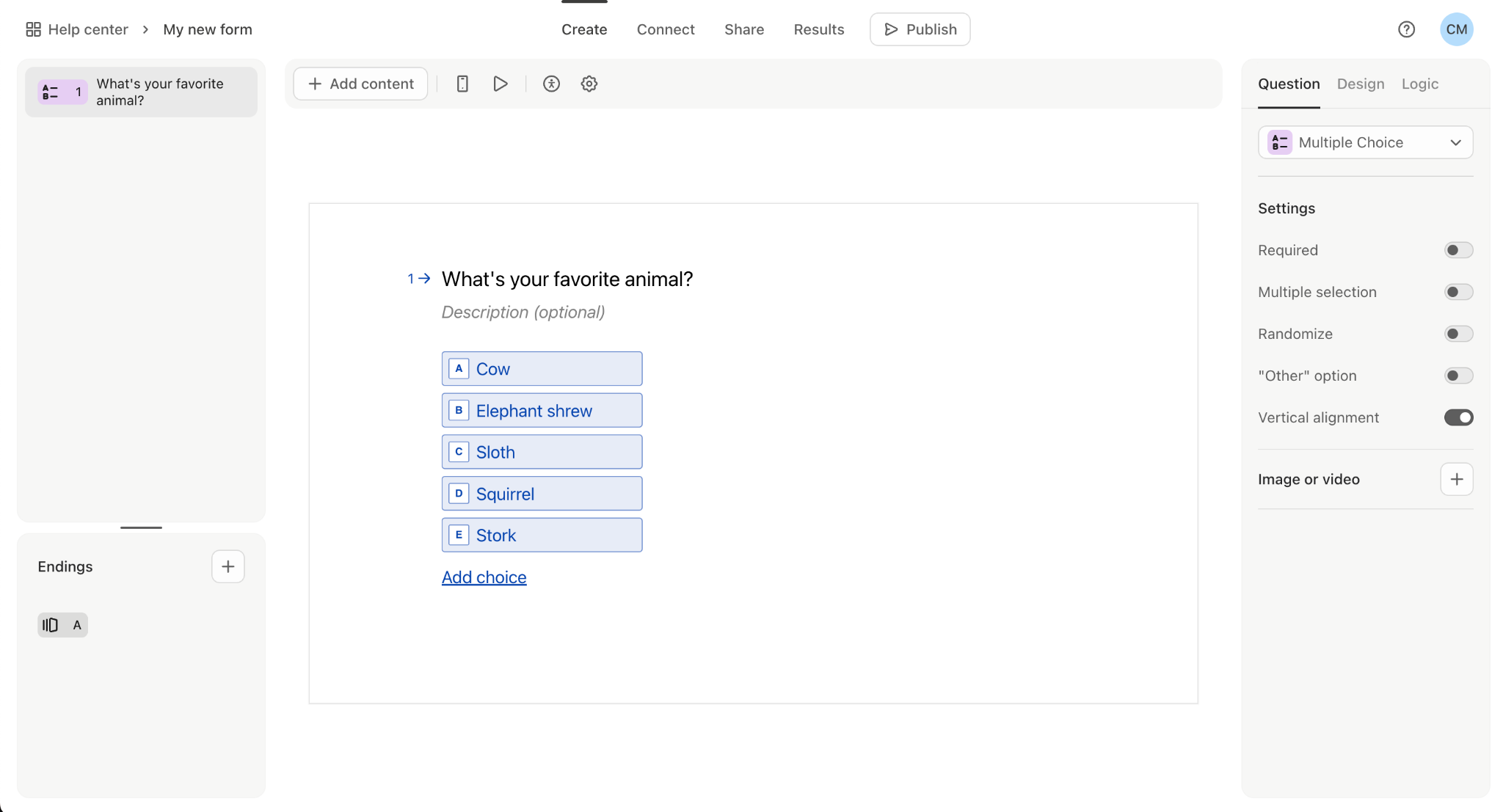
It’s especially good for:
- High completion rates
- Customer interviews and qualitative feedback
- Embedded surveys in emails or apps
Typeform is popular for relationship-driven CS teams that want more thoughtful responses rather than just scores. Like SurveyMonkey, though, feedback data usually sits separately from customer health and lifecycle data unless integrated into a CS platform.
Pricing: Typeform offers a free plan, while paid plans start at $25 per month for Basic when billed annually. Plus costs $50 per month annually and Business costs $83 per month annually, with Enterprise pricing available through sales.
Plans also have different monthly response and user limits, so teams collecting large volumes of customer feedback may need a higher tier.
- Data analytics and Business Intelligence (BI) tools
BI tools help customer success teams turn raw data into clear, actionable insights. They’re commonly used to track KPIs, understand trends in customer behavior, monitor retention and expansion, and report on performance across accounts and segments.
Velaris
Velaris includes analytics directly inside the customer success platform, centered around a real-time 360° customer profile.
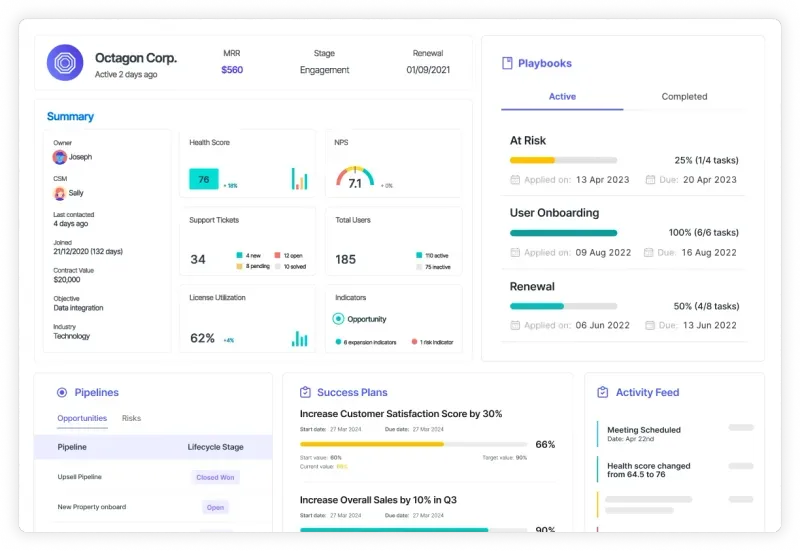
It performs especially well for CS teams because it:
- Combines product usage, lifecycle stage, MRR, renewal dates, health scores, and engagement data in one view
- Allows teams to ask questions about customer data using AI Copilot, without building reports manually
- Connects insights directly to workflows, tasks, success plans, and playbooks
Compared to standalone BI tools, Velaris prioritizes actionability. Insights are immediately tied to accounts and next steps, instead of living in separate dashboards.
Pricing: Velaris uses custom pricing based on each organization’s requirements rather than publishing a fixed subscription price.
Its core license includes five users and unlimited viewers, with reporting dashboards, health scores, AI analysis, automations, playbooks, and other customer success functionality included. Additional products and add-ons are available depending on the team’s needs.
Tableau
Tableau is a powerful enterprise BI platform focused on deep data visualization.
It’s strongest for:
- Advanced dashboards
- Complex multi-source reporting
- Executive and company-wide analytics
For customer success teams, Tableau is useful when detailed, customized reporting is required across departments. However, it usually relies on data teams for setup and maintenance, and insights often need to be manually translated into CS actions.
Pricing: Tableau uses role-based licensing. Tableau Standard costs $75 per Creator, $42 per Explorer, and $15 per Viewer per month when billed annually. Enterprise plans increase those prices to $115, $70, and $35 respectively.
Teams also need at least one Creator license, so costs depend heavily on how many employees need to build dashboards versus simply view them.
Looker
Looker is a modern BI platform (part of Google Cloud) designed around data modeling and consistent metrics.
It works well for:
- Standardized reporting across teams
- Strong data governance
- Integration with large data warehouses
In CS environments, Looker is helpful for building reliable performance views, but it typically sits outside daily workflows. Like Tableau, it’s more analysis-first than execution-first.
Pricing: Looker uses custom enterprise pricing rather than publishing a fixed subscription fee. Pricing combines the cost of the Looker platform with individual user licenses, which vary depending on whether someone is a Developer, Standard, or Viewer user.
Standard, Enterprise, and Embed editions each include 10 Standard users and two Developer users, with additional pricing available through Google Cloud sales.
Power BI
Power BI is Microsoft’s business intelligence tool, commonly used in organizations already in the Microsoft ecosystem.
It’s a good option for:
- Cost-effective dashboards
- Integration with Excel and Azure
- Basic to intermediate reporting needs
For CS teams, Power BI offers accessible reporting but usually requires manual effort to connect insights back to account management, onboarding, or renewal processes.
Pricing: Power BI has a free tier for creating reports, while Power BI Pro costs $14 per user per month when paid annually. Premium Per User costs $24 per user per month and adds features such as larger data models, more frequent refreshes, and advanced AI capabilities.
Power BI Pro is also included with Microsoft 365 E5 and Office 365 E5, which can make it particularly cost-effective for organizations already using Microsoft’s enterprise suite.
- Knowledge base and helpdesk software
Knowledge base and helpdesk tools help customer success teams manage support tickets, document recurring issues, and offer self-service resources to customers. They play a key role in reducing support load while improving response times and consistency.
Zendesk
Zendesk is one of the most widely used customer support platforms, known for its robust ticketing system, automation rules, and reporting features.
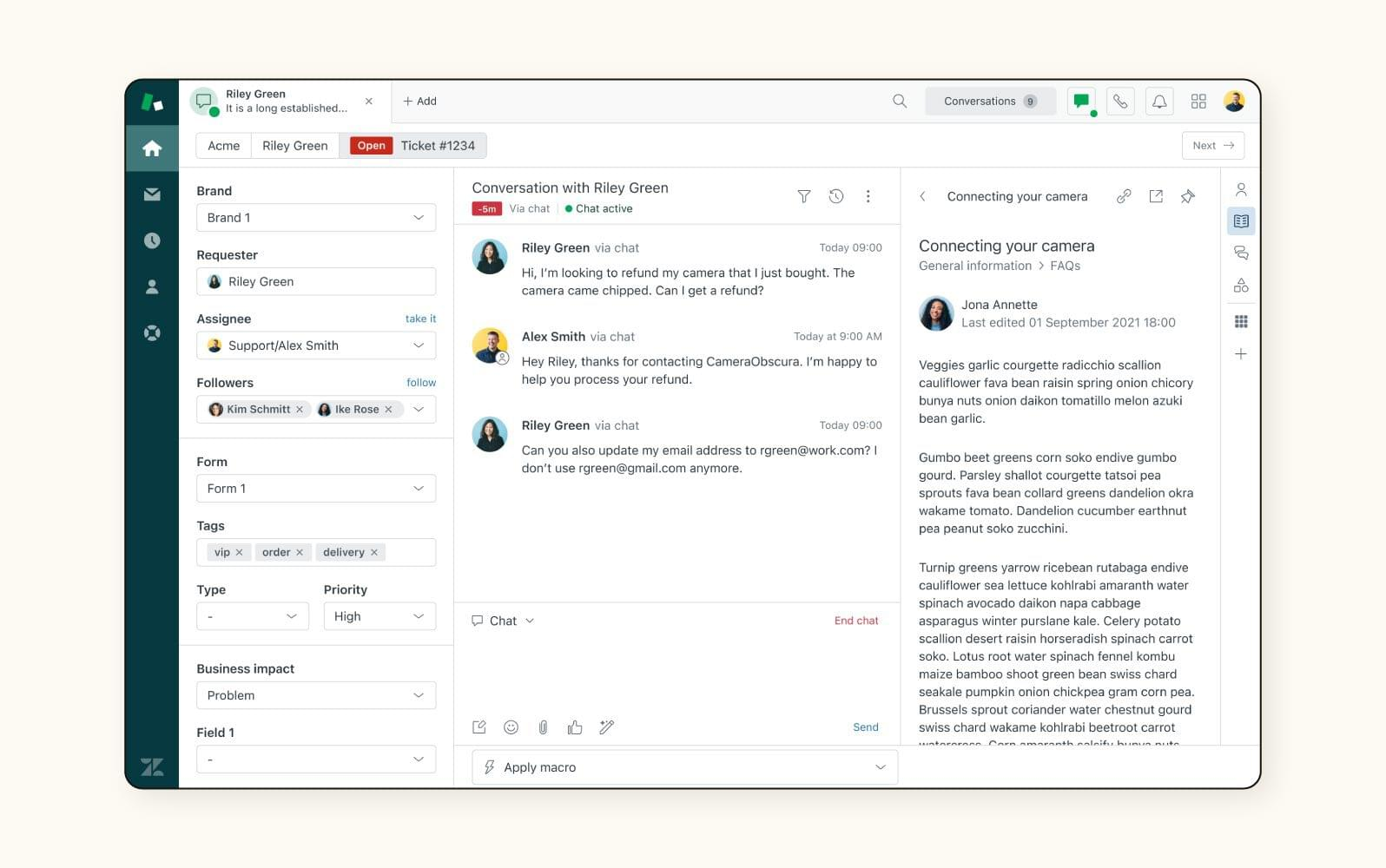
It performs well for high-volume support environments and teams that need advanced routing and SLA management. For customer success teams, Zendesk is often strongest when tightly integrated with CRM or CS platforms to provide full account context.
Pricing: Zendesk’s Support plans start at $19 per agent per month when billed annually, while the broader Zendesk Suite starts at $55 per agent per month and adds features such as a knowledge base, messaging, live chat, voice, and AI agents.
Additional AI usage and some add-ons are charged separately, so costs can increase for teams with more advanced support requirements.
Freshdesk
Freshdesk offers similar ticketing and knowledge base functionality with a simpler setup and lower entry cost.
It’s well suited for small to mid-sized teams that need reliable support workflows without heavy configuration. However, like most helpdesk tools, it focuses primarily on issue resolution rather than long-term account management.
Pricing: Freshdesk paid plans start at $19 per agent per month for Growth when billed annually. Pro costs $55 per agent per month and Enterprise costs $89, with additional charges for features such as Freddy AI Copilot and extra AI Agent sessions.
This gives smaller support teams a relatively affordable entry point while offering higher tiers for more complex operations.
Confluence
Confluence is primarily a documentation and internal knowledge-sharing tool rather than a traditional helpdesk.
It works well for maintaining internal playbooks, troubleshooting guides, and product documentation that CS teams can reference when helping customers. It’s typically paired with a ticketing system rather than used as a standalone support solution.
Pricing: Confluence offers a free plan for up to 10 users. Its Standard plan starts at $5.42 per user per month, while Premium starts at $10.44 per user per month, with pricing varying based on team size and billing cycle.
Confluence is relatively inexpensive for teams that mainly need a shared knowledge base rather than a full customer support platform.
- Email marketing and automation tools
Email marketing and automation tools help customer success teams deliver targeted, timely communication at scale. They are commonly used for lifecycle messaging, product updates, onboarding sequences, and re-engagement campaigns.
Mailchimp
Mailchimp is widely used for its ease of setup and user-friendly interface.
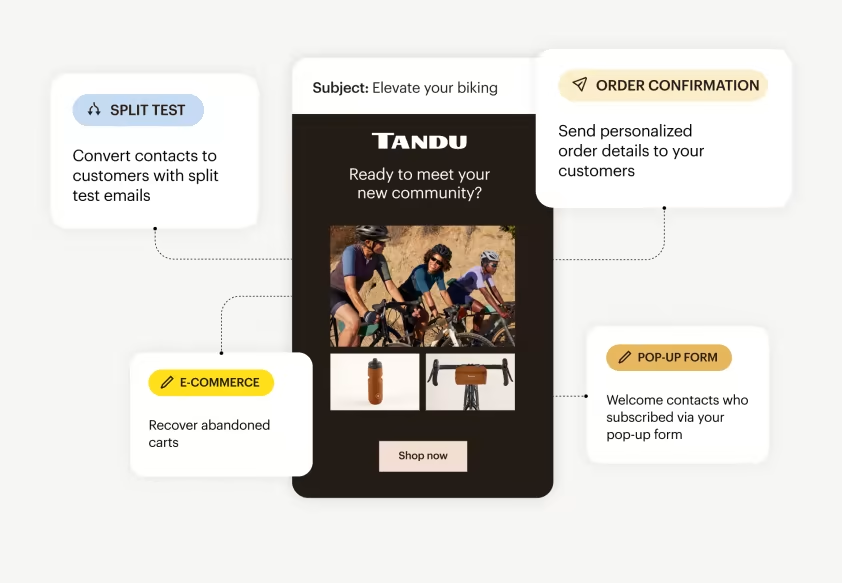
It performs well for basic segmentation, simple automation flows, and broadcast-style communication such as newsletters and product announcements. For CS teams, it’s often best suited for lightweight engagement rather than complex, behavior-driven lifecycle journeys.
Pricing: Mailchimp offers a free plan for smaller contact lists, while its Essentials plan starts at $13 per month for up to 500 contacts.
Pricing increases as contact volume grows, with Standard and Premium plans adding more advanced automation, segmentation, reporting, and support. This makes Mailchimp relatively inexpensive for small teams, although costs can rise significantly as mailing lists expand.
Adobe Marketo Engage Marketo
Adobe Marketo Engage is a more advanced marketing automation platform designed for large-scale, multi-touch campaigns.
It excels at complex segmentation, lead scoring, and deep integration with sales and marketing systems. While powerful, it can be heavy to configure and is typically owned by marketing teams rather than customer success teams directly.
Pricing: Adobe does not publish fixed prices for Marketo Engage. It offers Growth, Select, Prime, and Ultimate packages, with customized pricing based on the organization’s requirements and package selected.
This quote-based model reflects Marketo’s enterprise focus and makes it considerably less straightforward to budget for than self-service tools such as Mailchimp.
ActiveCampaign
ActiveCampaign sits between simplicity and depth, offering strong automation features with a relatively accessible setup.
It works well for customer lifecycle emails, onboarding sequences, and triggered follow-ups based on user actions. CS teams often use it when they need more personalization and logic than Mailchimp provides, without the operational overhead of enterprise tools like Marketo.
Pricing: ActiveCampaign pricing starts at $15 per month for accounts with fewer than 1,000 contacts, with costs increasing based on contact volume, plan, and additional capabilities.
Its current plans include Starter, Plus, Pro, and Enterprise, with more advanced tiers adding stronger segmentation, automation, integrations, and AI functionality.
This gives teams a relatively low-cost entry point while allowing them to scale into more sophisticated lifecycle automation.
- Customer onboarding tools
Customer onboarding tools help guide new users through setup, early product usage, and key workflows. They focus on reducing friction, accelerating time to value, and ensuring customers reach meaningful milestones quickly.
WalkMe
WalkMe is an enterprise-grade digital adoption platform designed for complex products and large organizations.
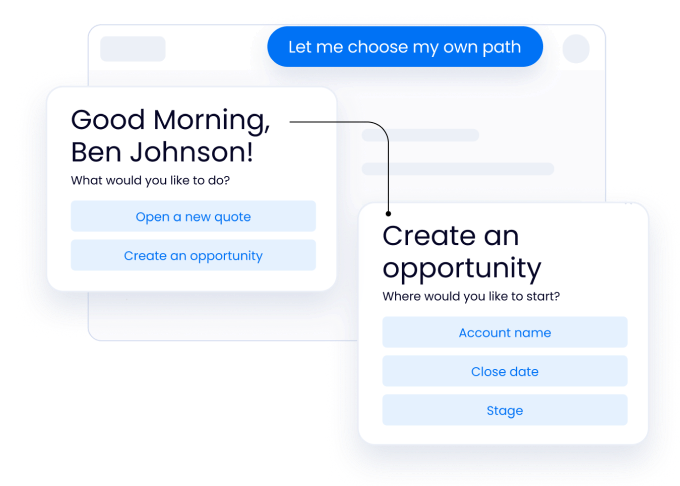
It excels at creating detailed in-app walkthroughs, multi-step guidance, and contextual help for sophisticated workflows. However, it can be heavy to implement and maintain, and is often best suited for large teams with dedicated resources to manage onboarding content.
Pricing: WalkMe does not publish fixed subscription prices and instead provides custom quotes based on each organization’s requirements.
Its pricing is aimed primarily at enterprise deployments, with the platform including in-app guidance, onboarding, analytics, segmentation, automation, localization, and enterprise security features.
This makes costs harder to estimate upfront and generally better suited to larger organizations with dedicated digital adoption budgets.
Appcues
Appcues is popular for building onboarding experiences without engineering effort.
It performs well for creating tooltips, checklists, modals, and simple product tours that help users understand core features. For CS teams, it’s a practical option when the goal is to guide users through common setup steps and basic workflows quickly.
Pricing: Appcues uses usage-based pricing rather than a simple per-seat model. Its Start plan supports up to 3,000 monthly active users, while Grow starts at 3,000 MAUs and Enterprise supports custom usage volumes.
Pricing scales based on monthly active users, installations, and the number of published experiences, with all plans including Appcues’ core experience types, features, and integrations. Exact prices are currently provided through sales.
Pendo
Pendo combines product analytics with onboarding and in-app messaging.
It’s particularly useful when teams want to link onboarding flows to real usage data, allowing them to tailor guidance based on how customers actually interact with the product. This makes it valuable for continuously optimizing onboarding based on behavior rather than assumptions.
Pricing: Pendo offers a free plan for up to 500 monthly active users, including product analytics and in-app guides. Its Base, Core, and Ultimate plans use custom pricing based primarily on monthly active users and the functionality required.
This makes Pendo accessible for small teams to test, while larger deployments require a tailored quote as usage and feature requirements increase.
- Collaboration and document sharing tools
Collaboration and document sharing tools allow Customer Success teams to work with customers and internal stakeholders in real time, share onboarding materials and plans, and keep important documents organised and accessible.
Velaris Customer Portal
Instead of treating documents as standalone files, the Velaris Customer Portal connects shared resources, tasks, timelines, and discussions directly to each account. This makes it easier for teams and customers to stay aligned on what’s been shared, what’s in progress, and what’s coming next, without switching between tools or losing context.
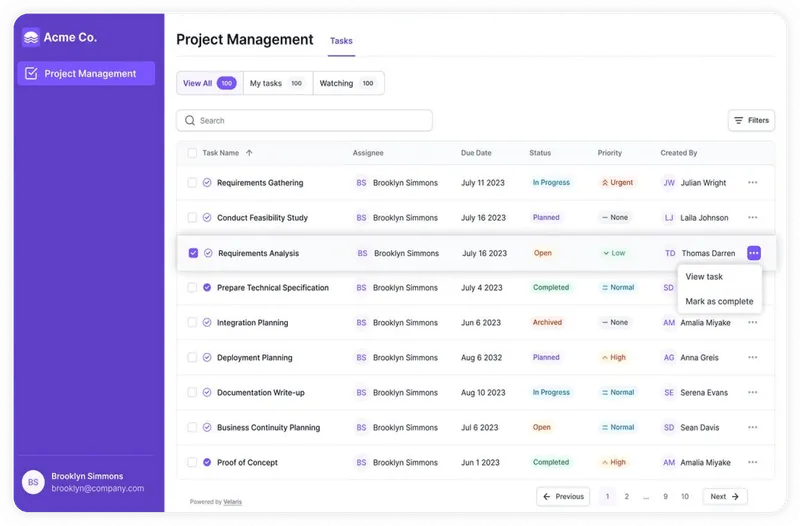
For CS teams looking to reduce tool sprawl and keep collaboration tied closely to customer goals and onboarding progress, this can be more efficient than managing documents separately from customer data.
Pricing: The Velaris Customer Portal is offered as a complementary product alongside the core Velaris customer success platform, with pricing tailored to each organization’s requirements. Velaris does not publish a fixed price for the portal, so teams need to request a custom estimate based on their setup and needs.
Google Workspace
Google Workspace is widely used for real-time document editing, sharing, and basic collaboration.
It performs well for teams that need fast, simple access to shared files and the ability to co-edit documents with customers. However, customer context, task ownership, and onboarding or success planning workflows live outside the documents themselves, which can lead to fragmented visibility.
Pricing: Google Workspace Business Starter costs $7 per user per month on an annual commitment, while Business Standard costs $14 and Business Plus costs $22. Enterprise plans use custom pricing.
Because Docs, Sheets, Drive, Meet, and other collaboration tools are bundled together, it can be a cost-effective option for teams that already rely on Google for their wider productivity stack.
Microsoft 365
Microsoft 365 offers similar strengths, with robust document management through Word, Excel, SharePoint, and Teams.
It works well for organizations already embedded in the Microsoft ecosystem and needing structured file storage and permissions. Like Google Workspace, it handles documents well but does not connect collaboration directly to customer health, milestones, or success outcomes.
Pricing: Microsoft 365 Business Standard costs $12.50 per user per month when paid annually, while Business Premium costs $22 per user per month.
These plans bundle Word, Excel, PowerPoint, Outlook, Teams, OneDrive, and SharePoint, making Microsoft 365 particularly cost-effective for organizations already operating within the Microsoft ecosystem.
Dropbox
Dropbox focuses primarily on secure file storage and sharing.
It’s effective for distributing large files and managing access control, but offers limited support for real-time collaboration, task tracking, or customer success workflows beyond basic file exchange.
Pricing: Dropbox Standard costs $15 per user per month, while Advanced costs $24 per user per month. Enterprise plans use custom pricing.
So Dropbox is relatively straightforward to budget for, although teams primarily paying for file storage and sharing may find broader productivity suites more cost-effective if they also need document editing, meetings, and other collaboration tools.
Building a Customer Success tech stack with these tools can help your team streamline their workflows, enhance customer interactions, and drive overall customer satisfaction and retention.
That being said, CS teams do face a few challenges when it comes to finding exactly which tools to work with.
Conclusion
A comprehensive Customer Success tech stack is crucial for delivering exceptional customer experiences and driving business growth. By leveraging the right tools and systems, you can streamline your processes, improve data visibility, and enhance customer engagement.
If you want to integrate the functions of a Customer Success tech stack in one place, consider adopting a unified platform like Velaris, a highly rated platform on G2, into your daily workflows. To test it out yourself, request a demo today.
Frequently Asked Questions
How many tools should a Customer Success tech stack include?
There’s no fixed number, but most teams start with 4–7 core tools covering CRM, customer success management, communication, analytics, and onboarding. The goal is coverage without overlap. If multiple tools solve the same problem, complexity usually increases faster than productivity.
Should Customer Success use the same tools as Sales and Support?
Partially. Sharing a CRM or support system helps maintain continuity, but Customer Success often needs additional tools focused on health scoring, lifecycle tracking, onboarding, and proactive engagement. A stack should support collaboration without forcing CS teams into sales- or ticket-centric workflows.
When is the right time to invest in a Customer Success platform?
Typically when manual tracking becomes unreliable. Common signals include struggling to identify churn risk early, inconsistent onboarding, or spending excessive time preparing for customer meetings instead of engaging customers.
How do you evaluate whether a tech stack is actually working?
Look for operational outcomes rather than tool usage. Indicators include faster onboarding times, fewer reactive escalations, improved renewal rates, clearer account visibility, and reduced time spent on manual reporting or data preparation.
Can a unified platform replace multiple tools?
In some cases, yes. Platforms that combine customer data, workflows, analytics, collaboration, and automation can reduce tool sprawl and context switching. Whether full consolidation makes sense depends on your team size, complexity, and how tightly customer workflows need to be connected.

The Velaris Team
A (our) team with years of experience in Customer Success have come together to redefine CS with Velaris. One platform, limitless Success.




Velaris is an AI-native Customer Success Platform built for mid-market and enterprise B2B SaaS teams. From customer health scoring and churn prediction to onboarding automation, renewals, and expansion workflows, Velaris helps recurring revenue teams understand account health, reduce churn, and scale customer success with greater visibility and control.